Make a multi-scene AI video with the same character in ChatGPT
Give every scene the same starting point.
Creative Claw is a ChatGPT app that turns a written script into a multi-scene short film with the same character in every shot. Save a reusable Character, approve a shot-by-shot storyboard, render each scene with a reference-capable model such as Seedance 2.5 or MiniMax H3 Max, and assemble the shots into a first cut. References guide consistency; they do not guarantee an identical face or outfit in every frame. OpenAI discontinued Sora in 2026, so ChatGPT has no built-in video generator; you need an app like this one.
A script, character references, and a target film length
→
Create
An ordered first cut assembled from approved rendered shots
15 s · 16:9 · 1920×1080 · made in Creative Claw
Finished example
See a four-scene short film with one recurring character.
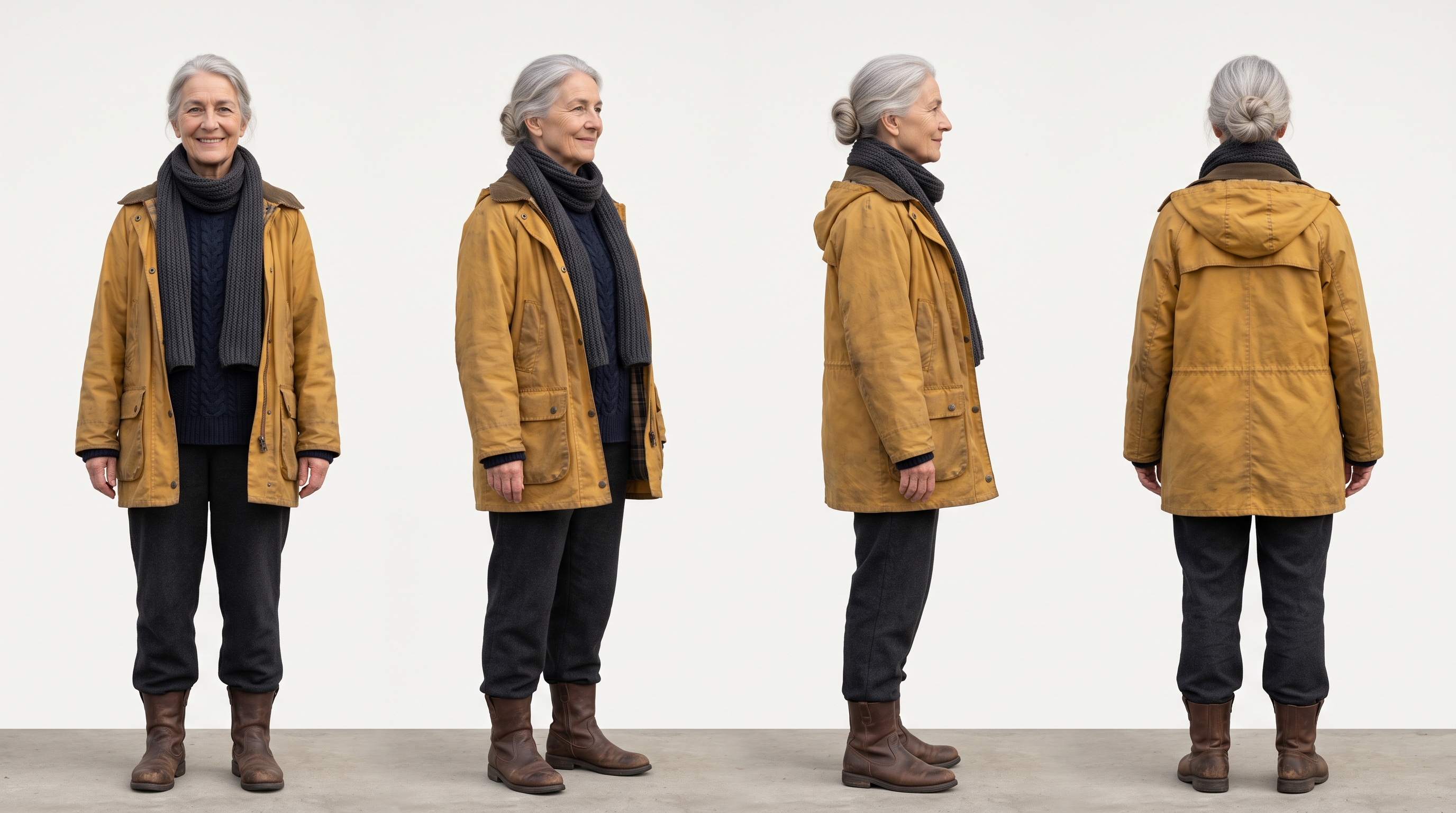
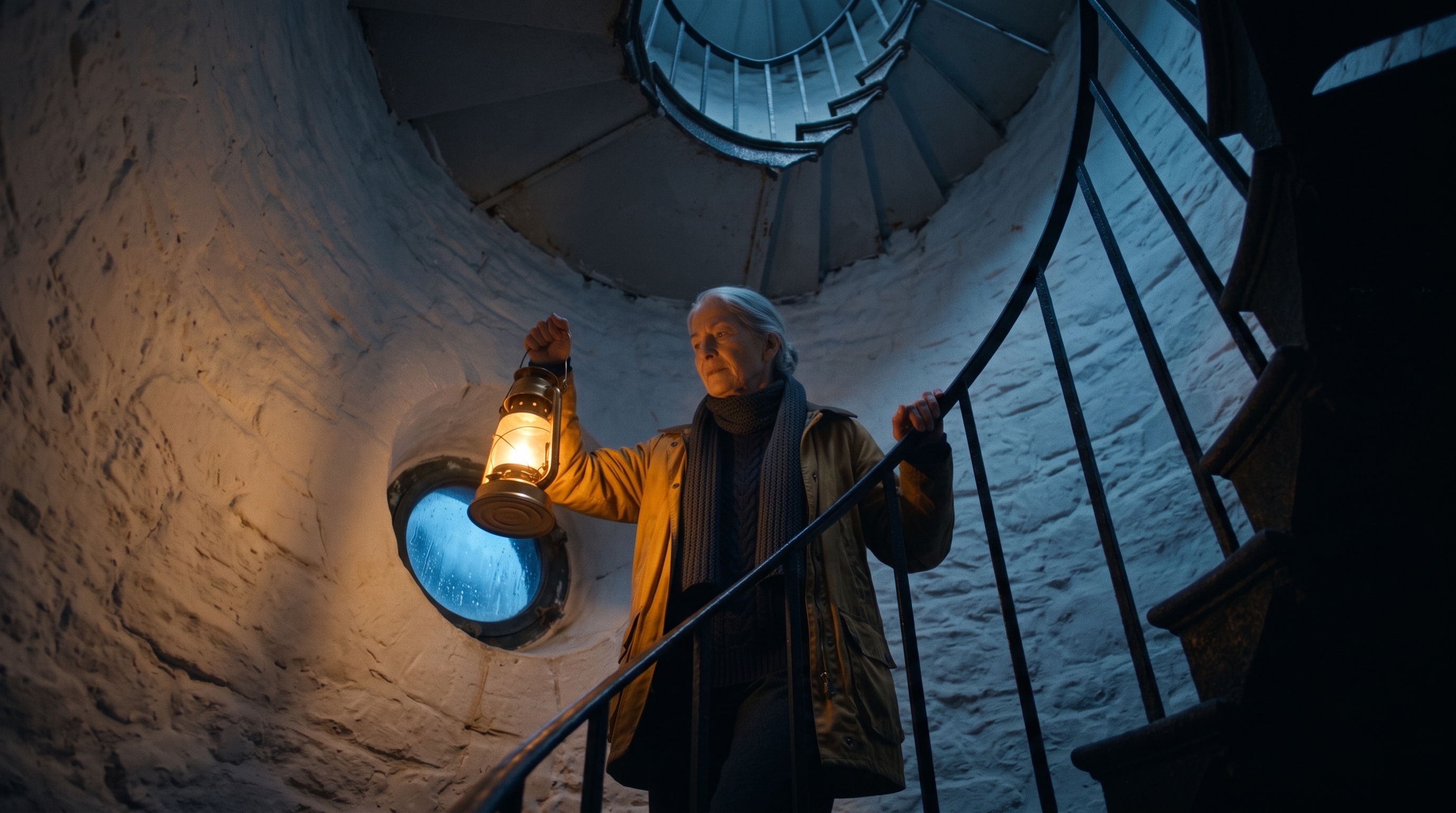
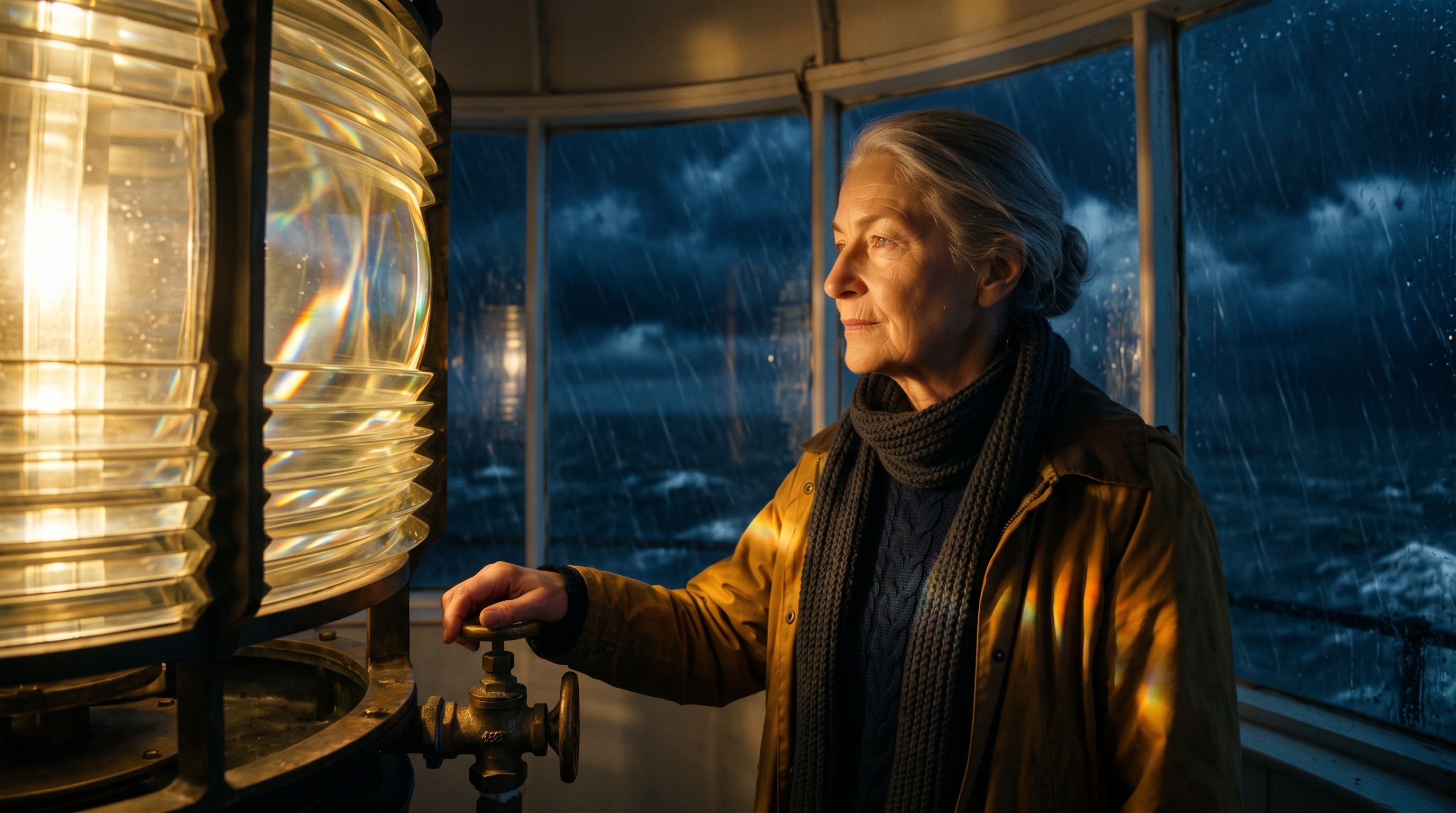
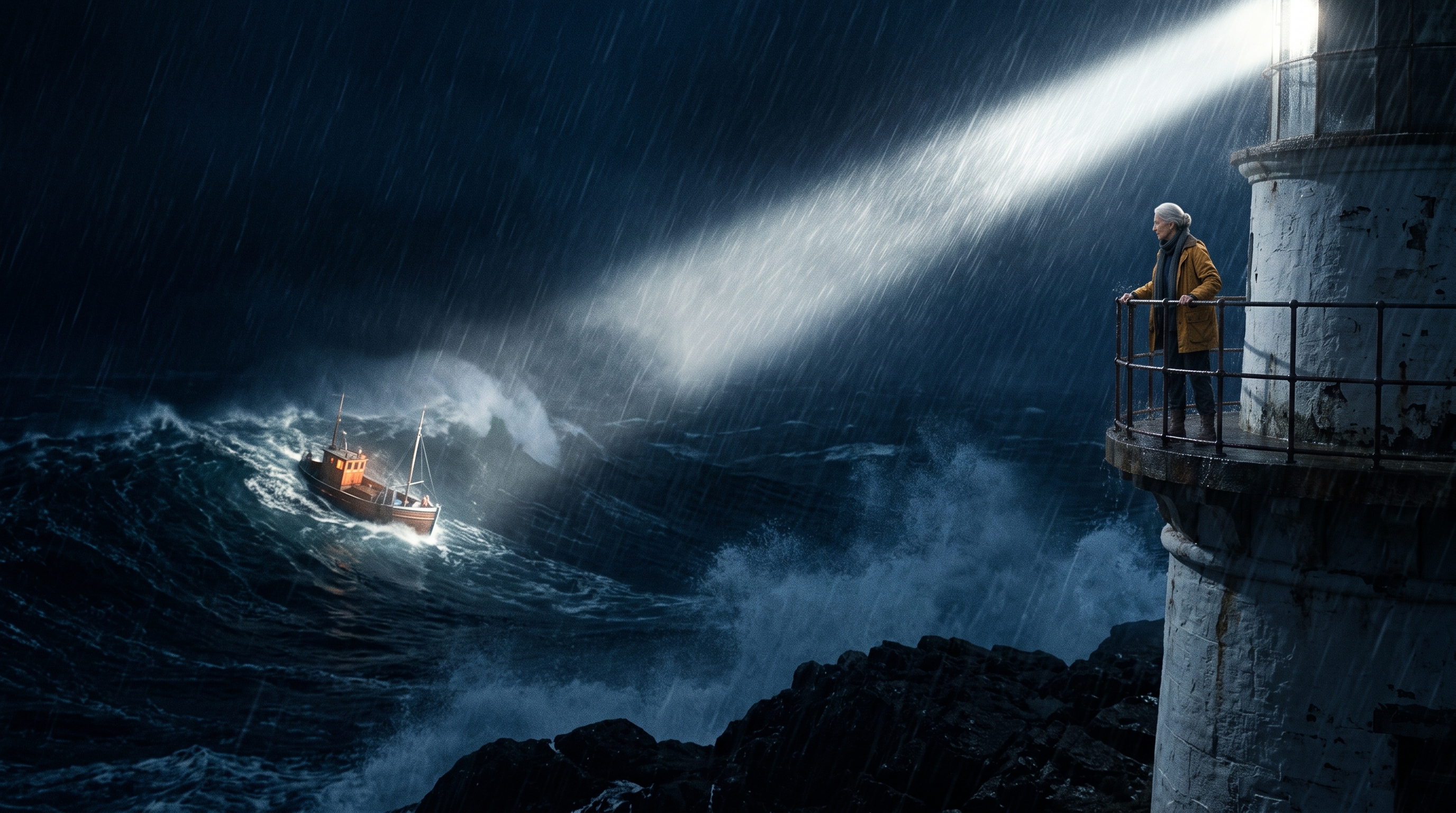
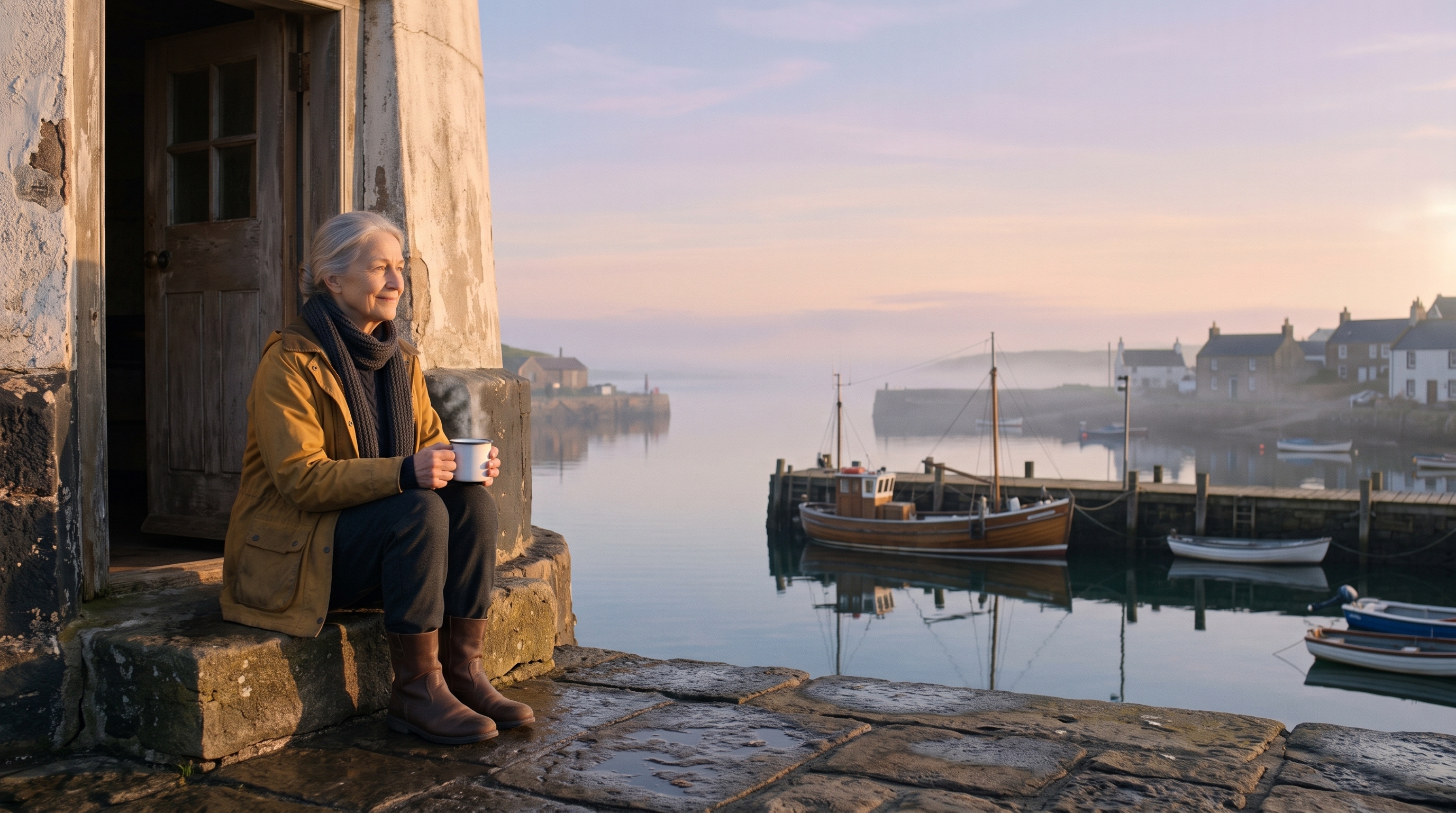
“The Keeper” is an original short made for this guide. We saved Ada as a reusable Character from one reference sheet, generated a start frame for each scene, then rendered all four scenes in a single 15-second MiniMax H3 Max generation, using the character sheet as the identity reference and the four frames as scene references. The narration was generated separately with ElevenLabs and placed on each scene, with captions timed from its word timestamps.
Voiceover script
“Every night for forty years, Ada has climbed these stairs. The sea doesn't know her name. But tonight... someone out there needs the light. And every morning... it's worth it.”
What it took, step by step
Step
Tool
Credits
Character reference sheet
Nano Banana 2
16
Four scene frames from that sheet
Nano Banana 2
64
All four scenes in one 15-second generation, 1080p
MiniMax H3 Max
485
10.7-second narration
ElevenLabs v3 (Foley)
4
Place each line on its scene and caption it
ElevenLabs alignment
0
Total for the finished example
569 ($5.69)
Charged costs from this single run on September 27, 2026. H3 Max renders up to 15 seconds with hard cuts in one generation; for longer films, render scenes separately and assemble them. Identity is reference-guided, so review every scene.
Character sheet · saved as a reusable Character
Scene 1 · the climb
Scene 2 · the light
Scene 3 · the storm
Scene 4 · the morning
Measured example
See one recurring character tested across three scenes and three video models.
Compare unedited Seedance 2.5, MiniMax H3 Max, and Wan 3.0 results using the same character sheet, ElevenLabs voice reference, and controlled three-scene prompt.
Connect Creative Claw in ChatGPT. Supply a reference you have permission to use, or create a fictional character sheet. Settle the face, hair, outfit, and visual style, then save the approved reference as a reusable Character.
02
Break the script into shots
Create a Film project and a storyboard. Give each shot a purpose, action, camera direction, duration, and reference requirements. Approve the plan before rendering; account for the chosen model’s supported clip lengths.
03
Check references, models, and costs
Ask for a model that supports the reference inputs your shots need. Reuse the approved character reference across applicable shots, not just the character name. Review model parameters and a per-shot estimate before generation.
04
Render and review every scene
Generate the shot clips and inspect identity, wardrobe, product details, motion, and continuity. Resolve missing or failed clips and approve any retries. A saved Character is not a guarantee that all generated frames will match.
05
Assemble the first cut
Once every required shot has a rendered clip, assemble them in project order. Add the project narration if appropriate, then review the result. Captioning, detailed transitions, and per-shot sound design may require separate finishing work.
Pricing
How much does it cost?
Creative Claw is pay as you go: $10 buys 1,000 credits, new accounts get 100 free credits, and there is no subscription. Typical costs for this workflow:
What you generate
Credits
Cost
Character reference sheet, Nano Banana 2
16
$0.16
Storyboard frame per scene, Nano Banana 2
16
$0.16
One 15-second multi-scene generation, MiniMax H3 Max (1080p)
485
$4.85
One 5-second clip, Gemini Omni Flash (720p)
75
$0.75
One 5-second clip, Seedance 2.5 (720p)
267
$2.67
A 10–15 second ElevenLabs v4 voiceover
4
$0.04
The finished 15-second film above
569
$5.69
Prices charged or quoted by Creative Claw on October 18, 2026. See all model prices, and ask for an estimate in ChatGPT before you generate.
Alternatives
How does Creative Claw compare with other ChatGPT video tools?
The tools below are the ones AI assistants most often recommend for this job. We checked each vendor’s own pages on September 27, 2026 (Higgsfield and Runway on October 18, 2026). “None found” means we could not find an official app in the ChatGPT directory or on the vendor’s site. Creative Claw publishes this page.
Tool
Official ChatGPT app
Consistent characters
Video models
Cheapest paid plan
Creative Claw
Yes
Reusable Characters as references
Several: Seedance 2.5, MiniMax H3 Max, Gemini Omni and more
Pay as you go: $10 = 1,000 credits, no subscription
Identity references and first-frame inputs have different purposes. Ask for a model and input mode that support the desired scene composition; forcing the same starting frame into every shot can limit the storytelling.
First cut means first cut
Film assembly concatenates rendered shots and can use project narration. It does not automatically provide full transitions, per-shot audio mixing, or captions. Keep those deliverables explicit.
Review before scaling up
Test a short scene before a long film. Budget for reference images, every shot, narration, finishing, and any approved retries. Longer projects amplify both cost and consistency challenges.
Can I use Sora in ChatGPT to make a multi-scene video with the same character?
Not anymore. OpenAI shut down the Sora app on April 26, 2026 and the Sora 2 API on September 24, 2026, and ChatGPT does not generate video by itself. To make a multi-scene video with a recurring character in ChatGPT, use an app such as Creative Claw: save the character once, then render the scenes with Seedance 2.5 or MiniMax H3 Max.
Can I keep the same character across multiple scenes?
Reusable character references help guide appearance across shots when the selected model supports them. Faces, outfits, and proportions can still drift. Approve a character sheet and inspect each rendered scene before assembly.
Which app in ChatGPT can turn a written script into a cinematic short film?
Creative Claw can. Paste the script into ChatGPT, save the main character as a reusable Character, approve a storyboard, then either render all scenes in one generation (MiniMax H3 Max handles up to 15 seconds with hard cuts) or render scenes separately and assemble them. Add narration and captions last. The Keeper example on this page was made in a single H3 Max generation.
How much does a short AI film cost in ChatGPT?
The four-scene, 15-second example on this page cost 569 credits ($5.69): 80 for the character sheet and scene frames, 485 for one MiniMax H3 Max generation at 1080p, and 4 for narration. Longer films add about 16 credits per scene frame plus the video time you render.
Can I add narration or dialogue to the film?
Yes. Generate narration with an ElevenLabs voice and place each line on its scene, or describe dialogue and sound in the shot prompt for models with native audio. Review lip sync and timing before sharing.
Does saving a Character automatically lock its identity?
No. The saved Character supplies a reusable description and reference. Generation must use appropriate reference inputs, and the model may still change details. It is reference-guided consistency, not a guaranteed identity lock.
Can a film be longer than one generated clip?
Yes. Plan several shots within the model’s supported durations, render them separately, and assemble their completed clips. The total film length comes from the edit, not a single model call.
Does film assembly generate missing shots?
No. The project needs completed shot clips before assembly. Generate or resolve the missing clips first, then assemble the first cut.
Are narration, captions, and transitions automatic?
Film assembly can use the project’s narration track, but it is not a complete post-production editor. Request captioning and other supported finishing work separately, and review sound and timing before sharing.