Enhance the dish, never invent it
Change the light, background and steam, never the food: same portion, same ingredients, same plate. Compare every edit with your original photo before you post it.
For restaurants · ChatGPT · October 2026
A month of food content from one chat, without faking the food.
Creative Claw is a ChatGPT plugin that makes a restaurant’s photos, videos and menus in one conversation: retouched dish photos that keep the food unchanged, 6-second reels from your kitchen, a promo voiced in English and Spanish with a jingle, a chalkboard specials board, a printable menu and a digital menu board. Our fictional grill’s kit came to about 620 credits ($6.20). Delivery apps such as DoorDash want unedited photos, so use retouches on your own channels.
Start with 100 free credits. No card required.
 By Itay Dressler, founder of Creative Claw · LinkedIn · Updated
Bring
Phone photos of your dishes, your menu and your storefront
Create
Dish photos, reels, a promo with a jingle, menus and boards
Made with Creative Claw
Before and after
Each retouch changed the light and background and left the food alone; compare the plates side by side.
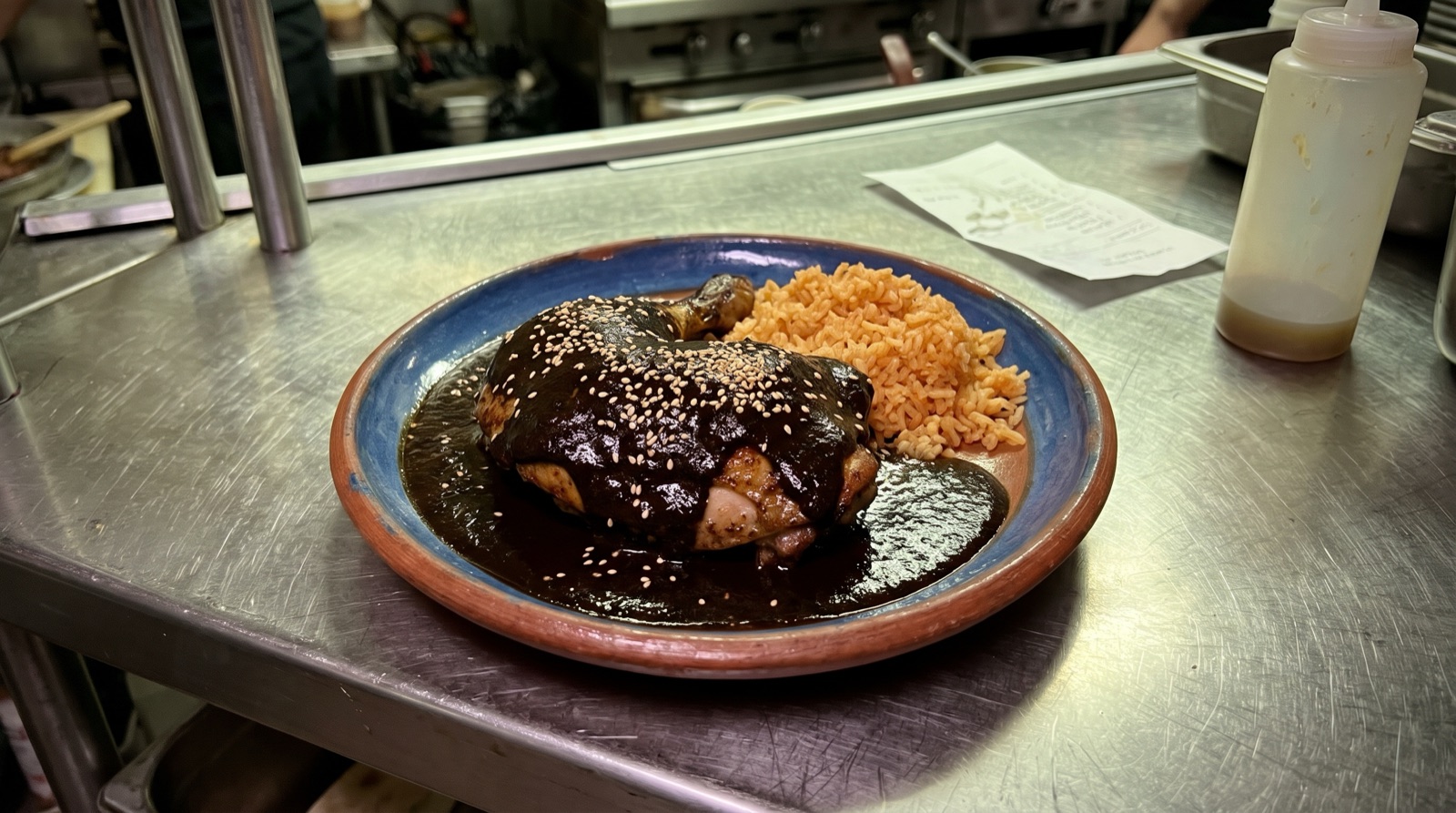 Original
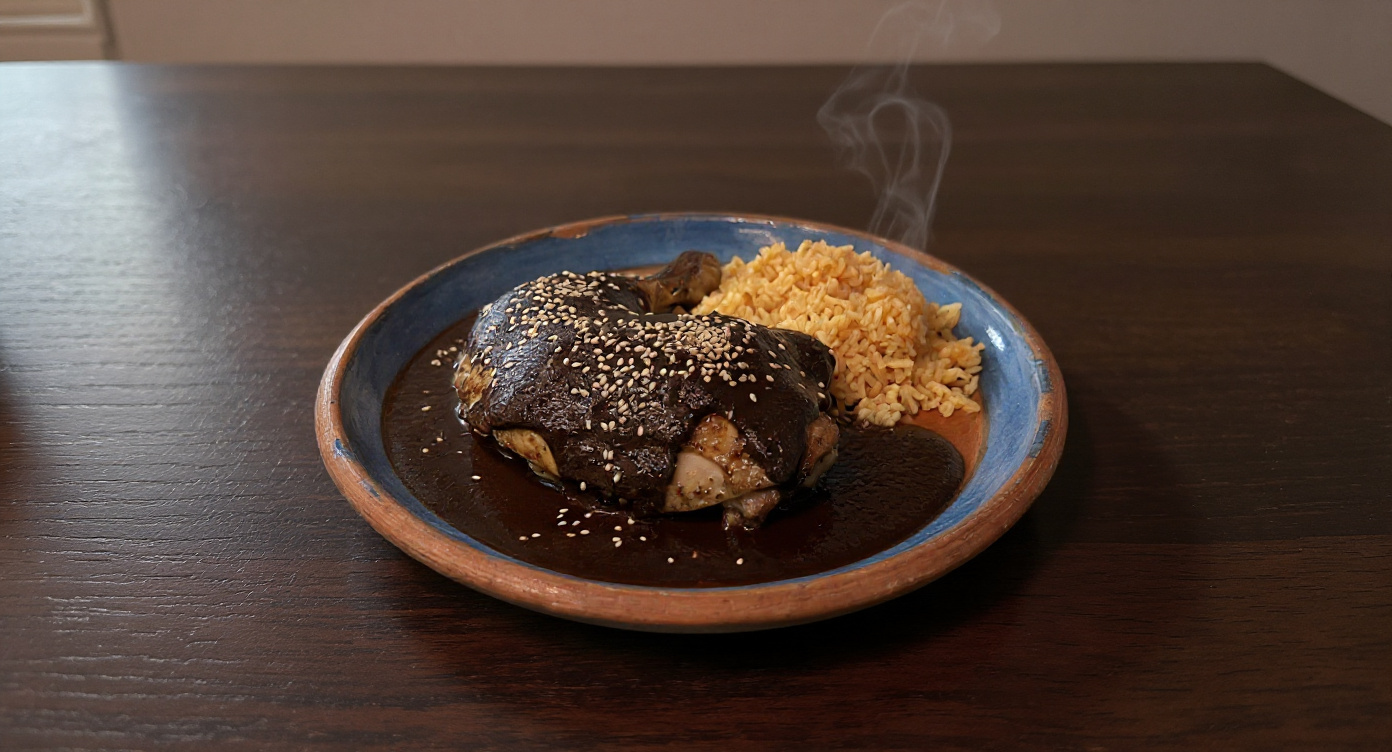 AI retouch
 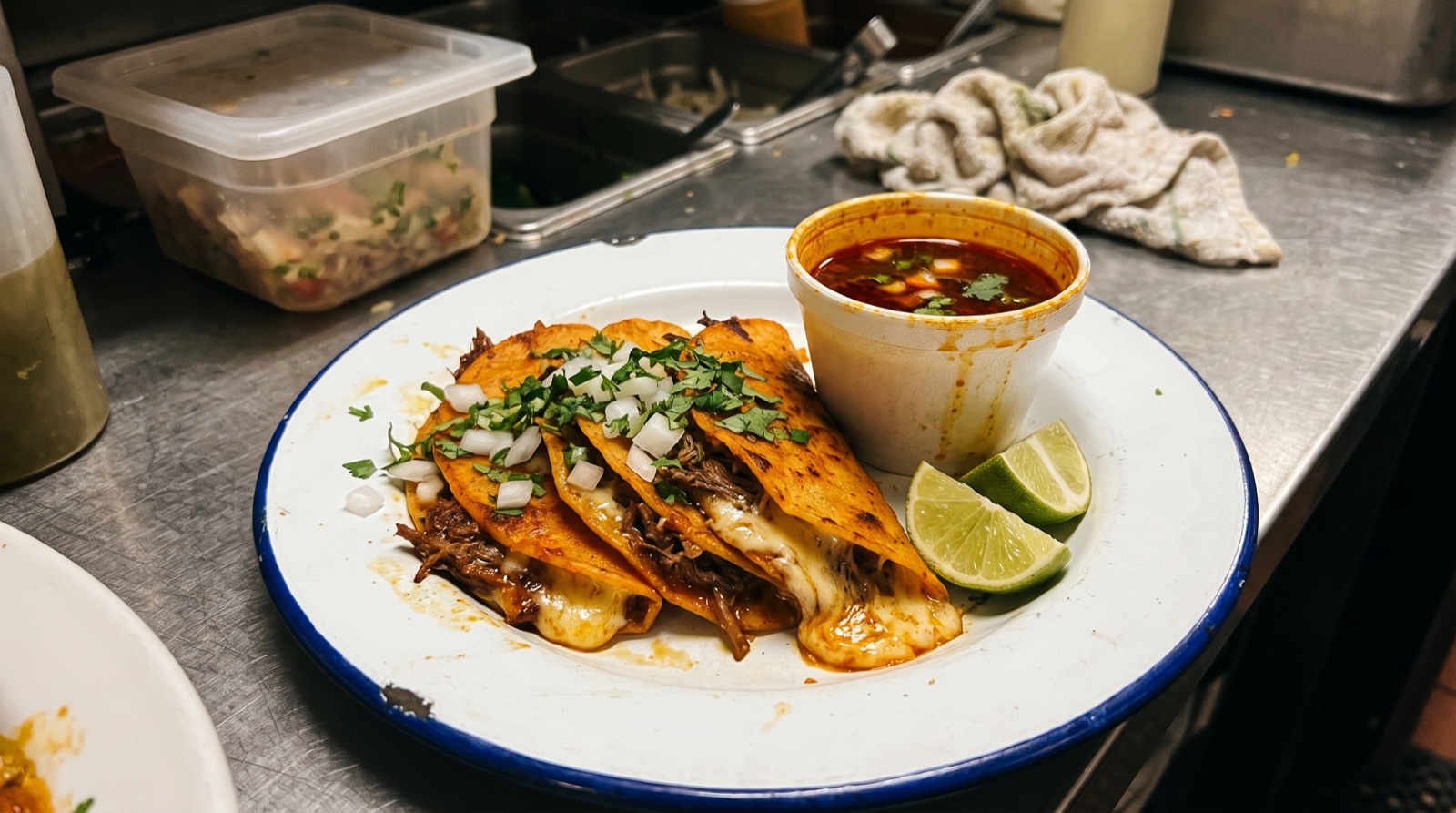 Original
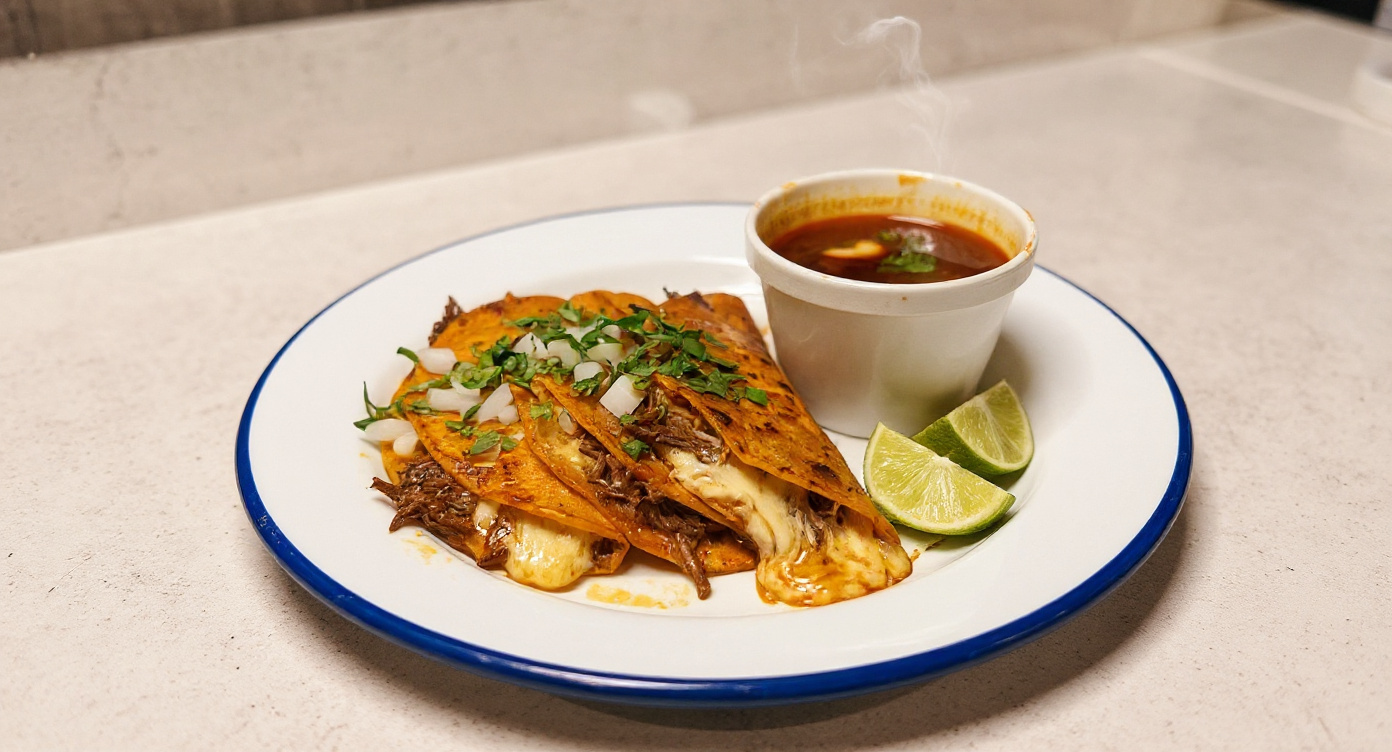 AI retouch
 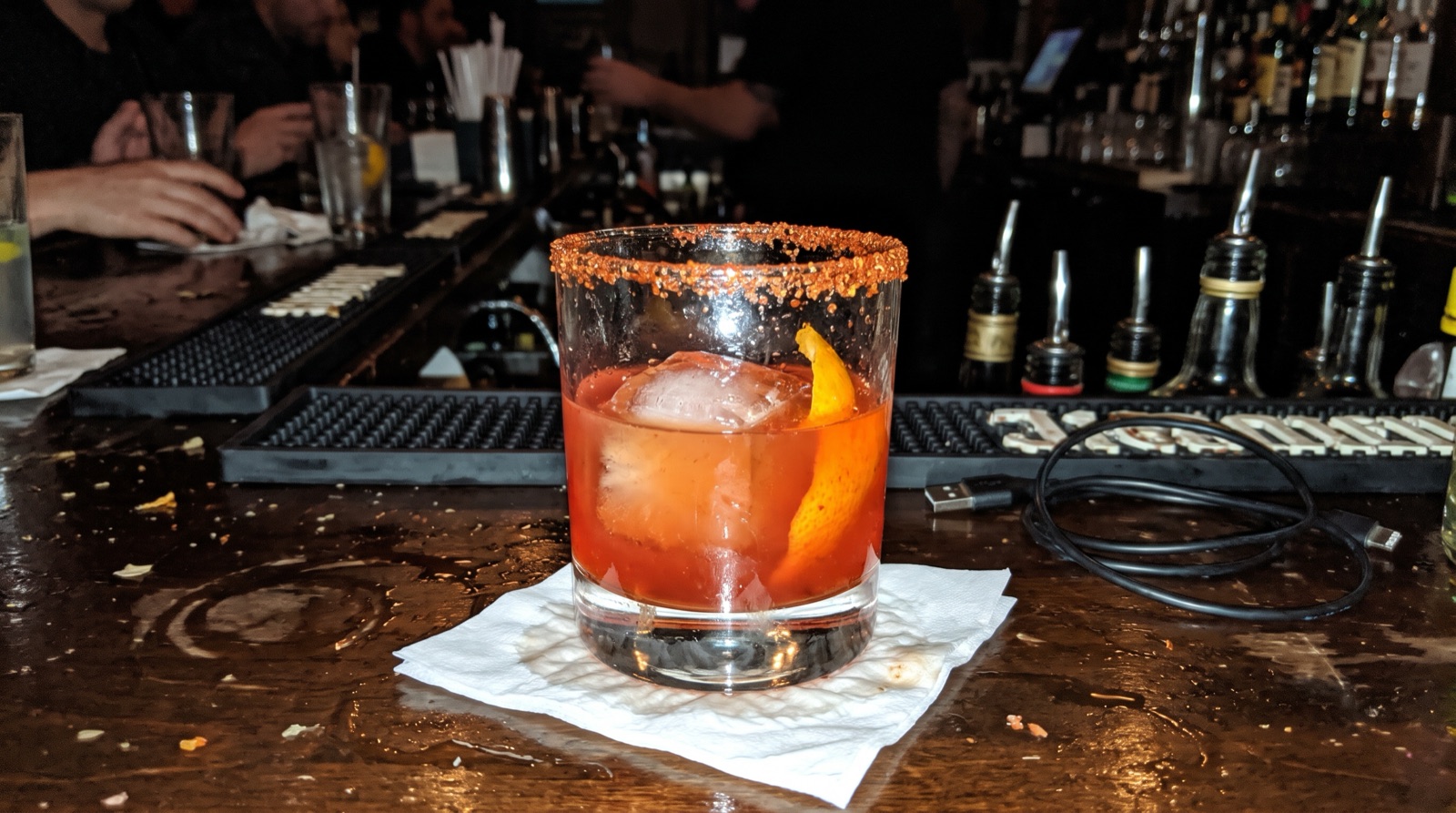 Original
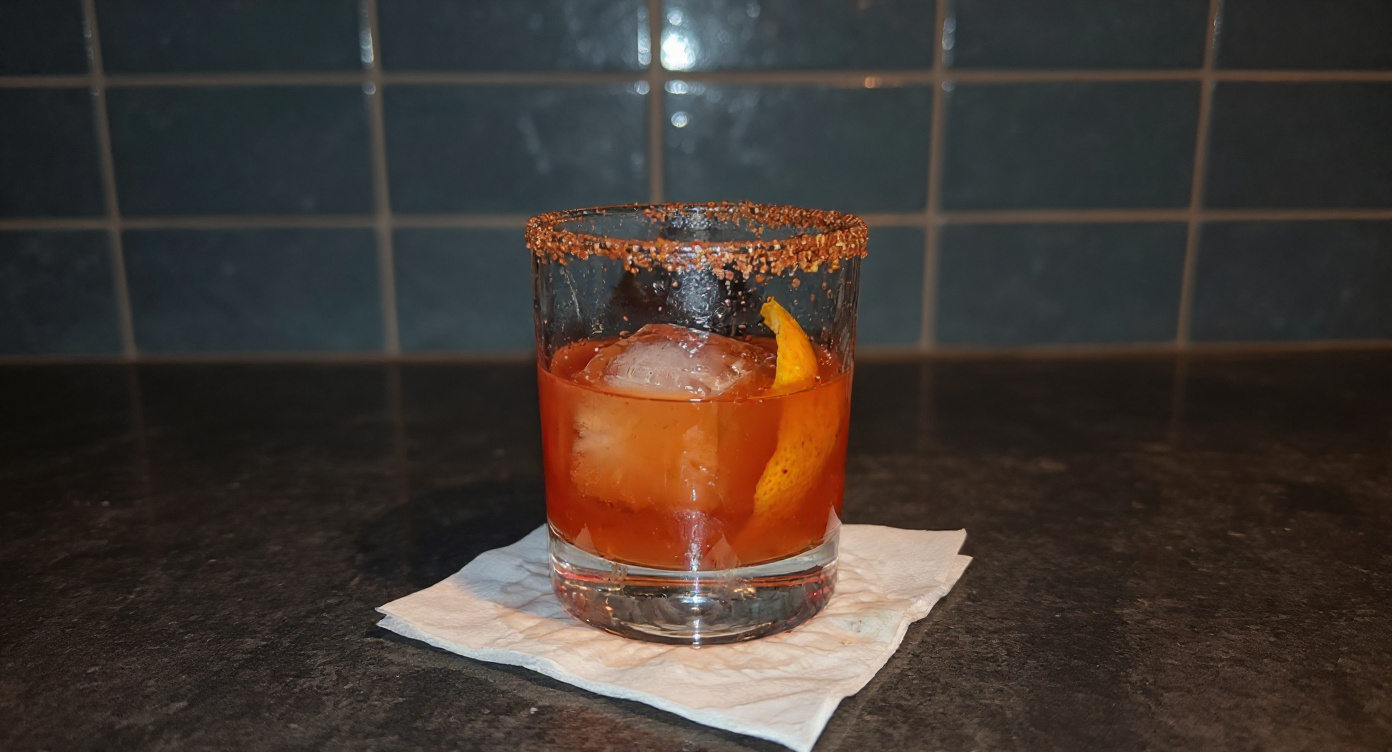 AI retouch
 Finished example
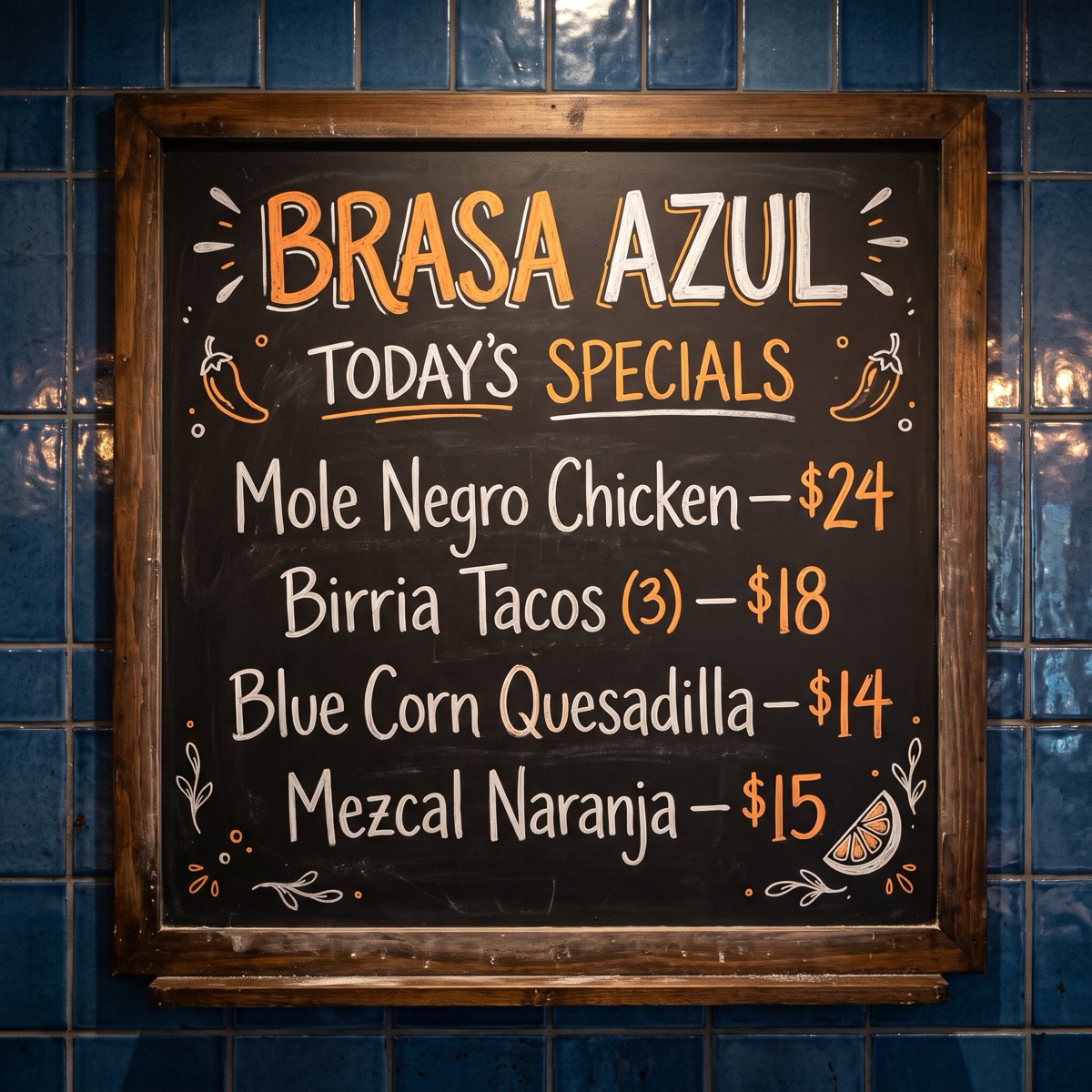
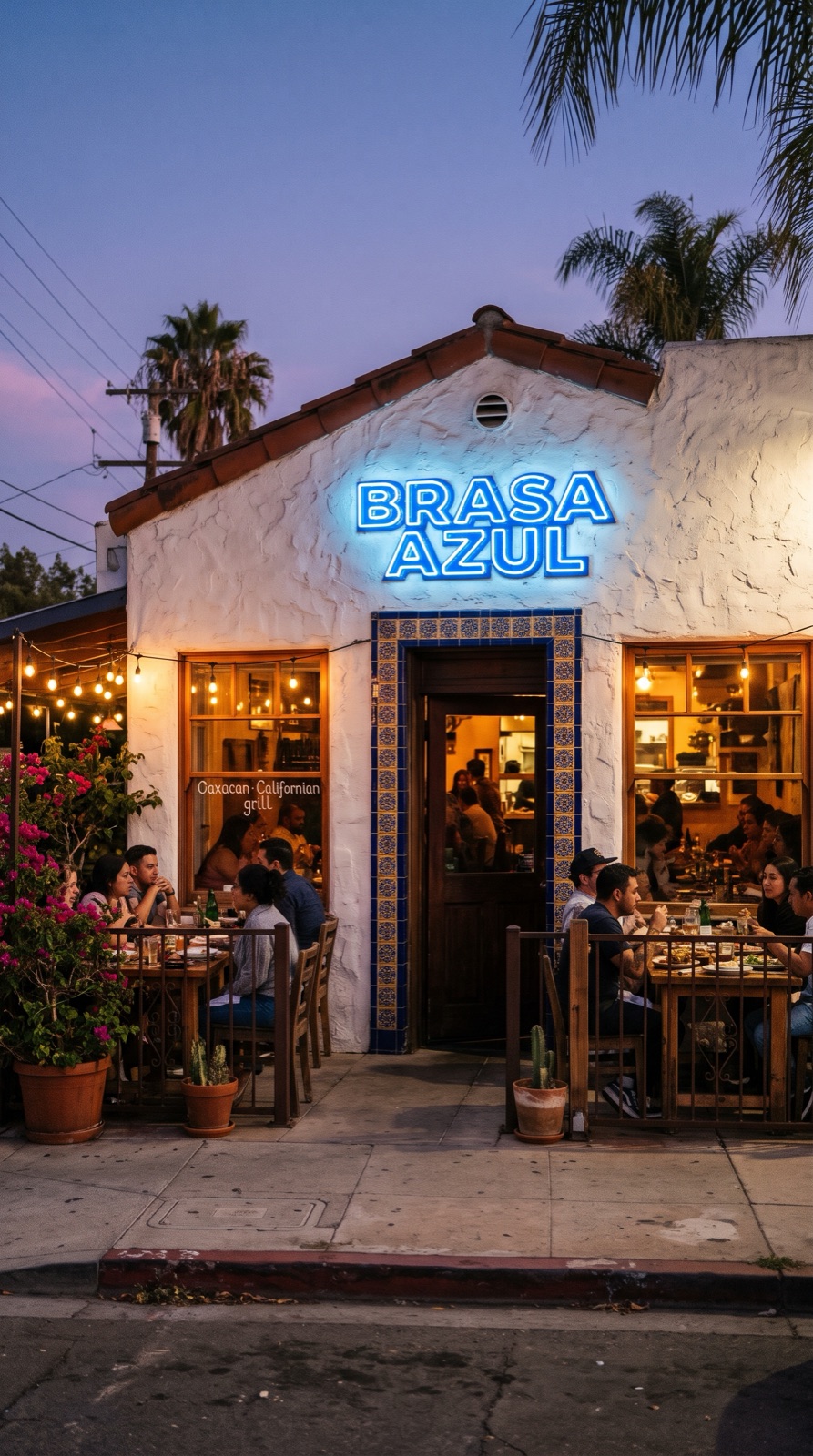
We invented a restaurant, Brasa Azul, an Oaxacan-Californian grill in San Diego’s North Park, and started from three ordinary phone photos taken at the pass. FLUX Kontext Max retouched the light and background without touching the food, Gemini Omni Flash shot three reels, ElevenLabs v4 voiced the promo in English and Spanish, Lyria 3.5 sang a bilingual jingle, Nano Banana 2 lettered the chalkboard, and an HTML render made a printable menu with exact prices.
Voiceover script
“Slow-cooked mole. Mole a fuego lento. Blue corn, pressed by hand. Maíz azul, hecho a mano. Mezcal, with a little fire. Mezcal, con un poco de fuego. Brasa Azul. Now open in North Park. Ya abierto en North Park.”
| Step | Tool | Credits |
|---|---|---|
| Three dish retouches that keep the food unchanged | FLUX Kontext Max | 48 |
| Three reel stills | Nano Banana 2, 2K | 72 |
| Three 6-second reels, 1080p | Gemini Omni Flash | 414 |
| Storefront photo with the neon sign | Nano Banana 2, 2K | 24 |
| Chalkboard specials board | Nano Banana 2, 2K | 24 |
| Printable menu with exact prices | HTML render | 1 |
| Bilingual jingle | Lyria 3.5 | 16 |
| English and Spanish voiceovers | ElevenLabs v4 | 8 |
| Lyric check on the jingle | Transcribe | 2 |
| Promo and menu board videos | HyperFrames (render_html_video) | 11 |
| Total for the finished example | 620 ($6.20) | |
The restaurant, dishes and phone photos are fictional and were generated for this page; with your own phone photos, skip nothing but the photos themselves. We also spent about 260 more credits testing which model keeps a dish unchanged (results on the food photos page).
The workflow
Install Creative Claw from ChatGPT’s plugin directory and sign in. New accounts get 100 free credits, no card. Attach phone photos of your dishes, your storefront and your menu text.
Ask FLUX Kontext Max to change only the light, background and steam, then compare each result with your photo.
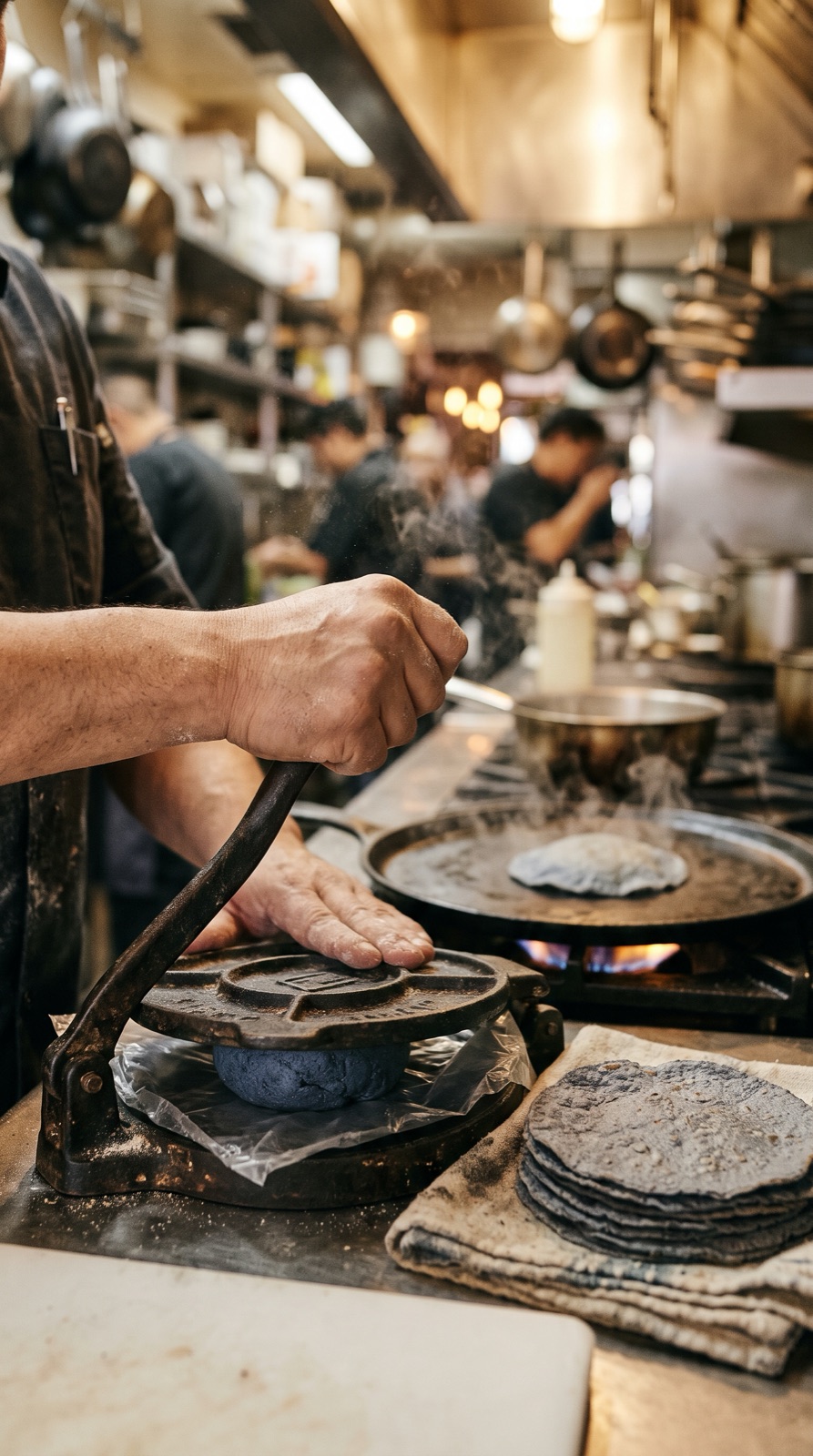
Pick three moments (a pour, a press, a flame), approve a still of each and animate them into 6-second reels.
Ask for a short promo in your languages and a jingle with your name in it.
Paste the menu for a printable HTML render, a chalkboard specials board and a 16:9 menu board loop.
Pricing
Creative Claw is pay as you go: $10 buys 1,000 credits, new accounts get 100 free credits, and there is no subscription. Typical costs for this workflow:
| What you generate | Credits | Cost |
|---|---|---|
| Dish retouch that keeps the food (FLUX Kontext Max) | 16 | $0.16 |
| 6-second reel, 1080p (Gemini Omni Flash) | 138 | $1.38 |
| Bilingual jingle (Lyria 3.5) | 16 | $0.16 |
| Printable menu (HTML render) | 1 | $0.01 |
| Chalkboard specials board (Nano Banana 2) | 24 | $0.24 |
| Our whole fictional restaurant kit | 620 | $6.20 |
Prices charged or quoted by Creative Claw on October 25, 2026. See all model prices, and ask for an estimate in ChatGPT before you generate.
Alternatives
The tools below are the ones AI assistants most often recommend for this job. We checked each vendor’s own pages on October 25, 2026. “None found” means we could not find an official app in the ChatGPT directory or on the vendor’s site. Creative Claw publishes this page.
| Tool | What it does | In ChatGPT | Price |
|---|---|---|---|
| Creative Claw | Dish retouches, reels, promos, jingles, menus, boards | App in ChatGPT’s directory | No plan: $10 = 1,000 credits, 100 free |
| FoodShot AI | AI food photos and posters | None found | $15/mo (25 images), $45/mo (100) |
| Canva | Menu and social templates | App in ChatGPT, needs a paid Canva plan | Canva Pro about $15/mo |
| Food photographer | Styled shoot | n/a | About $42 a dish, $499 minimum; $1,299 half day |
| Social media agency | Monthly posting | n/a | From about $500/mo |
Sources: FoodShot AI pricing (Capterra) · Canva connector requirements · Food photography prices (Matt Hughes Photo) · Restaurant social media management package (Digital Main Street) · Toast: restaurant AI statistics (April 2026) · DoorDash: common reasons for rejected menu photos. Prices are in USD before tax and change often.
Use cases
| Job | What you get | Model | Creative Claw | Typical price elsewhere |
|---|---|---|---|---|
| Dish photo retouch | Your photo relit, food unchanged | FLUX Kontext Max | 16 credits ($0.16) | $42+ a dish with a photographer |
| Restaurant reel | 6 seconds, 9:16, 1080p, with sound | Gemini Omni Flash | 138 credits | $50–150 an hour for editing |
| Promo with jingle | Voiceover in two languages and a sung jingle | ElevenLabs v4 + Lyria 3.5 | About 516 credits with stills and three reels | A video agency |
| Printable menu | Exact dishes and prices, your colours | HTML render | About 1 credit | A designer or template plan |
| Specials board | Chalkboard look, lettered | Nano Banana 2 | 24 credits | A chalk artist |
Before you render
Change the light, background and steam, never the food: same portion, same ingredients, same plate. Compare every edit with your original photo before you post it.
DoorDash asks for menu photos that are “clean and unedited” and show “the actual item served, not an idealized or generic version.” Upload your real photo there.
The FTC rule in force since October 2024 bans fake reviews and testimonials, including AI-generated ones. An AI voice can read your own offer, never pose as a customer.
TikTok requires labels on realistic AI-generated content and Meta asks you to disclose photorealistic AI video. Use the platform’s AI label when you post an AI reel.
Check current pricing, read short answers in the help center, inspect the tool reference, or browse published media examples. Examples illustrate creative approaches; they are not proof that this exact starter prompt was run.
Practical answers
For food photos and video, Creative Claw: it retouches your dish photos without changing the food, makes reels from your kitchen, voices promos in English and Spanish, writes a jingle, and builds menus and specials boards, inside ChatGPT, paid per use. The restaurant photo tools we checked (FoodShot AI, WishlyAI) are not in ChatGPT. Creative Claw publishes this page.
Retouched dish photos that keep the food, vertical reels, a bilingual promo with a jingle, a chalkboard specials board, a printable menu with exact prices, a digital menu board loop and posts for Google and Instagram.
Yes, with care. In our test FLUX Kontext Max relit three dishes and replaced the background without changing the food, for 16 credits each. Use those on your website and social; delivery apps such as DoorDash want the unedited photo.
Yes. Creative Claw turns a still of your kitchen or a dish into a 6-second 1080p reel with Gemini Omni Flash for 138 credits: a mole pour, a tortilla press, a flamed orange peel.
Yes. For print, an HTML render lays out every dish and price exactly (1 credit for ours). For a chalkboard look, Nano Banana 2 lettered our four specials and prices correctly for 24 credits.
Yes. Our promo alternates English and Spanish voiceover lines (ElevenLabs v4), and the jingle sings both languages; a transcript check confirmed every sung word.
Our Brasa Azul kit, with three dish retouches, three reels, a bilingual promo with a jingle, a storefront photo, a specials board, a printable menu and a menu board loop, came to about 620 credits ($6.20).
Food photographers charge from about $42 a dish with a $499 minimum to $1,299 for a half day; restaurant social media packages start around $500 a month. AI photo apps such as FoodShot AI cost $15 to $45 a month.
Yes. New accounts get 100 free credits with no card, enough for six dish retouches or a specials board and a menu.
Some models do. Asked to change only the light and background, Nano Banana Pro dropped a taco, GPT Image 2.5 re-plated the tacos and Nano Banana 2 moulded the rice into a dome. FLUX Kontext Max kept both test dishes the same. Compare every edit with your photo.
For retouching a real dish, FLUX Kontext Max kept the food unchanged in our test. For scenes, reel stills and boards, Nano Banana 2; for reels, Gemini Omni Flash. You can name any model in the request.
Toast’s April 2026 survey of 676 US operators found nearly nine in ten use AI, and Popmenu found 55% use it to write marketing content and 20% of consumers use AI assistants to find restaurants (both vendor surveys).
Not edited ones. DoorDash’s help center says menu photos must be “clean and unedited,” must show “the actual item served, not an idealized or generic version,” must be landscape 16:9, and that photoshopping a background onto a photo is cause for rejection. Upload your real photo, well shot.
Uber Eats uses AI itself: since July 2025 it improves low-quality merchant photos (lighting, resolution, framing and plating), and press reports say it can change plates and backgrounds. Check how your dishes look in the app.
Google’s photo guidelines ask for “no significant alterations or excessive use of filters” and say the image “should represent reality.” Post real photos; cleaning up light and background is the most to do.
No. Showing food you do not serve, or more than you serve, is deceptive advertising. Generate scenes and mood freely, but keep every plate in an ad or menu photo true to what customers get.
No. The FTC rule in force since October 21, 2024 bans fake reviews and testimonials, including AI-generated ones, with civil penalties for knowing violations. Quote real reviews you have permission to use.
TikTok requires labels on realistic AI-generated content, and Meta asks creators to disclose photorealistic AI video. Turn on the platform’s AI label for reels made with AI.
Open chatgpt.com/plugins/creativeclaw and select Install plugin, or search for Creative Claw in ChatGPT’s plugin directory, then sign in. New accounts get 100 free credits, no card.
No. Creative Claw is pay as you go: $10 buys 1,000 credits that never expire, and new accounts get 100 free credits. You pay for the posts you make, not per month.
Yes, and you should. Attach your phone photos and paste your menu in ChatGPT; the retouches, menus and boards are built from your real dishes and prices.
No. It makes the files (photos, reels, menus, boards); you upload them to your accounts, your menu manager or your scheduler.
Start creating
Connect once, get 100 free credits with no card required, and use the starter prompt above for your first project.
