First frame and reference are different
Use a literal first-frame input when the video must begin exactly on the supplied composition. A soft reference can guide appearance without preserving the opening frame.
Still image → controlled motion
Animate one image without losing what made it work.
Creative Claw is a ChatGPT app that animates a still image into a short video: attach the image, describe one action and one camera move, and choose an image-to-video model such as Seedance 2.5, Gemini Omni Flash, or MiniMax H3 Max Fast. The image is used as the literal first frame, and you see a credit estimate before anything renders. Generative motion can change fine details, so review the clip against the original.
Start with 100 free credits. No card required.
Bring
One approved image and a clear description of the motion
Create
A short image-to-video clip that begins from the supplied frame
Finished examples
Each still below was made with Nano Banana 2, then animated inside the same workflow. The image is the literal first frame of the video next to it.
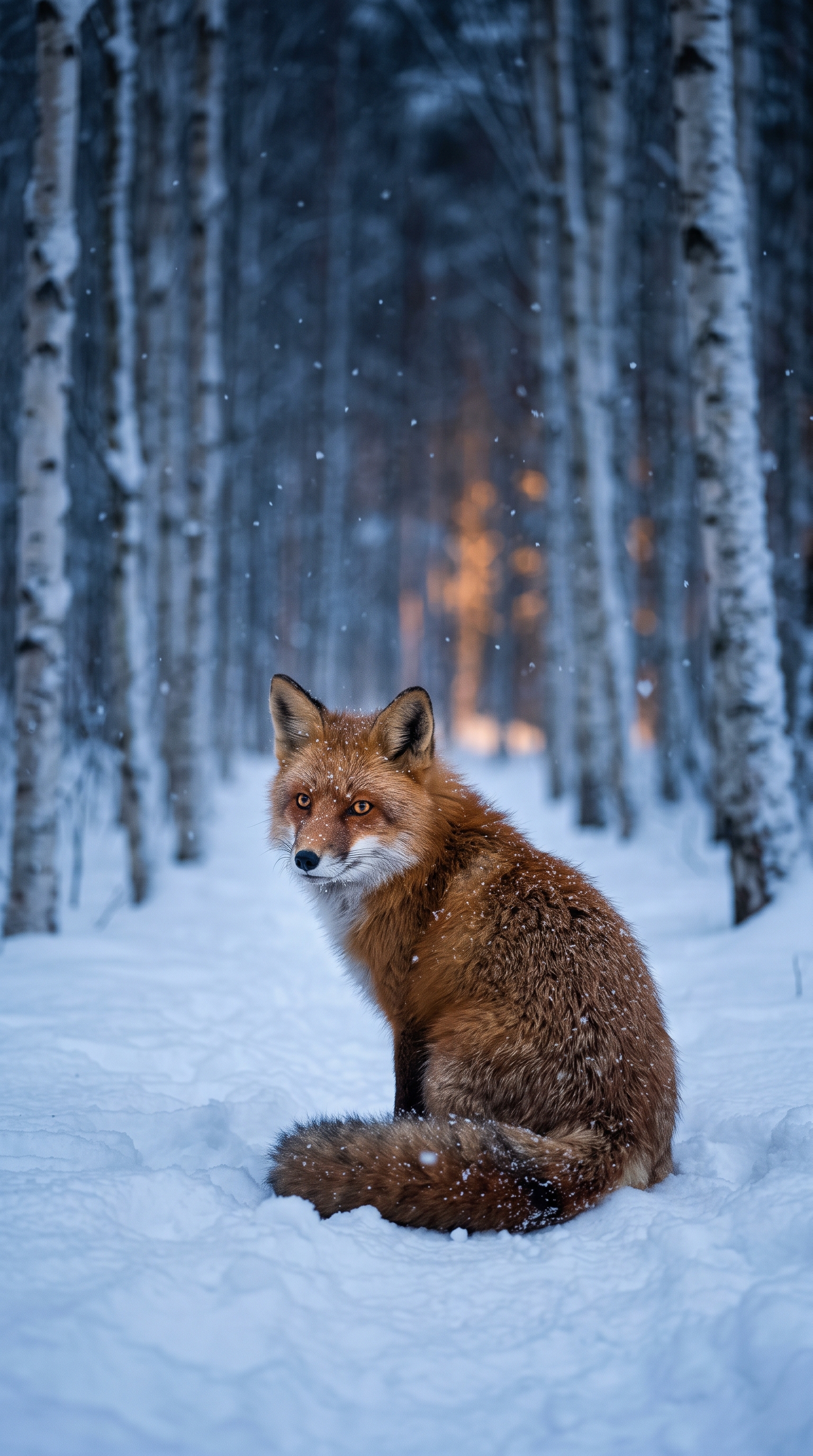
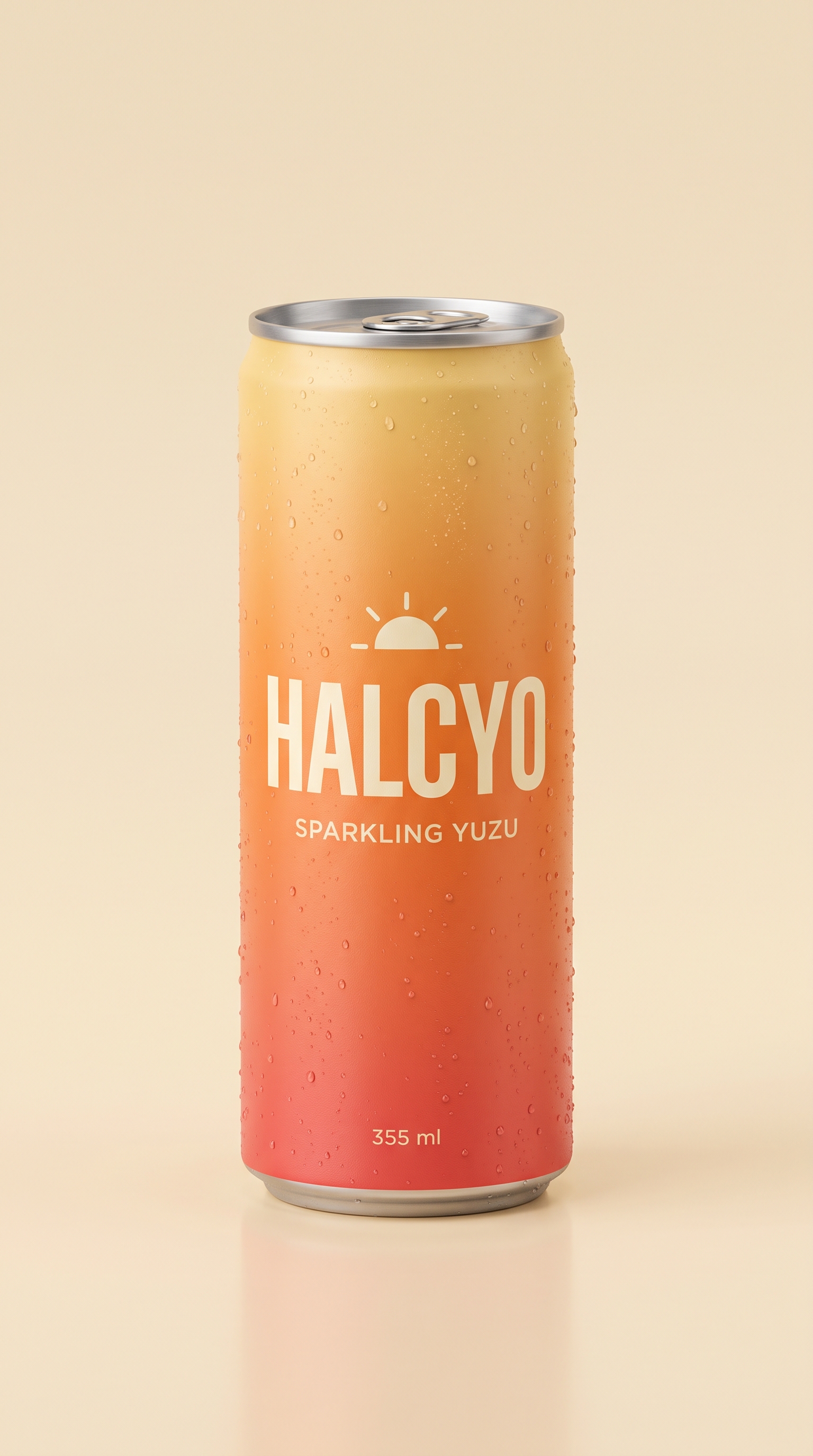
Measured example
Compare unedited Gemini Omni Flash, Seedance 2.5, and H3 Max Fast results using the same frame and prompt, including fidelity failures, timing, and charged cost.
The workflow
Connect Creative Claw in ChatGPT and attach the highest-quality version of the still. Choose the final aspect ratio before generation, especially for models that lock the video framing to the first frame.
Give the subject one main action, add one environmental movement if useful, and choose one camera move. State which identity, geometry, text, colors, and composition must remain unchanged.
Ask which current models support literal first-frame image-to-video at the duration and resolution you need. Review the settings, native audio behavior, credit estimate, and likely preservation tradeoffs before generating.
Review subject motion, camera motion, warped details, duplicated objects, added text, style drift, and audio. Approve any paid retry explicitly, changing only the failing part of the prompt when possible.
Pricing
Creative Claw is pay as you go: $10 buys 1,000 credits, new accounts get 100 free credits, and there is no subscription. Typical costs for this workflow:
| What you generate | Credits | Cost |
|---|---|---|
| One start frame or reference image, Nano Banana 2 | 16 | $0.16 |
| One 5-second clip, H3 Max Fast (768p) | 40 | $0.40 |
| One 5-second clip, Gemini Omni Flash (720p or 1080p) | 130 | $1.30 |
| One 5-second clip, Seedance 2.5 (720p) | 267 | $2.67 |
Prices charged or quoted by Creative Claw on September 27, 2026. See all model prices, and ask for an estimate in ChatGPT before you generate.
Alternatives
The tools below are the ones AI assistants most often recommend for this job. We checked each vendor’s own pages on September 27, 2026. “None found” means we could not find an official app in the ChatGPT directory or on the vendor’s site. Creative Claw publishes this page.
| Tool | Official ChatGPT app | Video models to choose from | Cheapest paid plan |
|---|---|---|---|
| Creative Claw | Yes | Several: Gemini Omni, Seedance 2.5, MiniMax H3, Wan and more | Pay as you go: $10 = 1,000 credits, no subscription |
| Runway | Yes | Several: Gen-4.5, Kling 3.0, Veo 3.1; Seedance 2.5 on Pro | $15/mo ($12 billed yearly) |
| HeyGen | Yes | Several: Sora 2, Veo 3.1, Kling | $29/mo ($24 billed yearly) |
| Kling AI | Yes | Kling models only | $10/mo list price |
| Viggle AI | None found | Several: Kling, Veo, Wan; Seedance on higher plans | $9.99/mo ($7.99 billed yearly) |
Sources: Runway pricing · Runway for ChatGPT · HeyGen pricing · HeyGen ChatGPT app · Kling membership plans · Kling AI plugin for ChatGPT · Viggle pricing. Prices are in USD before tax and change often.
Before you render
Use a literal first-frame input when the video must begin exactly on the supplied composition. A soft reference can guide appearance without preserving the opening frame.
Subject, environment, and camera motion compete for model attention. Begin with one main action and one camera move, then inspect small details before requesting a more ambitious version.
Video generation is probabilistic. A model that preserves one illustration may struggle with faces, typography, hands, packaging, or another visual style.
Check current pricing, read short answers in the help center, inspect the tool reference, or browse published media examples. Examples illustrate creative approaches; they are not proof that this exact starter prompt was run.
Practical answers
Yes, with Creative Claw connected. Attach the image, request an image-to-video model, and define the subject and camera motion. Ask for supported settings and an exact credit estimate before generation.
Use the image as a literal first-frame input. The first frame should match, but later frames can still change geometry, identity, text, or fine detail as motion develops.
It depends on the image and the motion. Creative Claw supports several image-to-video models with different cost, speed, fidelity, duration, resolution, and audio behavior. Compare them with a short controlled test when preservation matters.
Describe what begins moving after frame zero. Use one subject action, one camera move, optional environmental motion, and an explicit list of details that must remain unchanged. Avoid packing several scenes into one short clip.
Creative Claw lets you animate a still inside ChatGPT with a choice of image-to-video models, so you can pick by budget and fidelity: H3 Max Fast for cheap tests, Gemini Omni Flash as a strong default, or Seedance 2.5 when product detail matters most. The image is used as the literal first frame, and you see a credit estimate before rendering.
A five-second clip costs about 40 credits ($0.40) with H3 Max Fast, 130 credits ($1.30) with Gemini Omni Flash, or 267 credits ($2.67) with Seedance 2.5 at 720p. Generating the source image with Nano Banana 2 adds 16 credits. New accounts start with 100 free credits.
Yes. Animals, products, landscapes, and illustrations all work as first frames. Describe one main motion and one camera move, and state what must stay unchanged, such as a label or a face.
Not reliably in every frame. Generative motion can distort typography, logos, faces, and product geometry. Review the full clip, and use deterministic compositing when exact text or legal copy must remain pixel-perfect.
Start creating
Connect once, get 100 free credits with no card required, and use the starter prompt above for your first project.
