Use footage you have the rights to
Swap only videos you are allowed to use, with people who agreed to appear. Never use a swap to impersonate, deceive or harass someone.
Existing video → new cast, inside ChatGPT
Paste the clip, say who goes in, and check free previews before you pay.
ChatGPT can swap a person or character in an existing video once Creative Claw is connected: paste a TikTok, YouTube, Instagram or X link, or attach a clip, say who replaces whom, and the swap_video_characters tool shows three free image previews before Seedance 2.5 renders the new version with the original motion, camera, cuts and audio. A 10-second swap costs 285 credits ($2.85) as a 480p draft.
Start with 100 free credits. No card required.
 By Itay Dressler, founder of Creative Claw · LinkedIn · Updated
Bring
A video of at least 4 seconds, plus a saved Character or reference photos
Create
The same video, up to 30 seconds, with the new person in it
Finished example
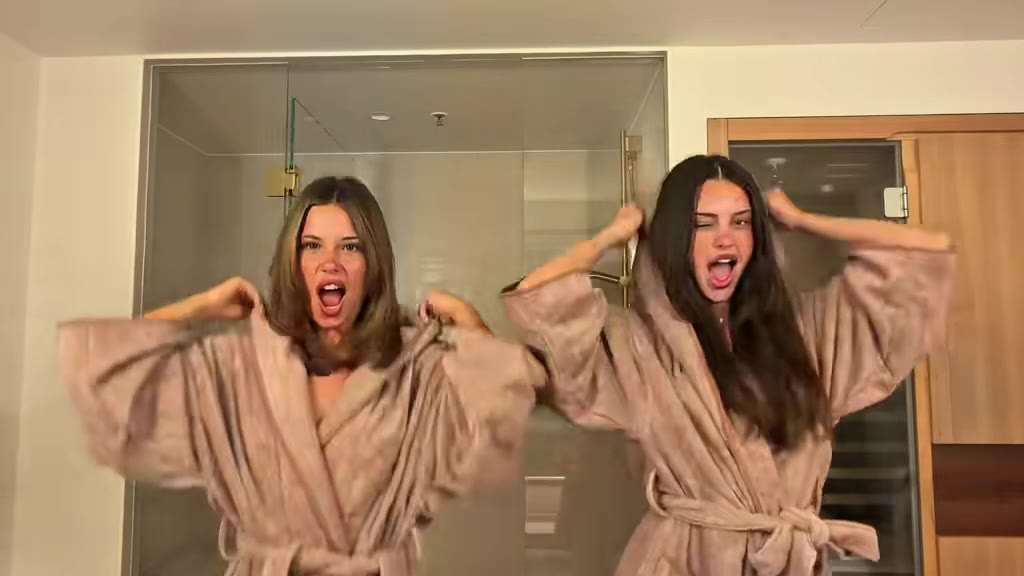
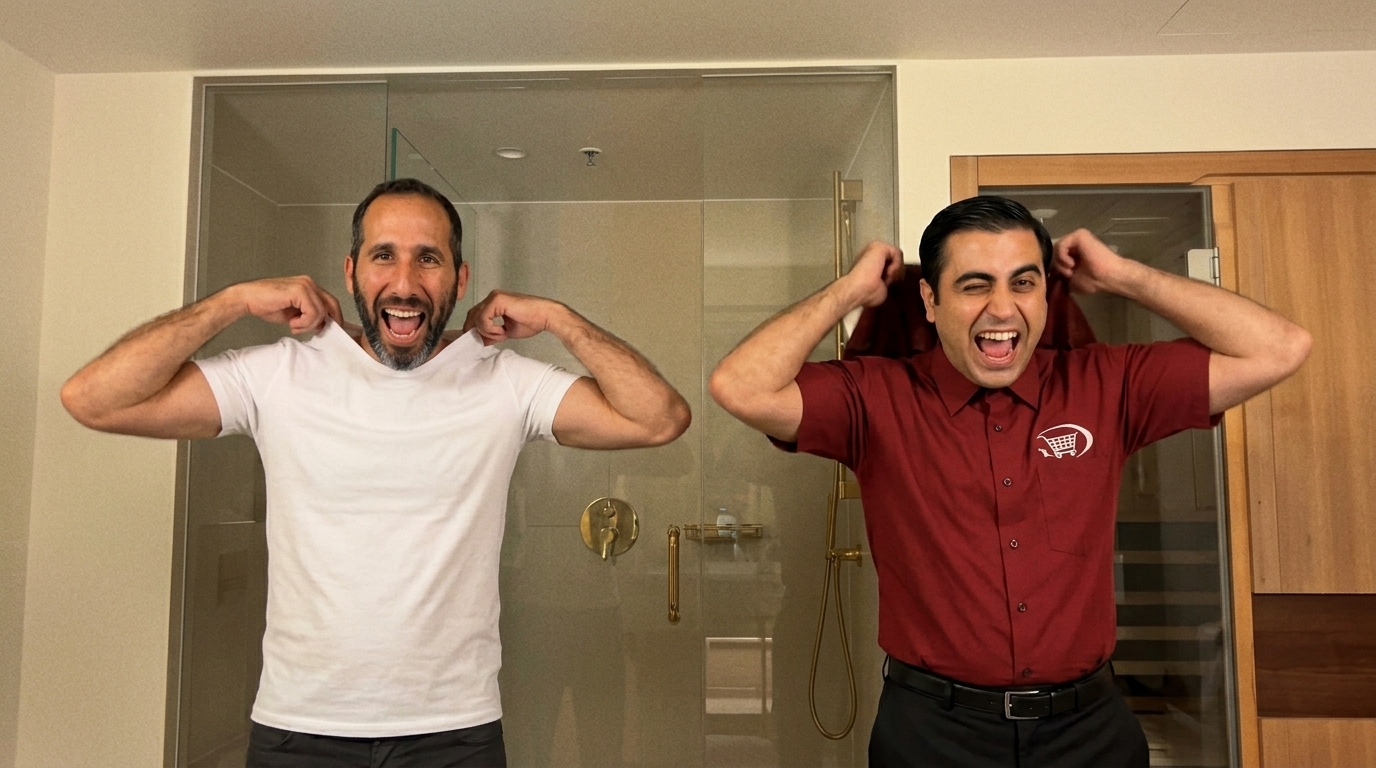
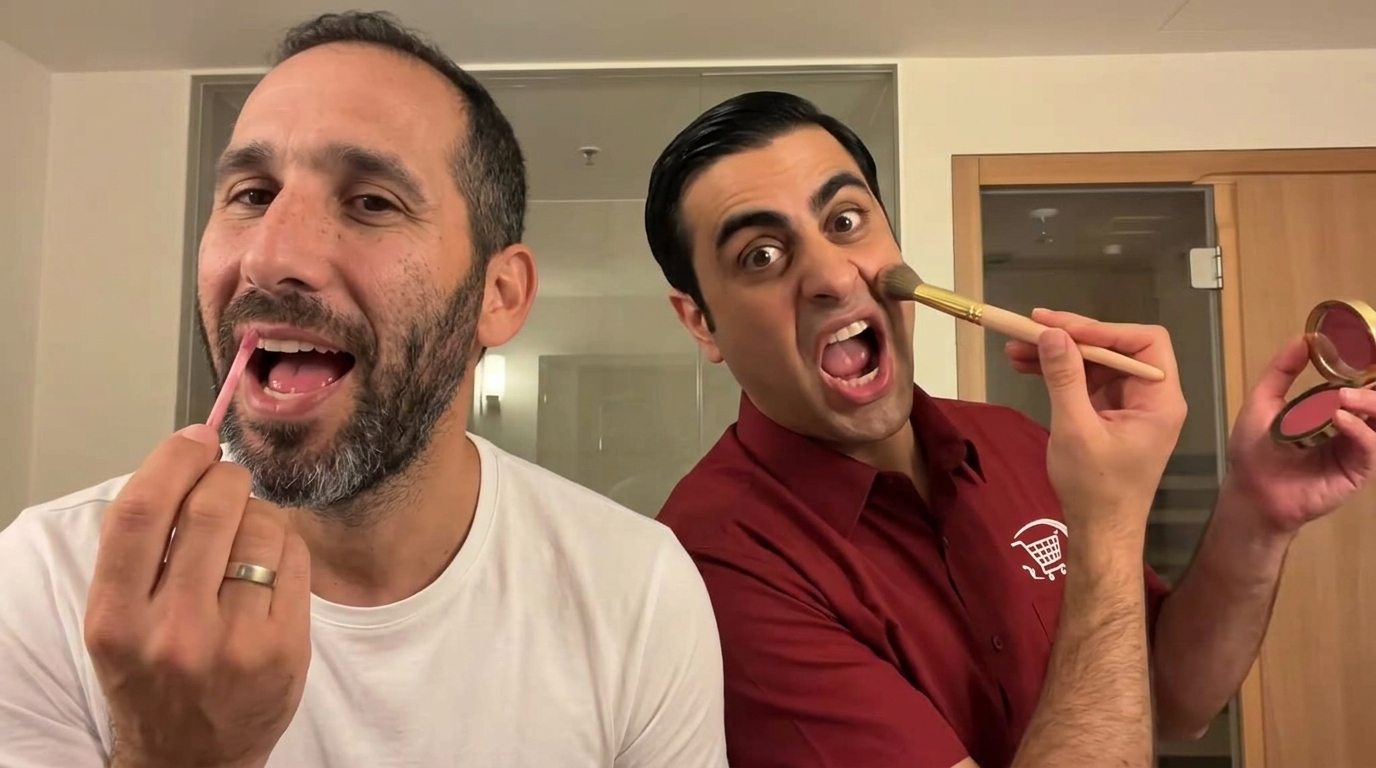
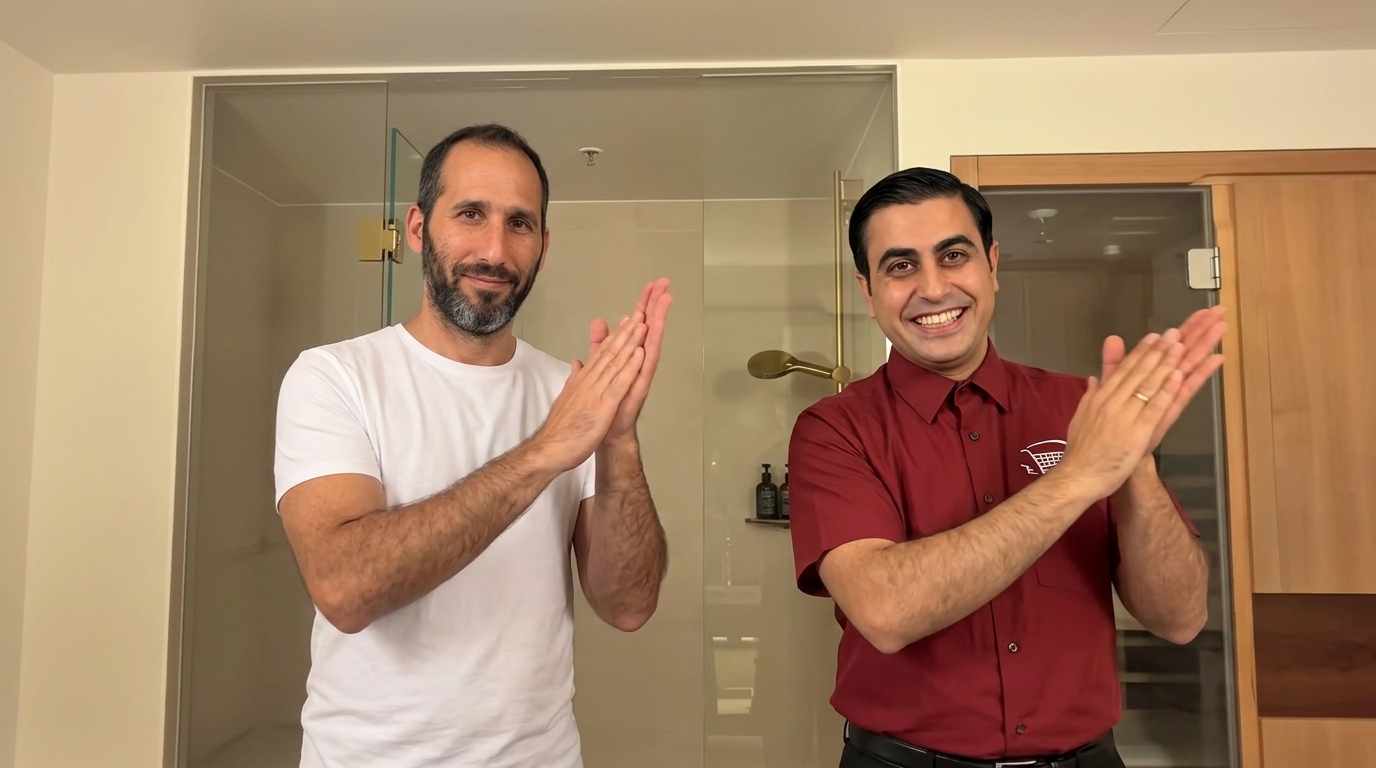
We swapped both people in a 14.7-second bathroom clip: the person on the left became Itay, our founder, saved as a Character, and the person on the right became Ramzi, a fictional Character. Creative Claw picked three frames, showed the new cast in each one for free, and rendered the approved swap as a 480p Seedance 2.5 draft with the clip’s own soundtrack. The video walks through those steps. Its chat screens are a re-creation; the previews, the render and the swapped footage are the real outputs.
Voiceover script
“Found a TikTok you wish you were in? Paste it into Claude, and say who to swap in. Creative Claw finds everyone in the shot, and shows you previews first. Approve, and Seedance 2.5 renders the whole thing. Same moves. Same timing. New cast. Swap anyone into any video. Creative Claw.”
| Step | Tool | Credits |
|---|---|---|
| Find the two people and pick three frames | swap_video_characters | 0 |
| Three image previews of the new cast | swap_video_characters | 0 |
| 14.7-second swap, 480p draft | Seedance 2.5 | 419 |
| Total for the finished example | 419 ($4.19) | |
Rendering the same take at 1080p is quoted at 2,318 credits. The walkthrough’s narration and music were added afterwards and are not part of the swap.
The workflow
Save yourself or anyone who agreed to appear as a Creative Claw Character from a few clear photos, or attach reference photos in the chat.
Paste a TikTok, YouTube, Instagram or X link, or attach a clip. Say who replaces whom by position or clothing, such as “the person on the left becomes me”.
Creative Claw finds everyone in the shot and shows the new cast in three frames, with the price of the render. Ask ChatGPT to change any preview that looks wrong.
Press Generate video on the card. Seedance 2.5 renders a 480p draft with the original audio, and you can render the same take at 1080p from the card within 7 days.
Pricing
Creative Claw is pay as you go: $10 buys 1,000 credits, new accounts get 100 free credits, and there is no subscription. Typical costs for this workflow:
| What you generate | Credits | Cost |
|---|---|---|
| Three image previews of the new cast | 0 | $0.00 |
| 10-second swap, 480p draft (Seedance 2.5) | 285 | $2.85 |
| 10-second swap, 720p (Seedance 2.5) | 639 | $6.39 |
| 10-second swap, 1080p (Seedance 2.5) | 1572 | $15.72 |
| 30-second swap, 480p draft (Seedance 2.5) | 853 | $8.53 |
| 30-second swap, 1080p (Seedance 2.5) | 4716 | $47.16 |
Prices charged or quoted by Creative Claw on October 19, 2026. See all model prices, and ask for an estimate in ChatGPT before you generate.
Alternatives
The tools below are the ones AI assistants most often recommend for this job. We checked each vendor’s own pages on October 19, 2026. “None found” means we could not find an official app in the ChatGPT directory or on the vendor’s site. Creative Claw publishes this page.
| Tool | What it swaps | Clip length | In ChatGPT | Cheapest plan that includes it |
|---|---|---|---|---|
| Creative Claw | The people you name, whole person, up to eight at once | 4–30 s | App in ChatGPT’s directory | No plan: $10 = 1,000 credits, 100 free; 10 s draft 285 credits |
| Higgsfield Genjutsu (Object Swap) | One thing you pick: a character, outfit, product or object | 4–30 s | Directory plugin with a /genjutsu command, paid plan | Plus $59/mo ($47 billed yearly); Starter not confirmed |
| ElevenLabs Recast | Main character only, from one photo; no prompt | Up to 30 s, each shot ≤15 s | Plugin in ChatGPT’s directory; Recast through it not confirmed | Starter $6/mo ($5 billed yearly); Recast credit cost not listed |
| Runway Aleph 2.0 | Prompt edits, including “replace characters” | 2–30 s | Plugin in ChatGPT’s directory | Standard $15/mo ($12 billed yearly), 28 credits/s; MCP listed from Pro $35/mo |
| Kling Motion Control | Makes a new video of your character image doing the reference motion; the original footage is not edited | 3–30 s | Codex skills plugin with the Kling CLI; not in the chat | Standard $8.80/mo ($6.99 first month) |
| Viggle Mix | A character in a video, replaced from an image | Uploads up to 60 s free, 10 min paid | Viggle’s MCP server; no directory listing found | Free, 5 watermarked videos a day; Pro $7.99/mo |
Sources: Higgsfield Genjutsu · Higgsfield pricing · Higgsfield MCP · ElevenLabs Recast template · ElevenLabs pricing · ElevenLabs MCP · Runway Edit Studio (Aleph 2.0) · Runway MCP · Runway pricing · Kling Motion Control guide · Kling MCP guide · Kling plans · Viggle MCP · Viggle pricing. Prices are in USD before tax and change often.
Before you render
Swap only videos you are allowed to use, with people who agreed to appear. Never use a swap to impersonate, deceive or harass someone.
The new character takes over the body and performance, and arrives in its own outfit by default. Say “keep the original clothes” if only the person should change.
A reference that crops the top of the head can come back with the wrong hair. Check each preview and fix it before you approve the render.
Quick turns, hands over faces and very small figures are where a swap drifts first. Clips with clear faces in most frames give the best result.
Check current pricing, read short answers in the help center, inspect the tool reference, or browse published media examples. Examples illustrate creative approaches; they are not proof that this exact starter prompt was run.
Practical answers
Not by itself, because ChatGPT has no video model. With the Creative Claw app connected, paste a video link or attach a clip, say who to replace, and its swap_video_characters tool renders the new version with Seedance 2.5.
Yes. Social links are not video files, so ChatGPT first imports the clip into your Creative Claw workspace, then starts the swap from that copy. TikTok, YouTube, Instagram and X links work, and so does an attached video file.
At least 4 seconds. One swap covers up to 30 seconds; a longer clip is cut to its first 30 seconds automatically and the card says so.
The three image previews are free. A 10-second swap costs 285 credits ($2.85) as a 480p draft, 639 at 720p and 1,572 at 1080p. A 30-second swap costs 853 credits as a draft and 4,716 at 1080p.
Yes. Give up to eight saved Characters or reference photos and say who becomes whom. The example on this page swaps two people in one render.
Yes. The original soundtrack is put back on the swapped video, and the motion, camera, cuts and timing stay the same.
Tell ChatGPT what to change in that preview, such as the hair or the clothes. Previews are images, so changing one is free; the paid render starts only when you press Generate video.
It is a whole-person swap: the new character takes over the body, clothes and performance. By default your Character appears in its own outfit; ask to keep the original clothes if you want only the person changed.
Motion control animates your character image with the moves from a reference video, so the scene comes from your image. A swap keeps the original video’s scene, camera and other people, and replaces only the people you name.
Only in footage you have the right to use, with people who agreed to appear. Do not use a swap to impersonate, deceive or harass a real person.
Start creating
Connect once, get 100 free credits with no card required, and use the starter prompt above for your first project.
