Crop around the speaker
Reframing does not track faces automatically. Set the crop to where the speaker sits, and split the clip if they move across the frame.
Long interview → vertical clips
Your best answers, ready for Reels.
Creative Claw is a ChatGPT app that turns a long interview or podcast video into vertical social clips: it transcribes the conversation with word timings, finds the strongest answers, cuts and reorders them, reframes each moment to 9:16 around the speaker, and burns in karaoke-style captions. It edits your real footage, so nothing is regenerated and the speakers stay authentic.
Start with 100 free credits. No card required.
Bring
A long interview or podcast video you have the rights to publish
Create
Vertical 9:16 clips of the best moments, captioned and ready to post
Finished example
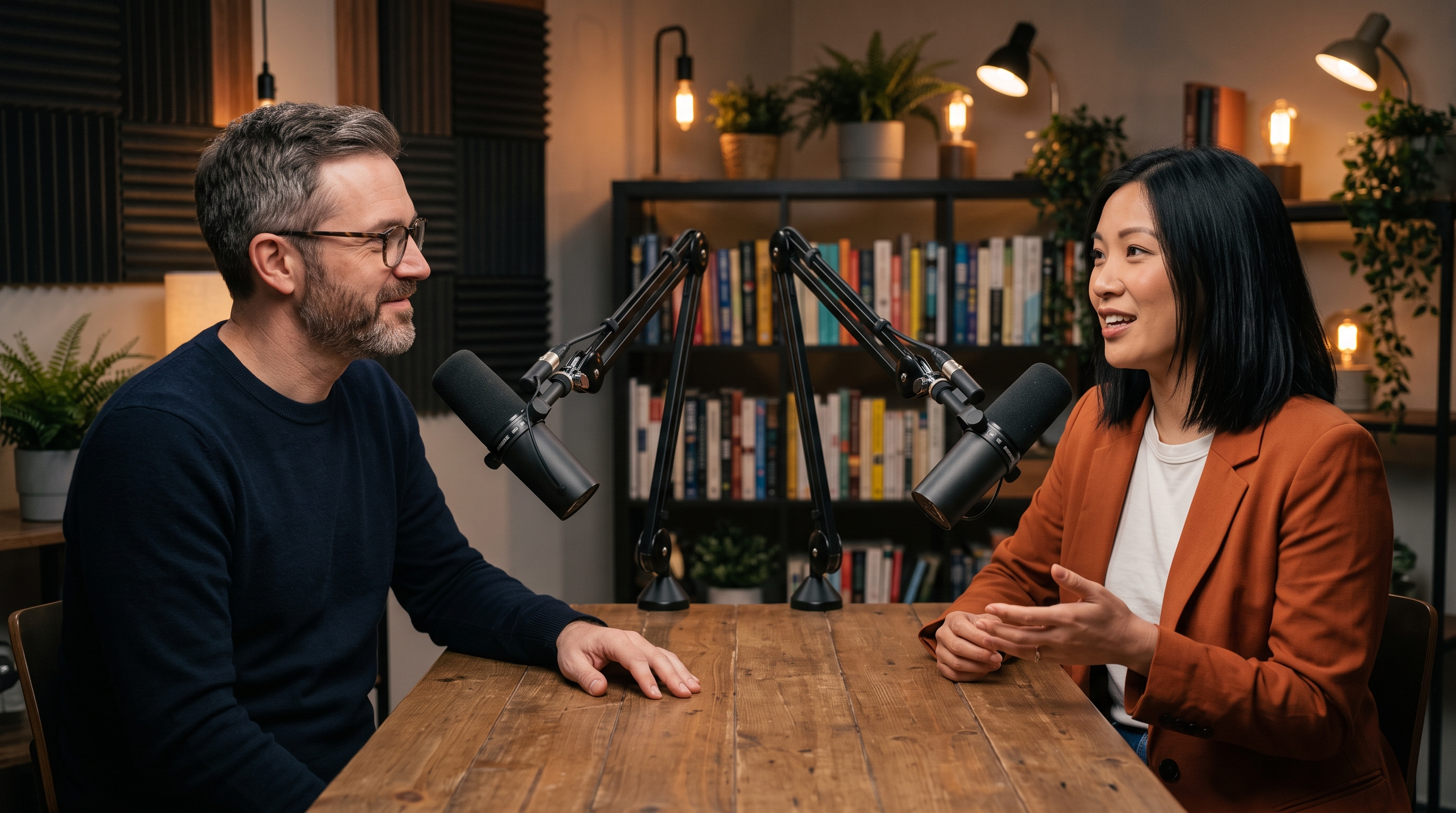
The interview below is synthetic: two fictional people generated for this guide in four 10-second Gemini Omni Flash clips from one studio frame, joined into a 40-second conversation. Creative Claw then did the job this page is about: transcribed it with speaker labels, took the guest’s three answers, cut them together, reframed them to 9:16 around her, and burned in karaoke captions. Editing the finished interview cost 4 credits.
Voiceover script
“Not if you lock the details. We save our product and our characters once, and every shot matches. The cost. A finished 15-second ad costs us about $5, so we test 10 hooks instead of one. Start with one 10-second ad. Test three hooks. Keep the one people actually watch.”
| Step | Tool | Credits |
|---|---|---|
| Transcribe the 40-second interview with speaker labels | ElevenLabs Scribe | 2 |
| Cut 3 answers, reframe to 9:16, burn karaoke captions | Creative Claw cut and reframe | 2 |
| Total for the finished ad | 4 ($0.04) | |
Charged costs from this run on September 27, 2026. Generating the synthetic interview itself (one studio frame and four 10-second Gemini Omni Flash clips) cost a further 1,058 credits; with real footage you only pay for the editing.
The workflow
Upload or import the video into Creative Claw from ChatGPT. It works with podcasts, webinars, founder interviews, and talks.
Transcribe the video to get speaker labels and word timings, then ask for the strongest self-contained answers, with a target length such as 20–60 seconds.
Approve the moments, then cut and reorder them into one clip and reframe it to vertical, cropping around the speaker so their face and gestures stay in frame.
Burn in word-timed captions from the transcript. Check names, numbers, and brand terms before posting.
Pricing
Creative Claw is pay as you go: $10 buys 1,000 credits, new accounts get 100 free credits, and there is no subscription. Typical costs for this workflow:
| What you generate | Credits | Cost |
|---|---|---|
| Transcription with speaker labels, ElevenLabs Scribe | 2 | $0.02 |
| Cut, reframe, and caption, per started 30 seconds of output | 2 | $0.02 |
| The finished 19-second clip above (editing only) | 4 | $0.04 |
Prices charged or quoted by Creative Claw on September 27, 2026. See all model prices, and ask for an estimate in ChatGPT before you generate.
Alternatives
The tools below are the ones AI assistants most often recommend for this job. We checked each vendor’s own pages on September 27, 2026. “None found” means we could not find an official app in the ChatGPT directory or on the vendor’s site. Creative Claw publishes this page.
| Tool | Official ChatGPT app | Captions | Cheapest paid plan |
|---|---|---|---|
| Creative Claw | Yes | Yes, word-timed karaoke captions | No plan: $10 = 1,000 credits, 100 free |
| ChatCut | Yes, ChatGPT desktop app | Yes | $45/mo ($42 billed yearly) |
| Descript | Yes, needs ChatGPT Plus or higher | Yes | $24/mo ($16 billed yearly) |
| HeyGen | Yes | Yes | $29/mo ($24 billed yearly) |
| Visla | Custom GPT only | Yes | $22/mo ($15 billed yearly) |
Sources: ChatCut ChatGPT plugin · Descript pricing · HeyGen pricing · Visla pricing. Prices are in USD before tax and change often.
Before you render
Reframing does not track faces automatically. Set the crop to where the speaker sits, and split the clip if they move across the frame.
Choose moments that make sense without the question, or keep the question in the clip.
Transcription can misspell names and numbers. Correct them before rendering the captions.
Check current pricing, read short answers in the help center, inspect the tool reference, or browse published media examples. Examples illustrate creative approaches; they are not proof that this exact starter prompt was run.
Practical answers
Creative Claw can: it transcribes the interview, cuts the best answers, reframes them to 9:16 around the speaker, and adds word-timed captions, all from ChatGPT. Editing our 40-second example into a 19-second clip cost 4 credits.
No. Cutting, reframing, and captioning edit your real footage. The speakers’ faces and voices stay exactly as recorded.
Cut and reframe accepts up to 40 source ranges and up to 300 seconds of output per clip. Long podcasts work best when you transcribe first and pick moments from the transcript.
Not automatically. You set the crop to where the speaker sits, and can move the crop between moments with keyframes. Split clips where the speaker moves around a lot.
Yes. Run cut and reframe once per clip with different moments, for example one clip per question.
Plain or karaoke-style captions with the current word highlighted, in Noto Sans families for Latin, Hebrew, Arabic, and CJK scripts.
Transcription costs about 1–2 credits for a short clip, and cut and reframe costs 2 credits per started 30 seconds of output. Our 19-second clip cost 4 credits in total.
Only if you have the rights to publish it. Clip your own interviews, or get permission from the creator.
Start creating
Connect once, get 100 free credits with no card required, and use the starter prompt above for your first project.
