Furniture yes, structure no
Add or remove furniture and décor only. Never change walls, floors, windows, doors, fixtures, the view, the room’s size or its condition, and check every result against the original before you post it.
Photo editing · ChatGPT · October 2026
Twilight, sky, lawn and clutter: one sentence, one edit, the house untouched.
In ChatGPT, add the Creative Claw plugin, attach the listing photo and say the edit: day to dusk, a blue sky, a green lawn, or the bins and boxes removed. Nano Banana 2 makes it at 2K for 24 credits ($0.24) while keeping the house, windows and street as photographed, and returns the original next to the result with a “Digitally altered” label. BoxBrownie charges $5 for day to dusk and $5 to $10 per item removal.
Start with 100 free credits. No card required.
 By Itay Dressler, founder of Creative Claw · LinkedIn · Updated
Bring
A listing photo and the edit you want
Create
The edited photo at 2K, next to the original, labeled
Made with Creative Claw
Before and after
Each result is one edit of the photo on its left. The house was generated for this demo as a stand-in for a real listing photo.
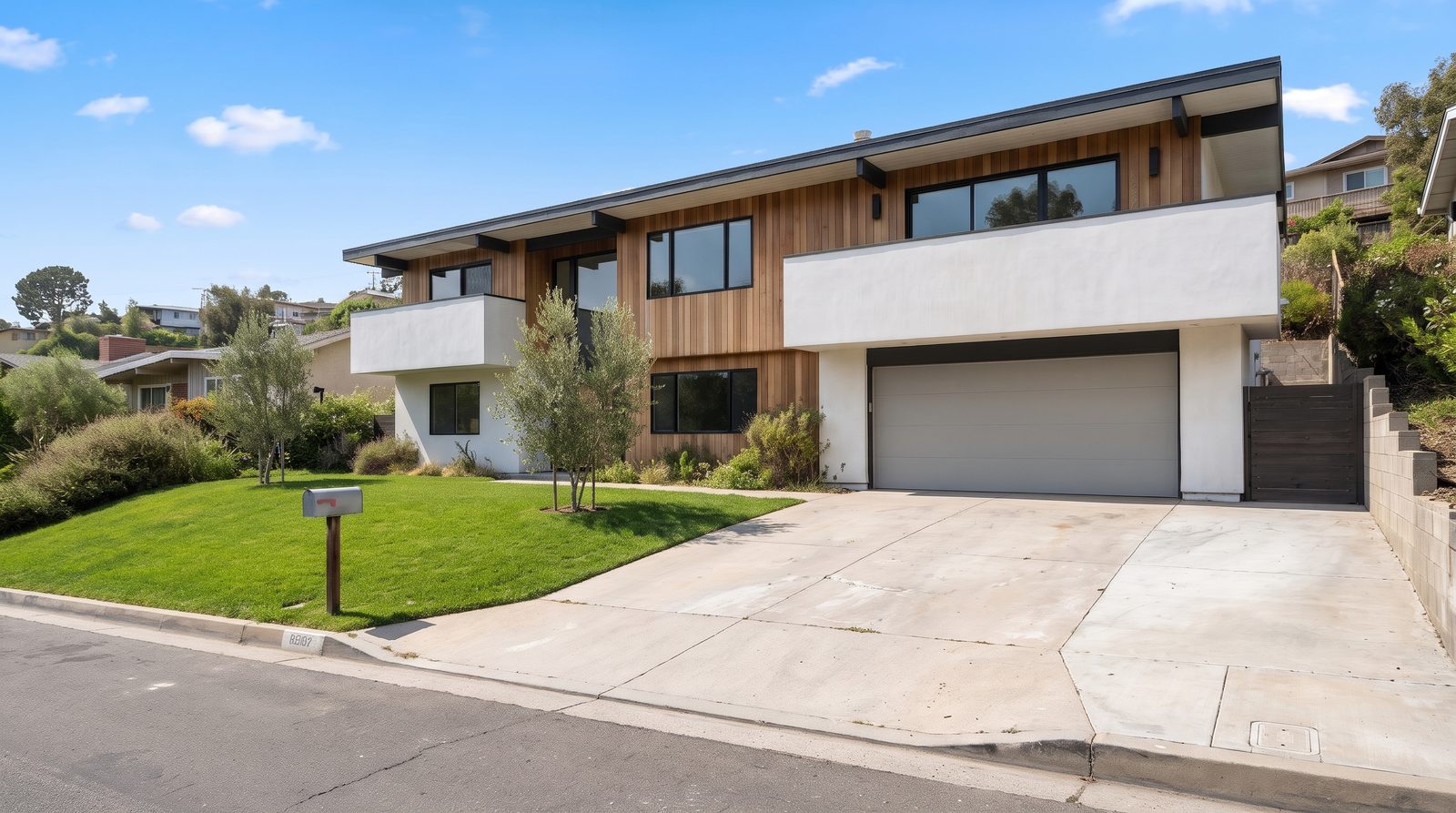 Original
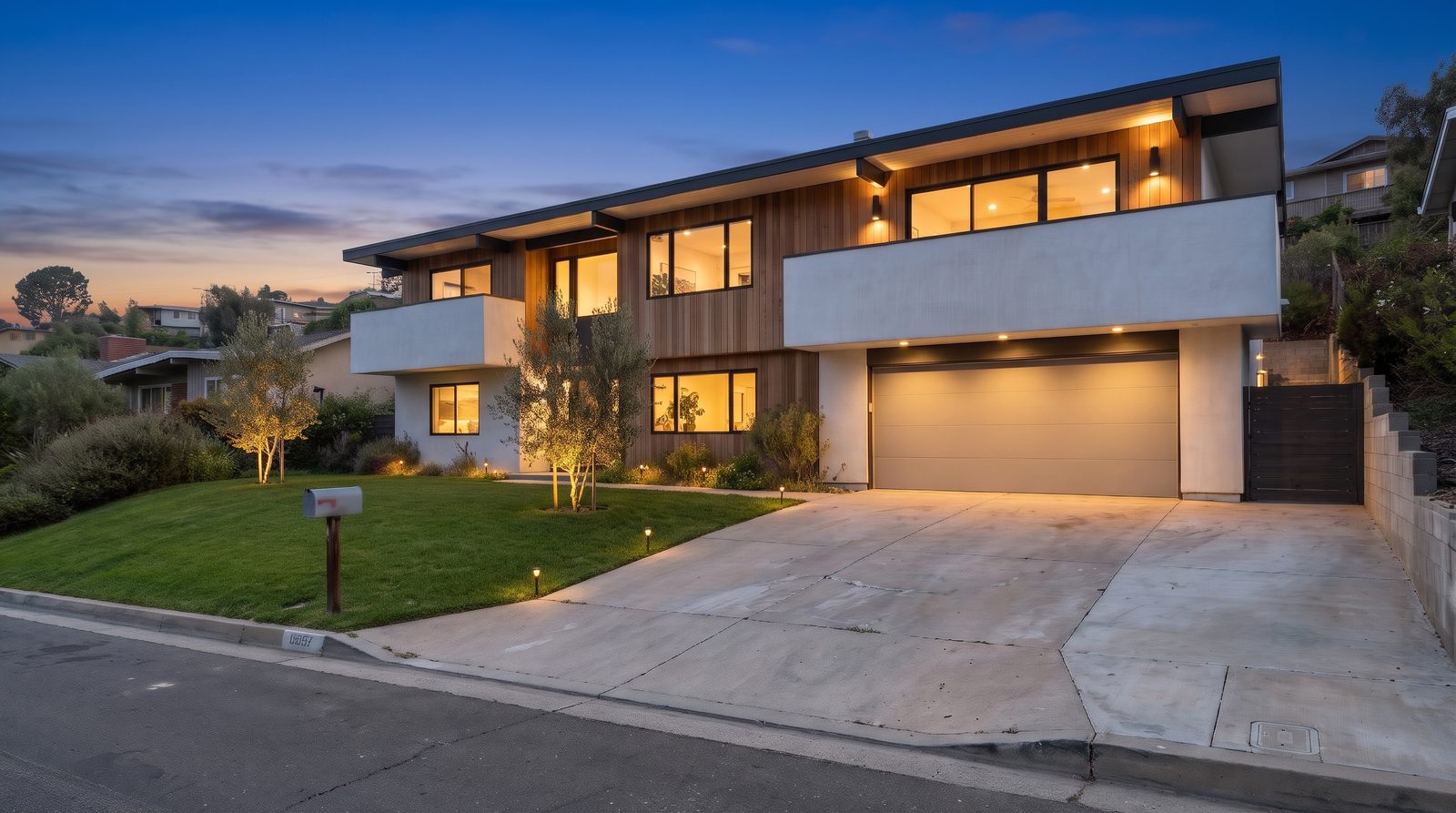 Digitally altered
 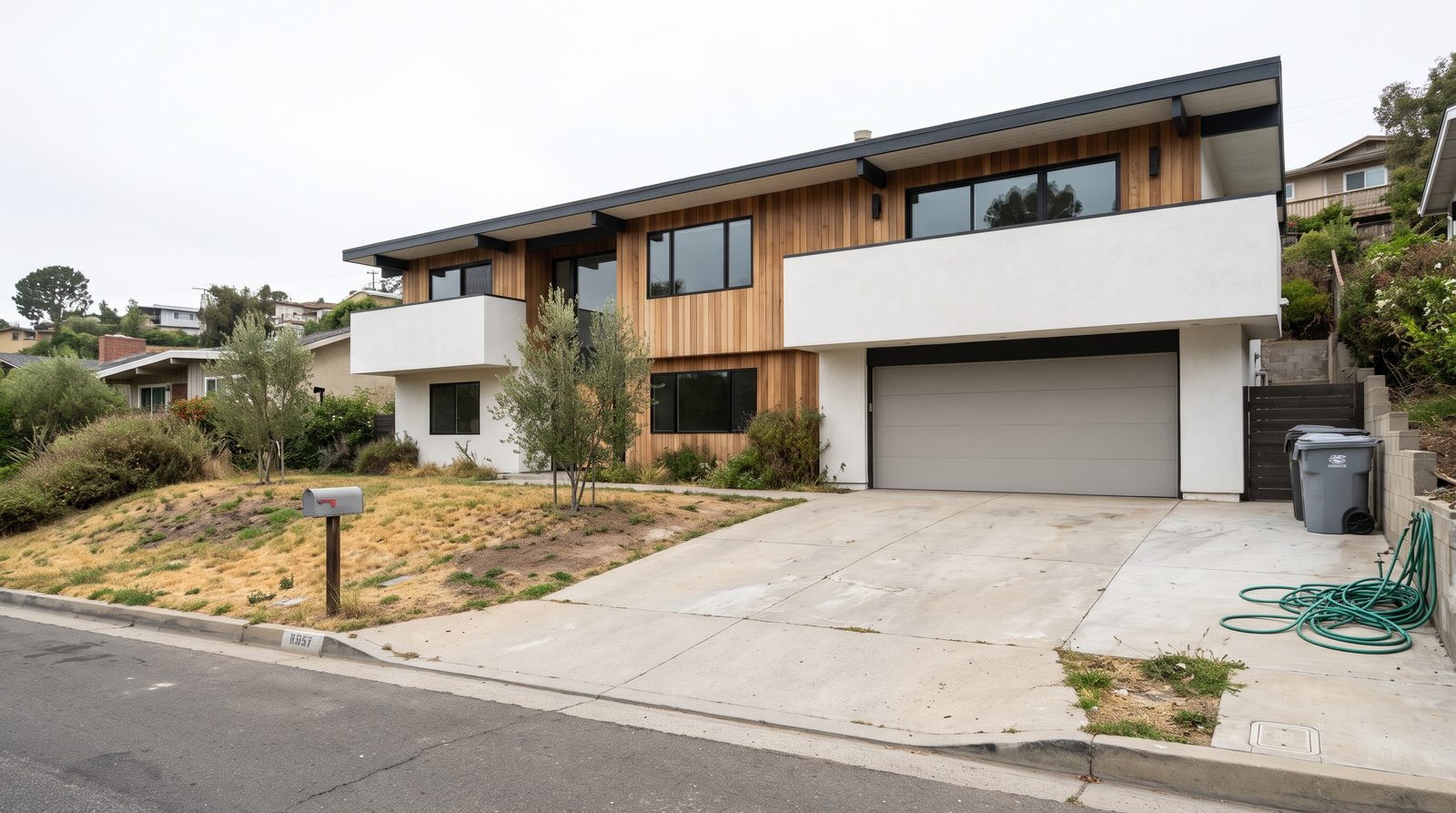 Original Digitally altered
 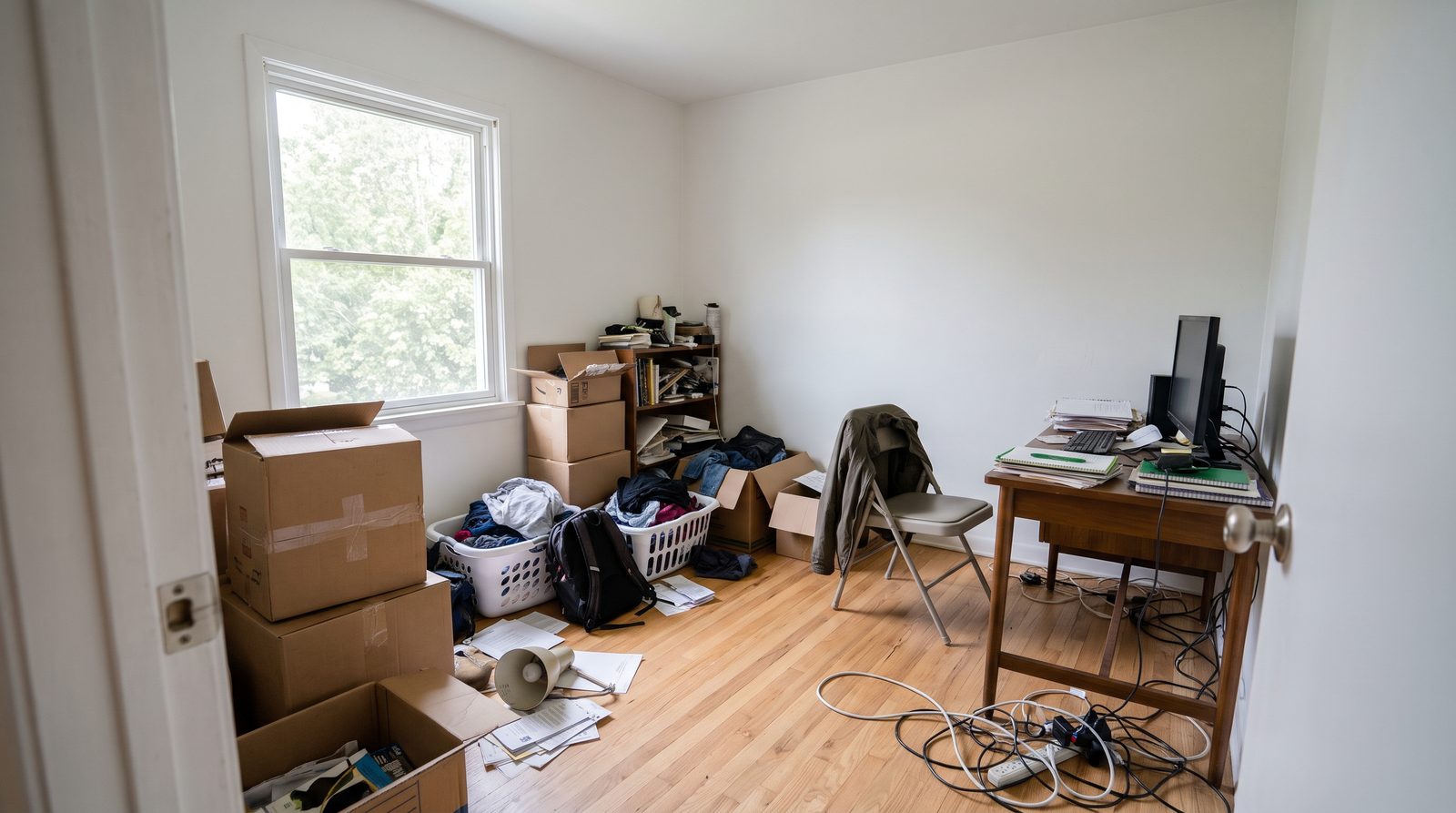 Original
 Digitally altered Original
Measured example
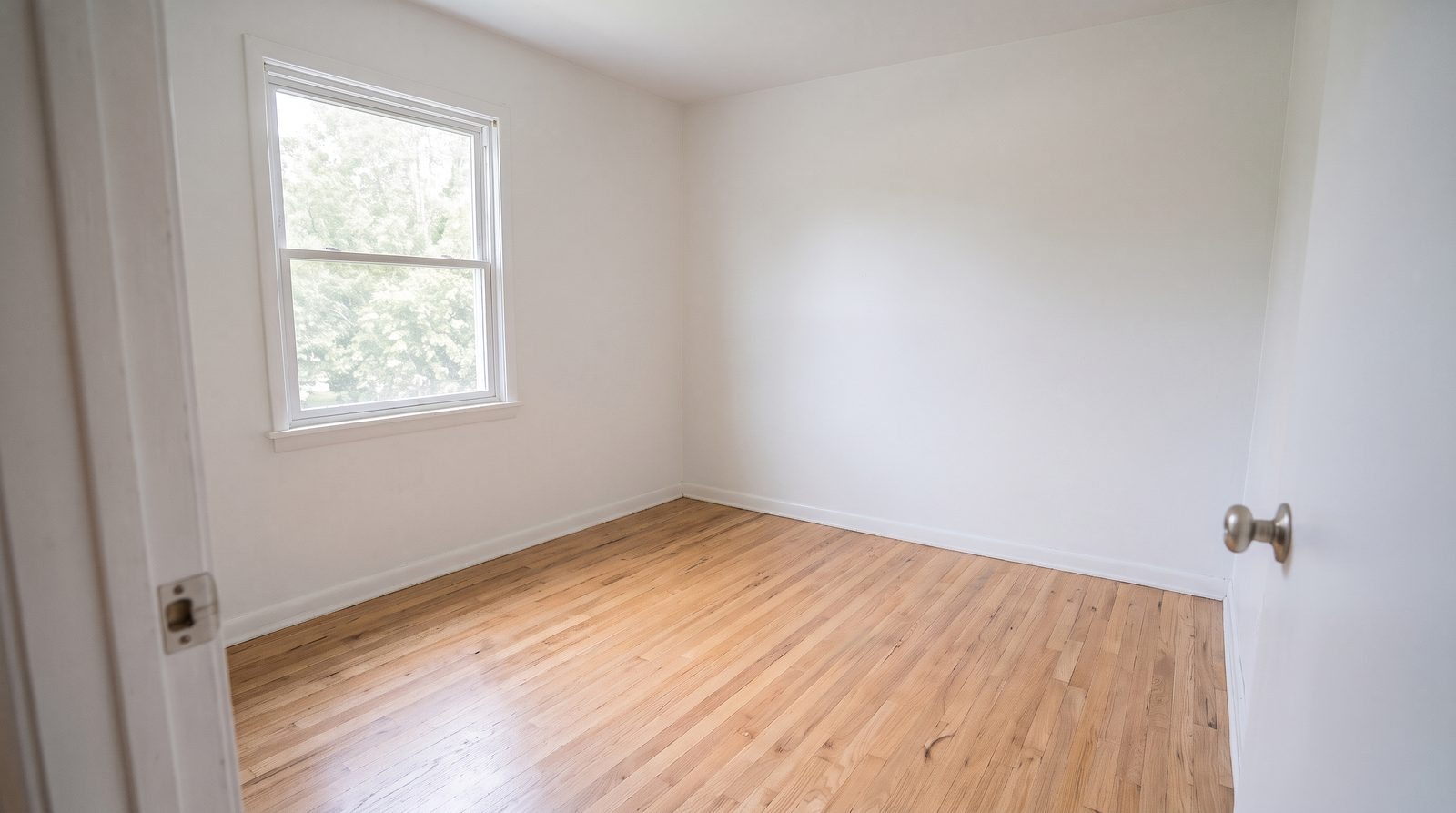
One empty room staged by four image models and animated by five video models with the same prompts: which kept the walls, windows and view, with every output and its cost.
The workflow
Install Creative Claw from ChatGPT’s plugin directory and sign in. New accounts get 100 free credits, no card.
One edit per request works best: “turn this to twilight”, “blue sky and green lawn”, or “remove the bins, hose and boxes”.
House, windows, roof, driveway, trees, neighbors and the camera angle. Never ask to hide cracks, stains or a power line.
Check the result against the original, then export it with a “Digitally altered” label and keep the original in the listing.
Pricing
Creative Claw is pay as you go: $10 buys 1,000 credits, new accounts get 100 free credits, and there is no subscription. Typical costs for this workflow:
| What you generate | Credits | Cost |
|---|---|---|
| Day to dusk / twilight (Nano Banana 2, 2K) | 24 | $0.24 |
| Sky replacement and lawn (Nano Banana 2, 2K) | 24 | $0.24 |
| Declutter or remove items (Nano Banana 2, 2K) | 24 | $0.24 |
| Any edit at 1K (Nano Banana 2) | 16 | $0.16 |
| 6-second aerial-style clip of the edited exterior, 1080p (Gemini Omni Flash) | 138 | $1.38 |
Prices charged or quoted by Creative Claw on October 25, 2026. See all model prices, and ask for an estimate in ChatGPT before you generate.
Alternatives
The tools below are the ones AI assistants most often recommend for this job. We checked each vendor’s own pages on October 23, 2026. “None found” means we could not find an official app in the ChatGPT directory or on the vendor’s site. Creative Claw publishes this page.
| Tool | Day to dusk | Item removal | In ChatGPT |
|---|---|---|---|
| Creative Claw | 24 credits ($0.24) | 24 credits ($0.24) | App in ChatGPT’s directory |
| BoxBrownie (human editors) | $5 | $5–10 | None found |
| Fotello | $1 | Not listed | None found |
| Collov AI | Included on Advanced plans and up | Not listed | None found |
Sources: BoxBrownie pricing · Fotello pricing · Collov AI pricing · California AB 723 and MLS photo rules (The Close). Prices are in USD before tax and change often.
Before you render
Add or remove furniture and décor only. Never change walls, floors, windows, doors, fixtures, the view, the room’s size or its condition, and check every result against the original before you post it.
Mark staged and edited photos “Virtually staged” or “Digitally altered” on or next to the image. California has required it since January 1, 2026, and several MLSs fine unlabeled edits. Ask Creative Claw to burn the label in.
Publish or link the unaltered photo with each edited one. California requires access to the original, and NorthstarMLS’s proposed rules ask for a “before” photo of every staged room.
Sky, light, lawn color and temporary items are fair game with a label. Damage, power lines, neighboring buildings and views are not.
Check current pricing, read short answers in the help center, inspect the tool reference, or browse published media examples. Examples illustrate creative approaches; they are not proof that this exact starter prompt was run.
Practical answers
Yes, with Creative Claw. Attach the photo and describe the edit; Nano Banana 2 makes it at 2K for 24 credits and keeps the rest of the photo as it was.
Attach the exterior and ask for “day to dusk: deep blue sky, warm glowing windows, landscape lights”, listing what must not change. It takes one 24-credit edit; the example on this page is one.
Yes, in one edit. Label the result as digitally altered: in California, landscaping and sky changes count as alterations that need a disclosure and the original.
Yes. Temporary items such as bins, hoses, cars, boxes and personal belongings can be removed. Do not remove permanent things such as power lines, cracks or a neighbor’s building.
You can ask for brighter, more even exposure with straight verticals in the same way; we did not include an example of that on this page. Routine light and color fixes usually need no label.
It can, but that shows the property as it is not. Label it “concept, not current condition” and never use it as a listing photo.
24 credits ($0.24) per edit at 2K, 16 at 1K. New accounts get 100 free credits.
BoxBrownie’s human editors charge $5 for day to dusk and $5 to $10 per item removal; Fotello charges $1 for twilight and $0.50 per edited photo, aimed at photographers editing whole shoots.
Nano Banana 2, our default for targeted edits that should keep the rest of the scene. Every edit on this page used it.
It should not: the prompt lists the house, windows, roof, driveway, trees and neighbors as things to keep. Compare the result with the original before you post it.
Not as a batch service. For daily 40-photo HDR shoots, a photographer’s editing service is faster per photo. Creative Claw fits agents fixing a few photos per listing.
No. California’s rules name utility poles and neighboring buildings among the changes that must be disclosed, and hiding them misleads buyers. Remove only temporary items.
Often, yes. California has required a disclosure on or next to digitally altered listing images, plus access to the original, since January 1, 2026; MLSs such as Metro MLS fine unlabeled edits, and Wisconsin’s rule from 2027 also covers AI video. Rules differ by MLS and country, so check yours. This is not legal advice.
With a label: furniture, décor, temporary items such as bins and boxes, the sky and the light. Never: walls, floors, windows, doors, fixtures, the view, the room’s size, its condition or damage, power lines or neighboring buildings. NorthstarMLS’s proposed rules draw the same line.
Yes. California requires a link or QR code to the original; Metro MLS wants the original uploaded right before the altered one, and NorthstarMLS proposes a “before” photo for each staged room. Creative Claw returns the original next to every edit.
Yes. Describe the home, not who should live in it: avoid phrases such as “perfect for families” or “ideal for young professionals”. Ask the assistant to check captions and descriptions before you post.
Yes. The twilight exterior on this page became a 6-second aerial-style clip with Gemini Omni Flash for 138 credits. Say it is simulated motion, not drone footage.
Open chatgpt.com/plugins/creativeclaw and select Install plugin, or search for Creative Claw in ChatGPT’s plugin directory, then sign in. New accounts get 100 free credits, no card.
No. Creative Claw is pay as you go: $10 buys 1,000 credits that never expire, and new accounts get 100 free credits. You pay for what each listing uses.
Yes. One Creative Claw account and balance work in ChatGPT, Claude, Claude Code and Codex.
No. It makes the files; you upload them to the MLS, the portals or your social accounts.
Start creating
Connect once, get 100 free credits with no card required, and use the starter prompt above for your first project.
