Say the motion is simulated
Video made from photos is generated motion. Add a line such as “AI-generated video from listing photos. No drone footage was captured.” and upload an unbranded cut where your MLS requires one.
Listing videos · ChatGPT · October 2026
Every photo gets a camera move, the reel gets music and a price card.
In ChatGPT, add the Creative Claw plugin, attach the listing photos and ask for a listing video. It animates each real photo with a camera-only move, such as a push-in, a slide or an aerial-style rise, for 87 to 138 credits per 6-second clip at 1080p, then cuts the clips to music with titles, captions and a price card in 16:9 and 9:16. Our 33-second example with staging and an agent intro came to about 1,000 credits ($10). AutoReel charges $59 a month for three videos.
Start with 100 free credits. No card required.
 By Itay Dressler, founder of Creative Claw · LinkedIn · Updated
Bring
Your listing photos (staged or not), the price and the key facts
Create
A listing reel in 16:9 and 9:16, plus the individual tour clips
Made with Creative Claw
Before and after
Each video starts on the exact photo on its left. The prompts ask for camera movement only, so the furniture, walls and view stay put.
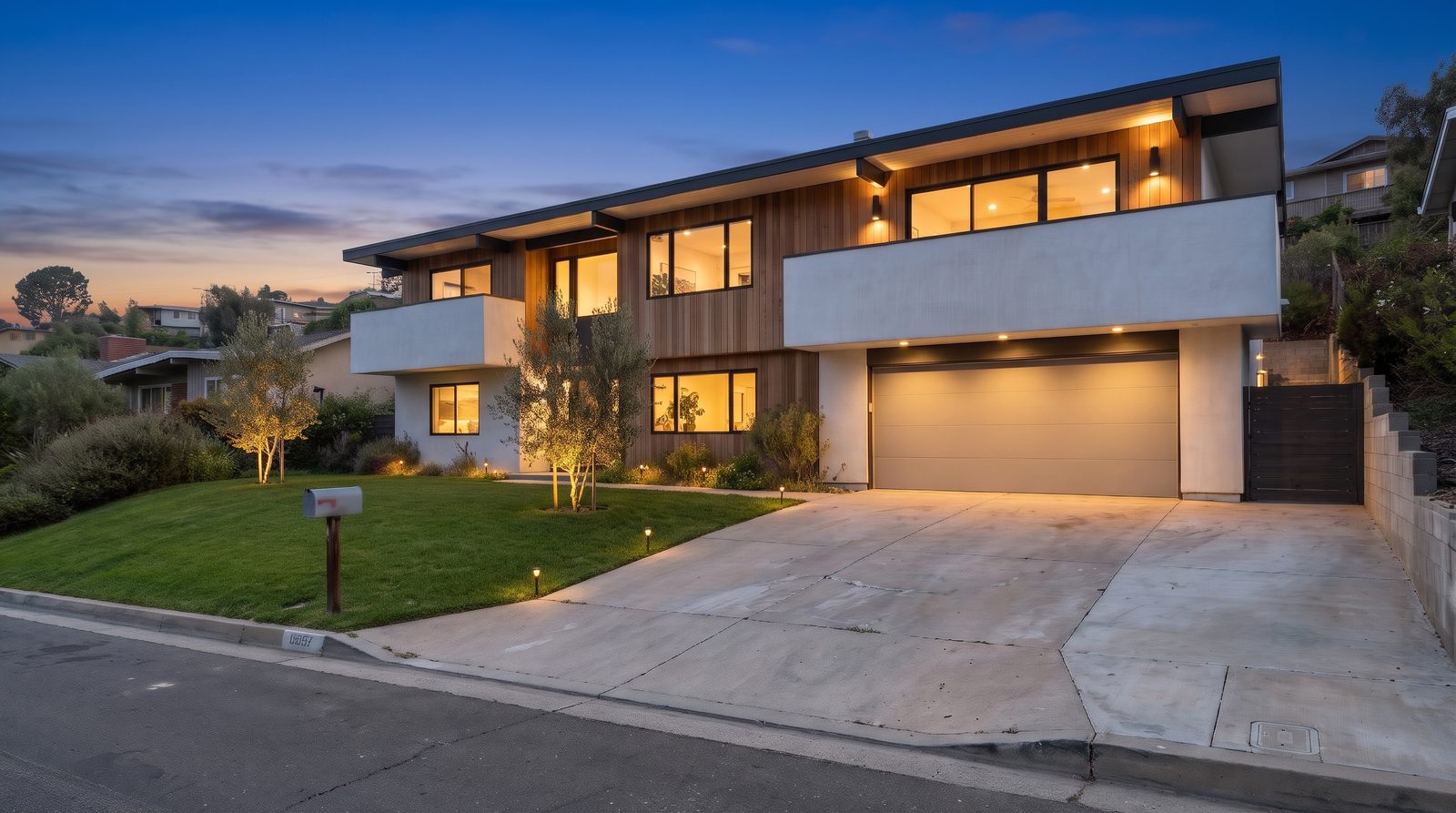 Original
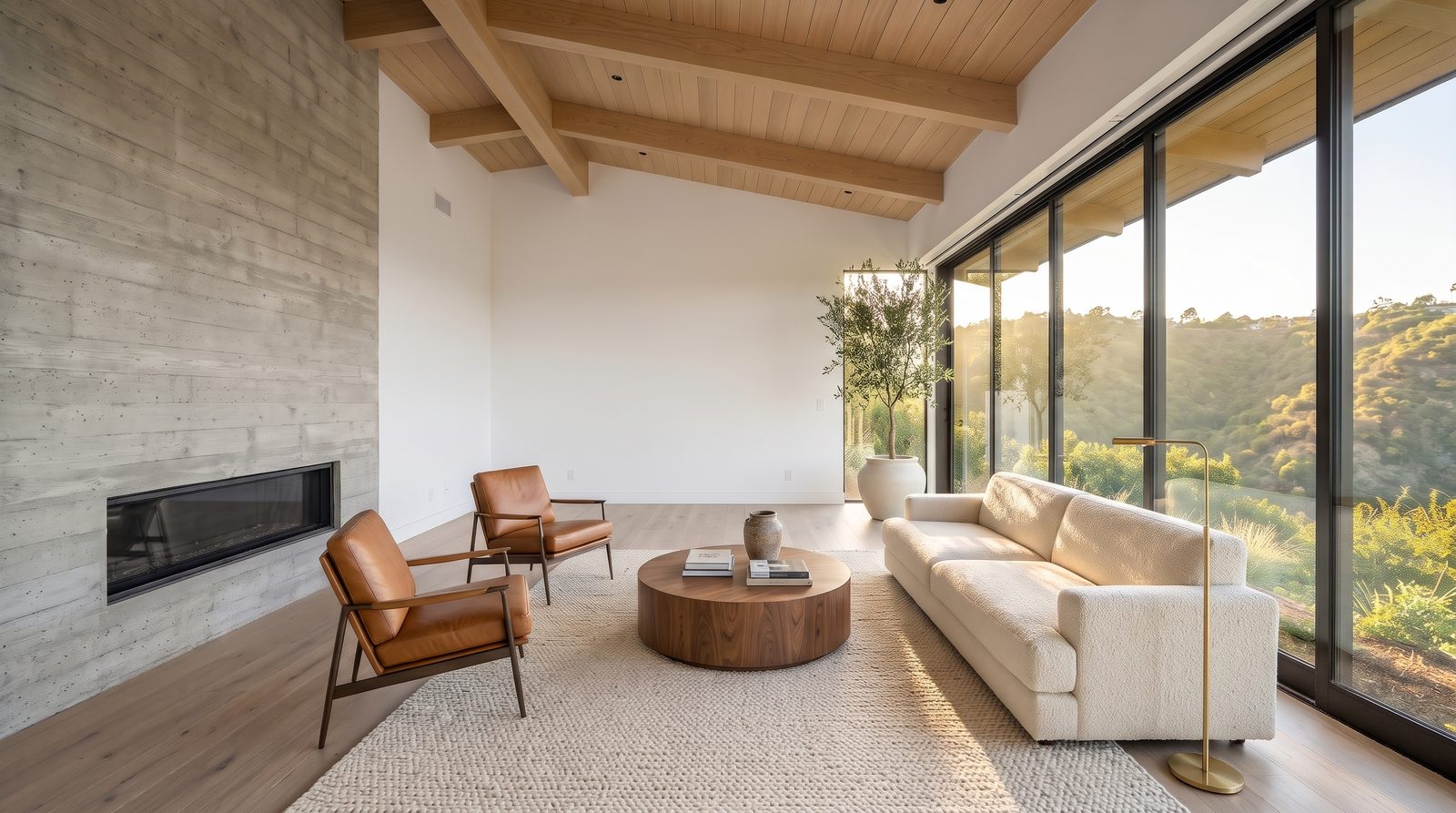 Original
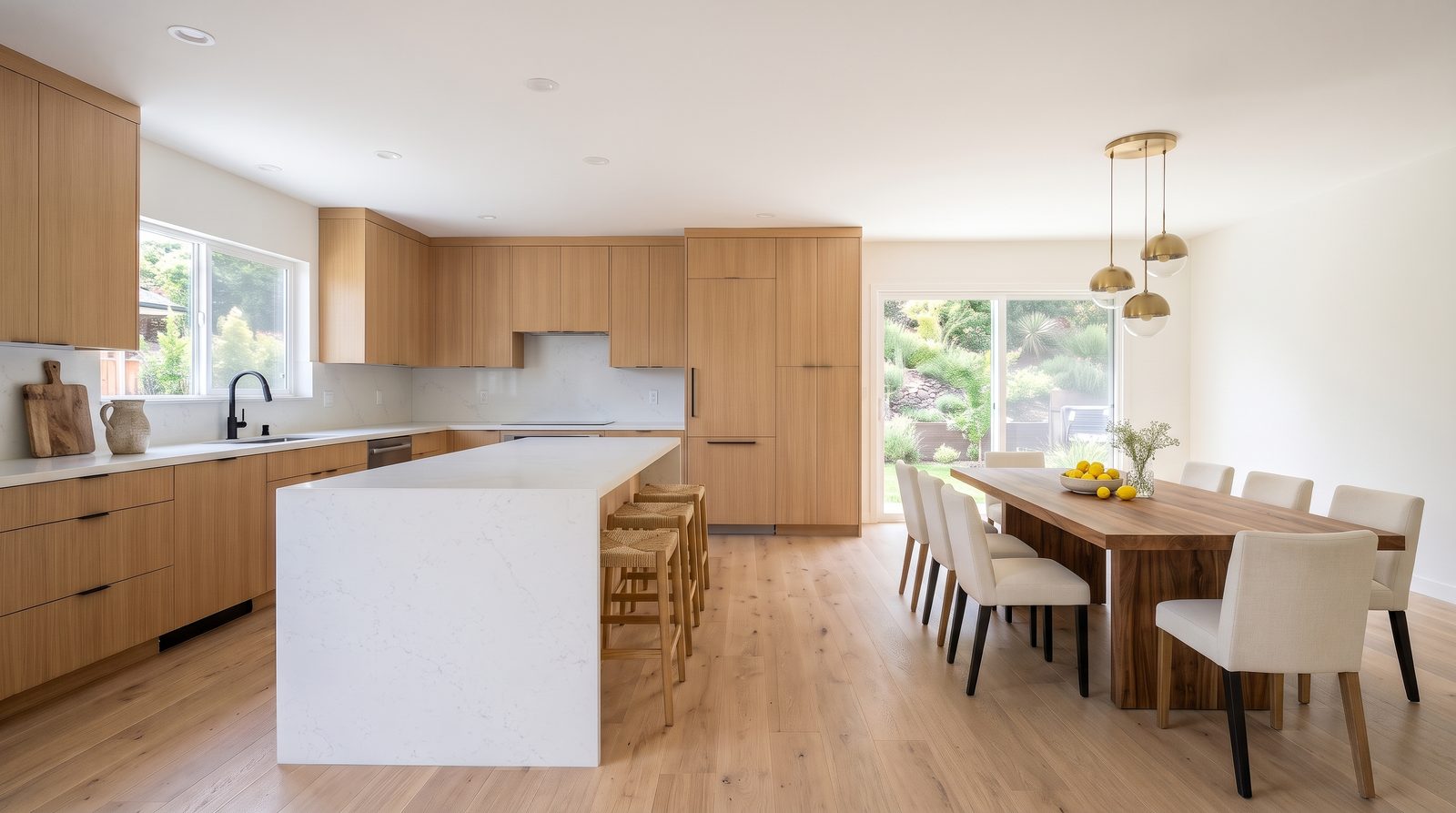 Original
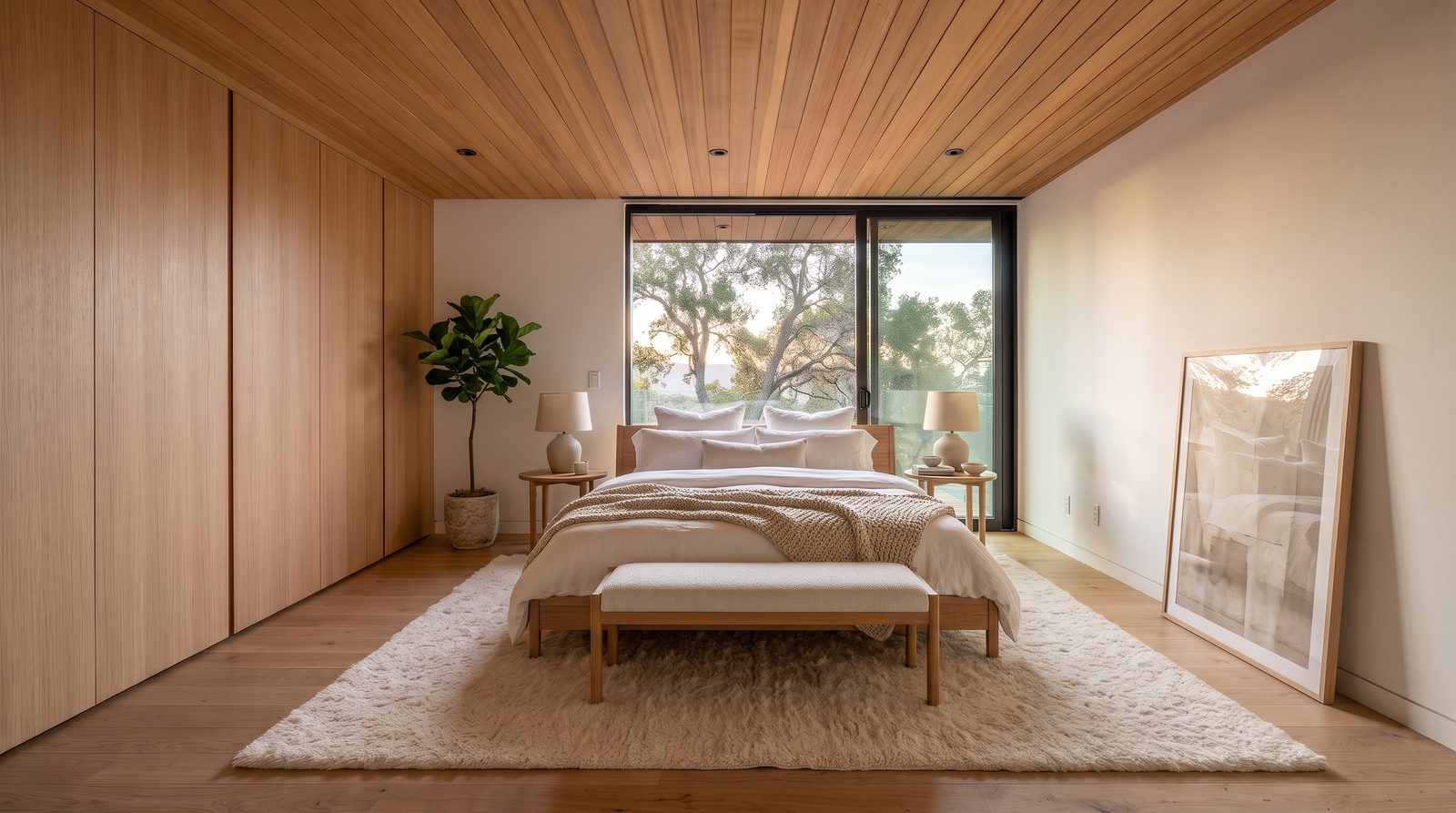 Original
Finished example
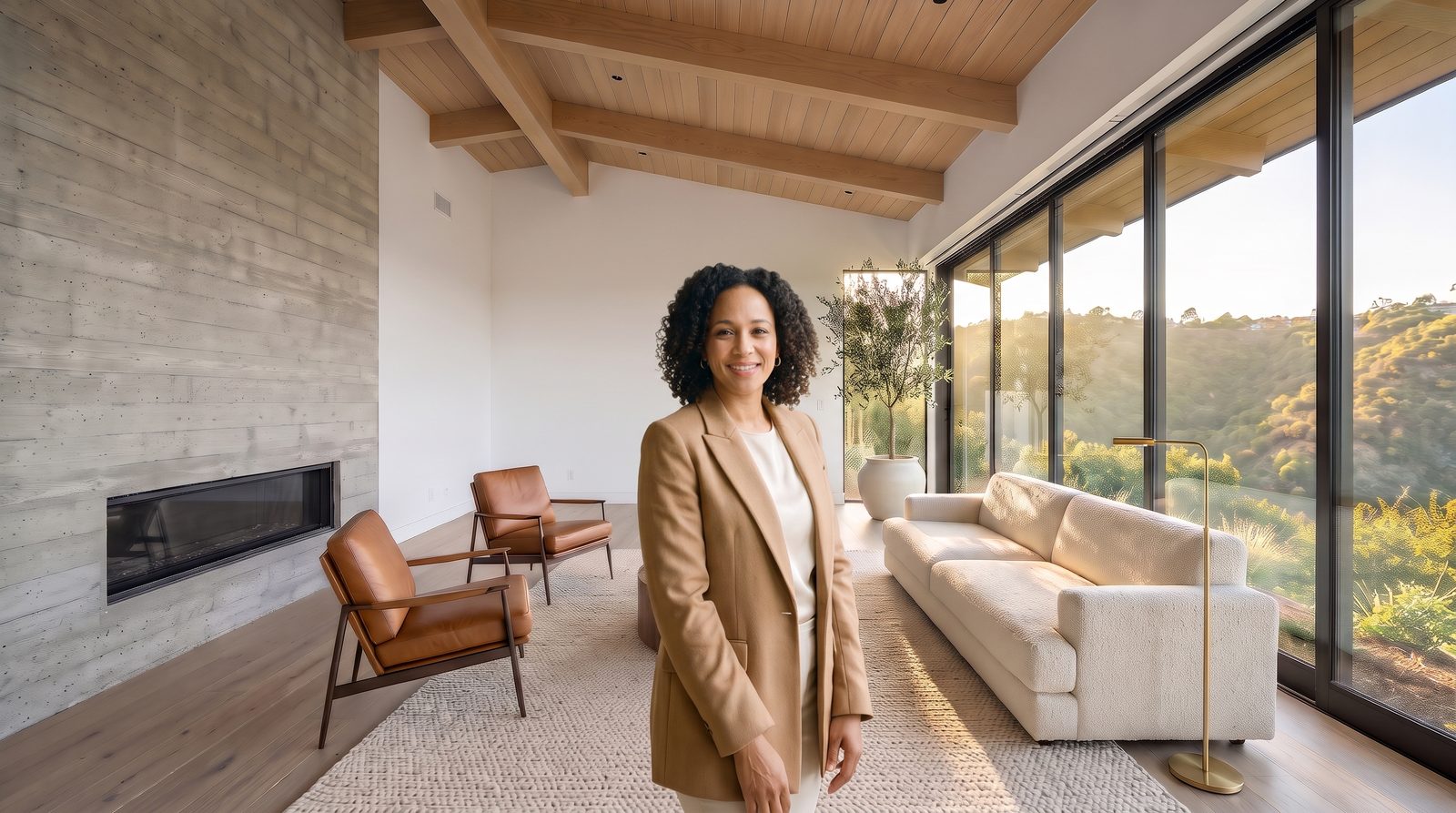
We made a fictional listing, The Calloway House, to show the whole kit. Its empty rooms and daytime exterior were generated as stand-ins for an agent’s own photos. Creative Claw then staged four rooms, turned the exterior into a twilight shot, animated each photo with a camera move, put a fictional agent in the living room to introduce the home, and cut it all to music with a price card. Every staged room and every moving shot carries a label.
Voiceover script
“Welcome to the Calloway House. Four bedrooms, canyon views from every room. Book your private tour today.”
| Step | Tool | Credits |
|---|---|---|
| Stage four rooms (living, kitchen, bedroom, terrace) | Nano Banana 2, 2K | 96 |
| Sky, lawn and twilight on the exterior (two edits) | Nano Banana 2, 2K | 48 |
| Place the agent in the living room | Nano Banana 2, 2K | 24 |
| Five 6-second tour clips at 1080p | Gemini Omni Flash ×4, FLUX 3 Max ×1 | 639 |
| 8-second talking agent intro at 1080p | Gemini Omni Flash | 184 |
| Music bed | Lyria 3.5 | 16 |
| Caption timing | Transcribe | 1 |
| Cut, titles, price card, 16:9 and 9:16 | HyperFrames (render_html_video) | 7 |
| Total for the finished example | 1,015 ($10.15) | |
The empty-room and exterior “before” photos were generated for this demo (24 credits each); with your own listing photos that step costs nothing. The agent is fictional. The final cut was rendered with HyperFrames; render_html_video quotes 7 credits for a 33-second 1080p render.
Measured example
One empty room staged by four image models and animated by five video models with the same prompts: which kept the walls, windows and view, with every output and its cost.
The workflow
Install Creative Claw from ChatGPT’s plugin directory and sign in. New accounts get 100 free credits, no card. Attach the final listing photos, staged or not, in the order of the tour.
Push-in for living rooms, a slow slide for kitchens, an aerial-style rise for the exterior. Say “camera-only motion; nothing in the room changes”.
Watch each clip against its photo. Regenerate any that add, remove or reshape something, or trim it before the change.
Ask for a reel with music, room titles, captions and a price card, in 16:9 and 9:16, with the AI-motion disclosure on the last card.
Pricing
Creative Claw is pay as you go: $10 buys 1,000 credits, new accounts get 100 free credits, and there is no subscription. Typical costs for this workflow:
| What you generate | Credits | Cost |
|---|---|---|
| 6-second tour clip, 1080p (FLUX 3 Max) | 87 | $0.87 |
| 6-second tour clip, 1080p (Gemini Omni Flash) | 138 | $1.38 |
| 6-second tour clip, 1080p (MiniMax H3 Max) | 192 | $1.92 |
| 15-second one-take tour from 4 keyframes, 720p (FLUX 3 Max) | 128 | $1.28 |
| Music bed (Lyria 3.5) | 16 | $0.16 |
| Reel assembly, 33 s at 1080p (render_html_video) | 7 | $0.07 |
Prices charged or quoted by Creative Claw on October 25, 2026. See all model prices, and ask for an estimate in ChatGPT before you generate.
Alternatives
The tools below are the ones AI assistants most often recommend for this job. We checked each vendor’s own pages on October 23, 2026. “None found” means we could not find an official app in the ChatGPT directory or on the vendor’s site. Creative Claw publishes this page.
| Tool | What you get | In ChatGPT | Price |
|---|---|---|---|
| Creative Claw | A clip per photo, reel with music and price card, 16:9 and 9:16 | App in ChatGPT’s directory | 87–138 credits per clip; our full reel about $10; no plan |
| AutoReel | Listing videos from photos, voiceover, branded and unbranded | None found | $59/mo for 3 videos, $139 for 10; 2 free watermarked 720p |
| Lofty | Automatic listing videos inside the CRM | None found | 3 a month on Social Agent plans; $14.99 per extra video |
| Fotello | Up to 60-second AI video for photographers | None found | $28 per video |
| A videographer | Filmed walkthrough | n/a | About $195 typical, plus drone about $125 |
Sources: AutoReel · Lofty AI listing videos · Fotello pricing · PropPhoto photography prices (Aug 2026) · HousingWire: AI listing video disclosure. Prices are in USD before tax and change often.
Before you render
Video made from photos is generated motion. Add a line such as “AI-generated video from listing photos. No drone footage was captured.” and upload an unbranded cut where your MLS requires one.
Add or remove furniture and décor only. Never change walls, floors, windows, doors, fixtures, the view, the room’s size or its condition, and check every result against the original before you post it.
Mark staged and edited photos “Virtually staged” or “Digitally altered” on or next to the image. California has required it since January 1, 2026, and several MLSs fine unlabeled edits. Ask Creative Claw to burn the label in.
Video models sometimes add an object late in a clip. Cut the clip before it appears or regenerate it; a 4-second shot is plenty in a reel.
Check current pricing, read short answers in the help center, inspect the tool reference, or browse published media examples. Examples illustrate creative approaches; they are not proof that this exact starter prompt was run.
Practical answers
Yes, with Creative Claw. It animates each photo with a camera move and cuts the clips into a reel with music, titles and a price card, all inside ChatGPT.
Our example runs 33 seconds with about 4 seconds per room, which suits Reels and TikTok. Each clip is generated at 6 seconds, so a longer tour just adds rooms.
FLUX 3 Max can join up to 10 photos as timed keyframes in one take. Our 15-second, 720p test through four rooms cost 128 credits: it cut from room to room rather than walking through hallways, kept each room as photographed, and reached the terrace through the glass door. Separate 1080p clips cut to music look sharper.
Yes. Ask for a music bed, room titles, captions and a price card with beds, baths and square footage; the example reel has all of them.
Yes. Ask for narration with a stock voice, or clone your voice from a short recording with your consent and use it on every listing.
Any. The example reel was rendered at 1920×1080 for YouTube and the MLS and 1080×1920 for Reels, TikTok and Shorts.
A 6-second 1080p clip costs 87 credits with FLUX 3 Max or 138 with Gemini Omni Flash. Five clips, music and the reel cost about 460 to 715 credits ($4.60–7.15); our example with staging and an agent intro was about $10. No subscription.
AutoReel charges $59 a month for three videos, Lofty $14.99 per extra AI video and Fotello $28 per video; a photographer’s walkthrough video typically costs about $195.
In our test of the same living room, FLUX 3 Max, Seedance 2.5 and MiniMax H3 Max kept it intact. Kling 3.0 Omni drifted into a pan and added a stool; Gemini Omni Flash pushed too far and invented a second window wall, though it kept four other rooms of the same listing.
Regenerate it, or trim it before the change: a 4-second shot is plenty in a reel. Our kitchen clip added wall art after about 4.5 seconds, so the reel uses only the first 4.3.
Yes. Every interior clip on this page starts from a virtually staged photo; label the video as staged and AI motion.
No. It is simulated motion from your photos. Say so in the video and the listing: “AI-generated video from listing photos. No drone footage was captured.”
Many MLS virtual-tour fields accept only unbranded video. Ask for a version without your name, phone or logo for the MLS, and a branded one for social media.
Often, yes. California has required a disclosure on or next to digitally altered listing images, plus access to the original, since January 1, 2026; MLSs such as Metro MLS fine unlabeled edits, and Wisconsin’s rule from 2027 also covers AI video. Rules differ by MLS and country, so check yours. This is not legal advice.
With a label: furniture, décor, temporary items such as bins and boxes, the sky and the light. Never: walls, floors, windows, doors, fixtures, the view, the room’s size, its condition or damage, power lines or neighboring buildings. NorthstarMLS’s proposed rules draw the same line.
Yes. California requires a link or QR code to the original; Metro MLS wants the original uploaded right before the altered one, and NorthstarMLS proposes a “before” photo for each staged room. Creative Claw returns the original next to every edit.
Yes. Describe the home, not who should live in it: avoid phrases such as “perfect for families” or “ideal for young professionals”. Ask the assistant to check captions and descriptions before you post.
Open chatgpt.com/plugins/creativeclaw and select Install plugin, or search for Creative Claw in ChatGPT’s plugin directory, then sign in. New accounts get 100 free credits, no card.
No. Creative Claw is pay as you go: $10 buys 1,000 credits that never expire, and new accounts get 100 free credits. You pay for what each listing uses.
Yes. One Creative Claw account and balance work in ChatGPT, Claude, Claude Code and Codex.
No. It makes the files; you upload them to the MLS, the portals or your social accounts.
Start creating
Connect once, get 100 free credits with no card required, and use the starter prompt above for your first project.
