Text needs a human proofread
Headlines usually render cleanly; long paragraphs and tiny print do not. Keep on-image copy short and check it.
Social media · updated September 2026
Posts, carousels, Stories and Reels that look like one brand.
Creative Claw is a ChatGPT app that creates on-brand social media images and videos from one brand reference: feed posts, carousel slides, and Stories with Nano Banana 2, plus Reels with Gemini Omni, all in your colors, logo, and type. Save a brand theme once and reuse it in every chat. The example below, a four-piece coffee-brand set with an 8-second Reel, cost 288 credits ($2.88).
Start with 100 free credits. No card required.
Bring
Your logo or a product photo, plus your brand colors
Create
Feed posts, carousel slides, Stories and a Reel in one style
Finished example
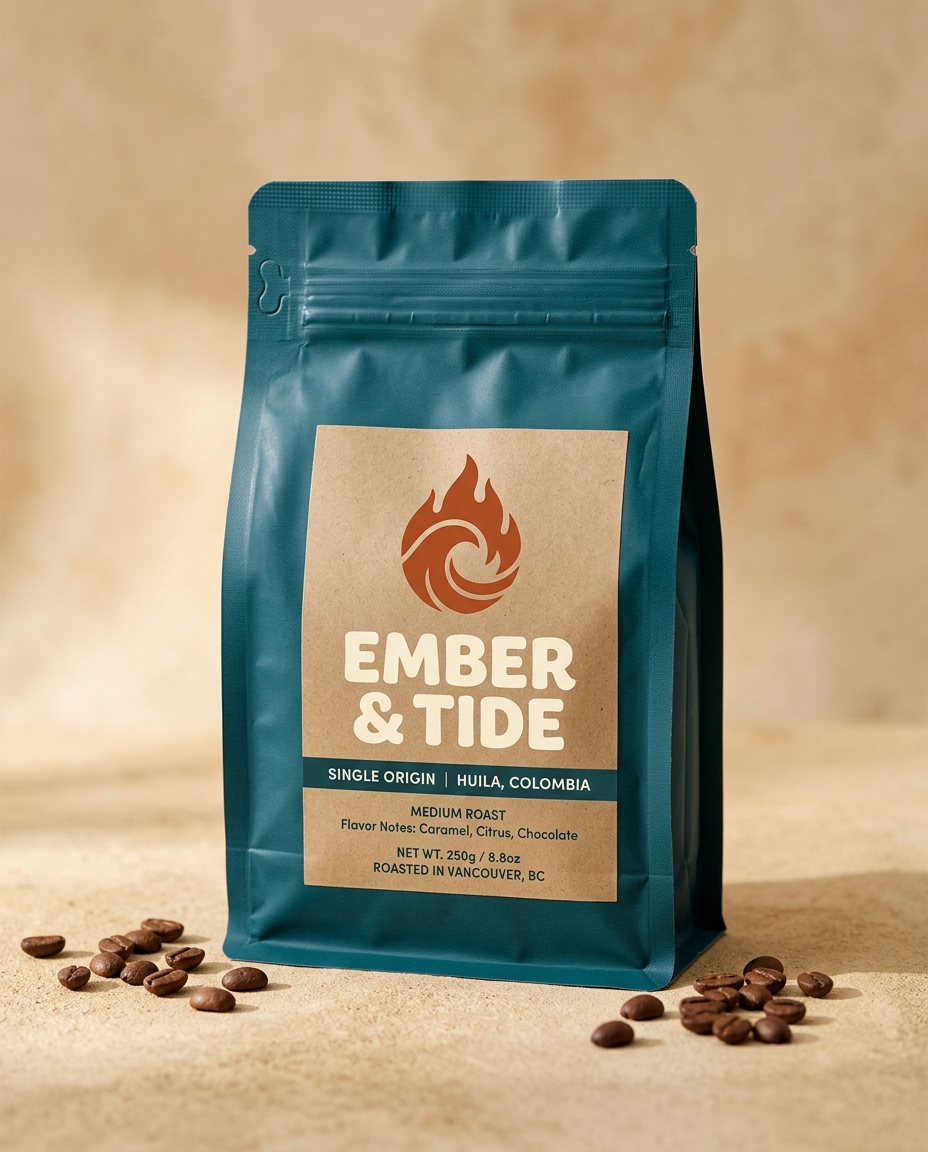
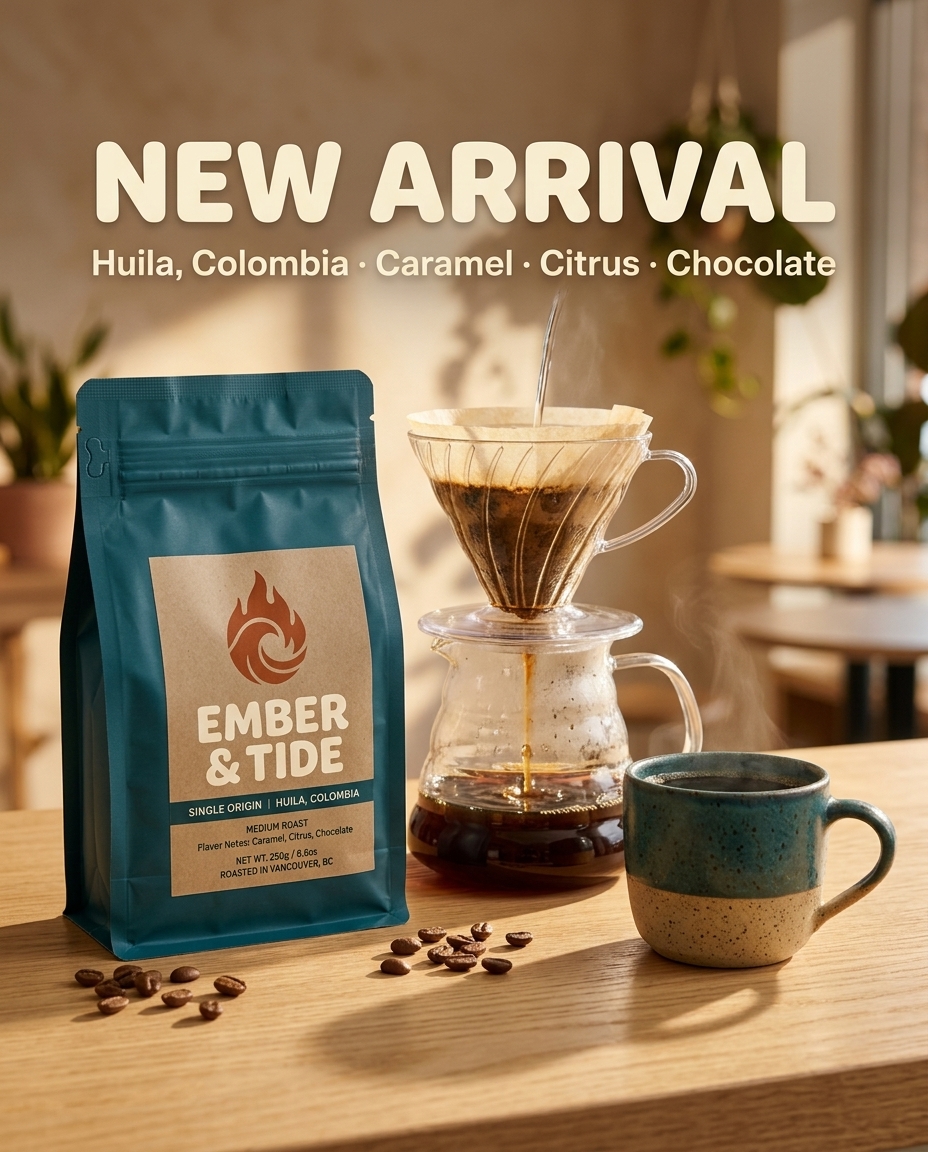
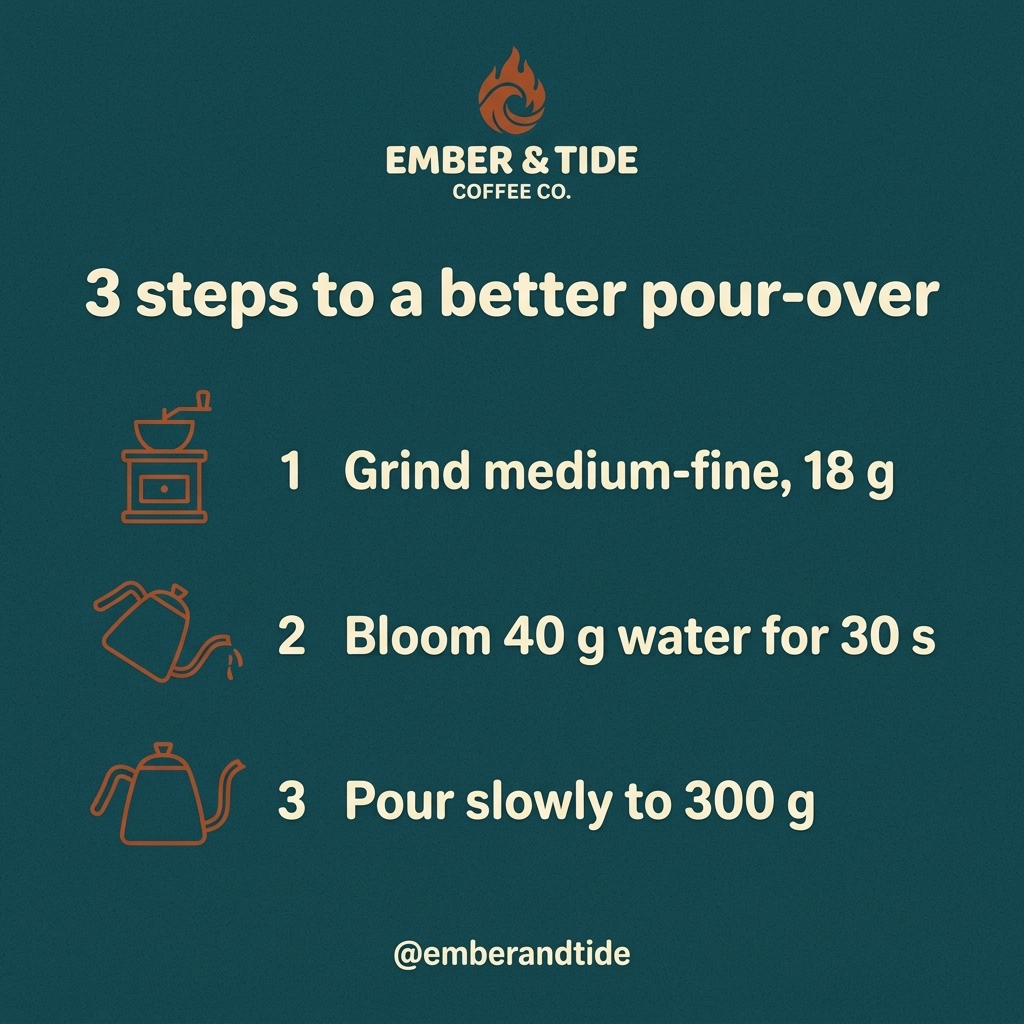
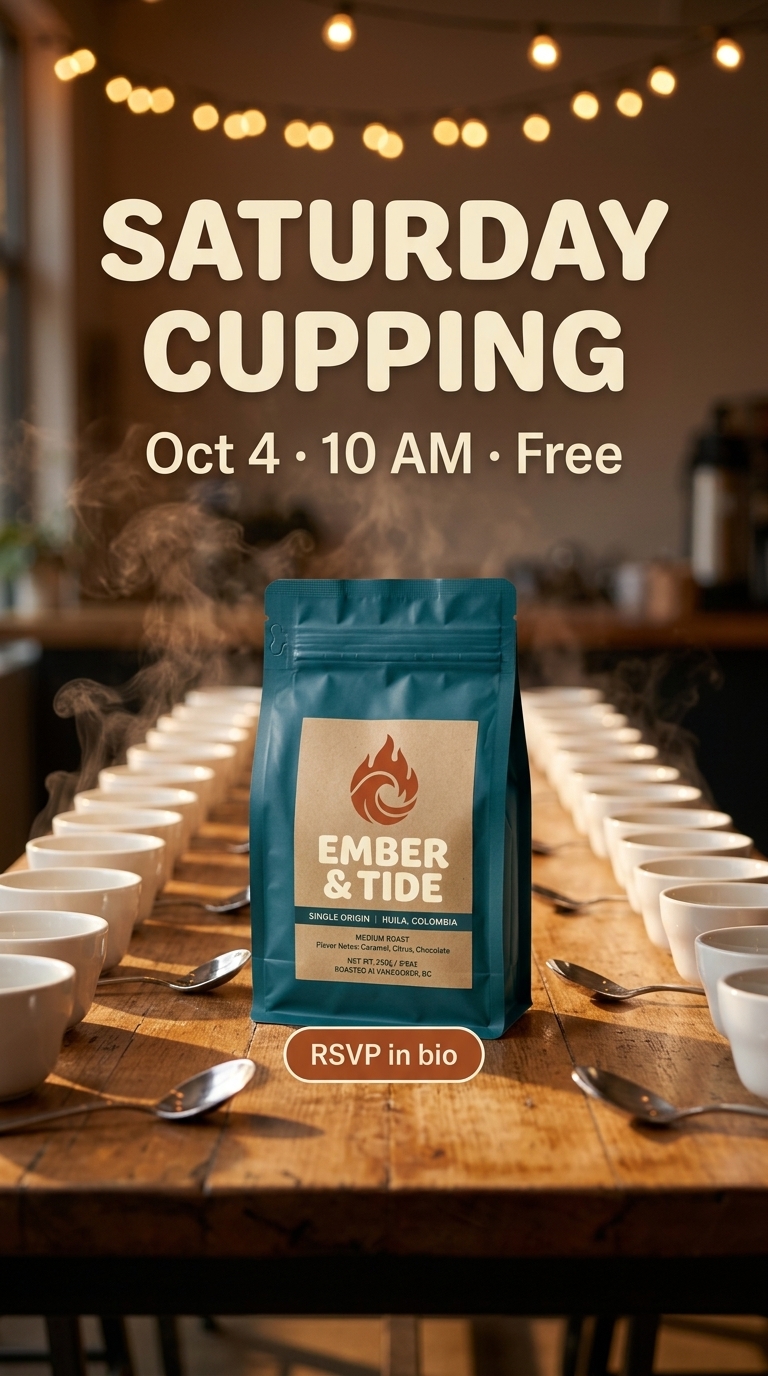
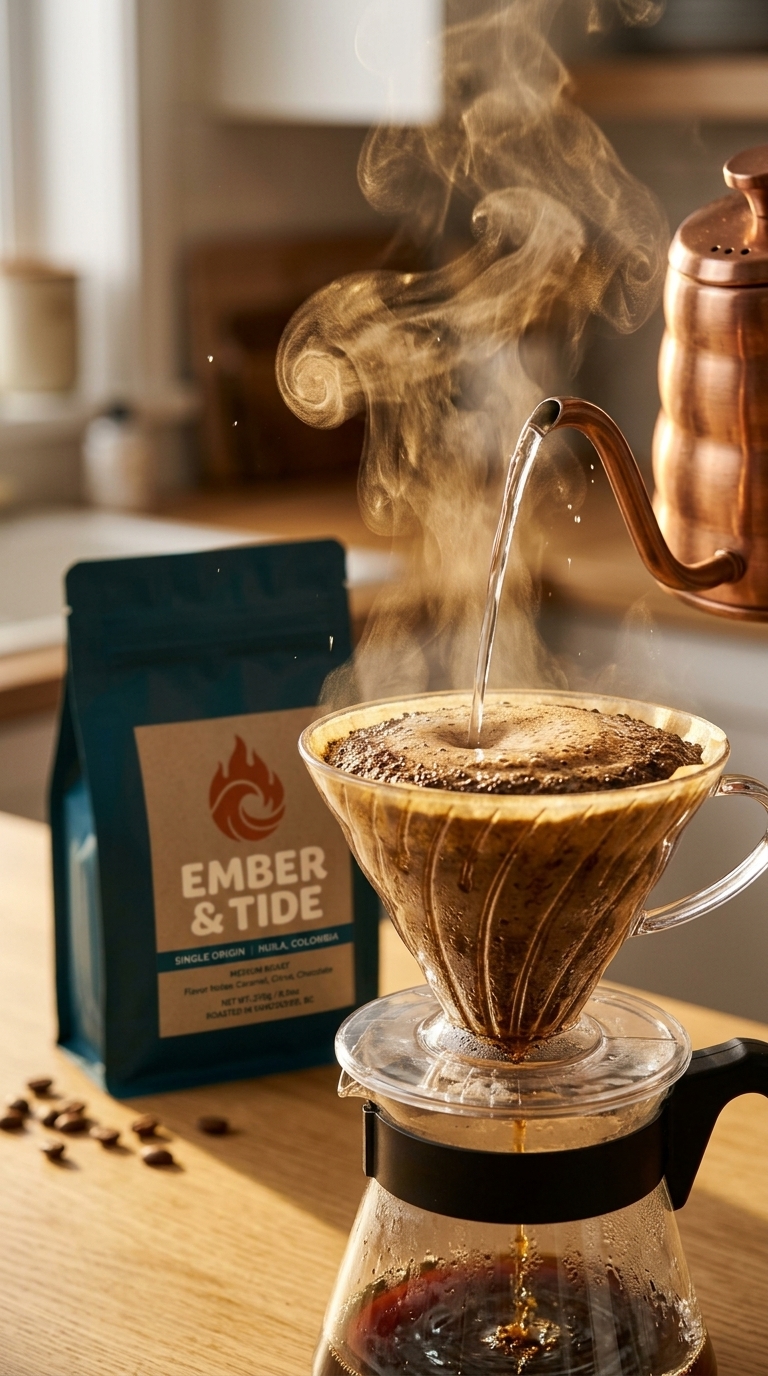
EMBER & TIDE is a fictional coffee roaster we invented for this guide. From one product photo of the bag, we generated a launch post, a brewing-tips carousel slide, an event Story, and a Reel, all with the same logo, palette, and type.
Voiceover script
“No voiceover: pour and bubbling sounds with a light acoustic loop, generated with the video.”
| Step | Tool | Credits |
|---|---|---|
| Brand reference (bag photo) | Nano Banana 2 | 16 |
| Launch post, carousel slide, and Story | Nano Banana 2 with the bag as reference | 48 |
| Reel scene | Nano Banana 2 with the bag as reference | 16 |
| 8-second vertical Reel | Gemini Omni Flash, 1080p, native audio | 208 |
| Total for the finished example | 288 ($2.88) | |
Generated on September 29, 2026. EMBER & TIDE is fictional. Prices are the credits charged for each generation.
The workflow
Upload your logo or a product photo and list your colors and fonts. Save them as a Creative Claw brand theme so every chat reuses them.
Request a launch post (4:5), a how-to carousel slide (1:1), and an event Story (9:16) in your style. Each image costs 16 credits.
Nano Banana 2 renders short headlines well, but check spelling, prices, and dates before posting.
Generate a vertical scene and animate it with Gemini Omni Flash, with sound. An 8-second Reel at 1080p costs 208 credits.
Pricing
Creative Claw is pay as you go: $10 buys 1,000 credits, new accounts get 100 free credits, and there is no subscription. Typical costs for this workflow:
| What you generate | Credits | Cost |
|---|---|---|
| Post, carousel slide, or Story, Nano Banana 2 | 16 | $0.16 |
| 8-second Reel, Gemini Omni Flash (1080p) | 208 | $2.08 |
| 5-second Reel, MiniMax H3 Max Fast (768p) | 40 | $0.40 |
| 15-second voiceover, Cartesia or ElevenLabs | 4 | $0.04 |
Prices charged or quoted by Creative Claw on September 29, 2026. See all model prices, and ask for an estimate in ChatGPT before you generate.
Alternatives
The tools below are the ones AI assistants most often recommend for this job. We checked each vendor’s own pages on September 29, 2026. “None found” means we could not find an official app in the ChatGPT directory or on the vendor’s site. Creative Claw publishes this page.
| Tool | In ChatGPT | Video | Cheapest paid plan | Free tier |
|---|---|---|---|---|
| Creative Claw | Official plugin | Yes: Reels with Gemini Omni, Seedance 2.5, MiniMax H3 Max | No plan: $10 = 1,000 credits | 100 free credits |
| Canva | Official plugin | Not in the plugin; Veo 3 clips in Canva on paid plans | Pro $15/mo ($120/yr) | Yes |
| Adobe Express | Official plugin (not on ChatGPT Enterprise, Teams, or Edu) | Animations in the plugin; 5-second videos in Express | Premium $9.99/mo | Yes, 250 generative credits/mo |
| ChatGPT Images (built in) | Built in | No: ChatGPT has no video generation | Included in ChatGPT plans | Limited, slower generation |
| Predis.ai | None found | Yes, Reels and product videos | Core $32/mo ($24 billed yearly) | No; 3-day trial |
Sources: Canva in ChatGPT · Canva pricing · Adobe Express in ChatGPT · Adobe Express pricing · ChatGPT pricing · Predis.ai pricing. Prices are in USD before tax and change often.
Before you render
Headlines usually render cleanly; long paragraphs and tiny print do not. Keep on-image copy short and check it.
Pass the same logo or product image in every request. Without it, the model may redraw your logo.
Label AI-generated content where Instagram, TikTok, or your ad platform requires it.
Check current pricing, read short answers in the help center, inspect the tool reference, or browse published media examples. Examples illustrate creative approaches; they are not proof that this exact starter prompt was run.
Practical answers
Creative Claw. From one brand reference it generates feed posts, carousel slides, and Stories with Nano Banana 2 and Reels with Gemini Omni, all in your logo and colors. The coffee-brand example on this page cost 288 credits ($2.88).
Yes. Canva has an official ChatGPT plugin that turns a brief into designs and social posts from Canva templates, using your Canva account and AI credits. It does not make video in ChatGPT. Creative Claw generates new images and video instead of filling templates.
Yes. Adobe Express’s ChatGPT plugin searches templates, edits text and images, and applies animations. It is not available on ChatGPT Enterprise, Teams, or Edu.
Each post, slide, or Story costs 16 credits ($0.16) with Nano Banana 2, and an 8-second 1080p Reel costs 208 credits ($2.08). Our four-piece example with a Reel cost 288 credits.
Pass the same logo or product image in every request and save your colors and fonts as a Creative Claw brand theme. Check the logo in each result, since models can redraw it without a reference.
ChatGPT writes captions and hashtags itself in the same chat. Creative Claw makes the images and videos, so you get the post copy and the media in one place.
Yes. Generate narration with Cartesia or ElevenLabs, or your own cloned voice, for about 4 credits per 15 seconds, and burn in captions before you post.
No. It creates and exports the media. Download the files and post them yourself or through your scheduling tool.
Start creating
Connect once, get 100 free credits with no card required, and use the starter prompt above for your first project.
