Check the edges on a busy plate
Lay every cutout over a bright and a dark background before delivery: haze, glow and hair show their flaws there first.
For pro video creators · Alpha and roto · ChatGPT
Cutouts for the comp: ProRes 4444, steady edges, sheer silk kept sheer.
In ChatGPT, add the Creative Claw plugin, attach the clip and ask for the background removed as ProRes 4444. Bria V-RMBG 3.0, the default, cuts each frame using the previous one, so edges stay steady on solid subjects; sheer cloth, smoke and glow come out solid. For those, ask for VEED, which keeps them partly transparent (WebM with alpha). Footage shot on green has its own Bria and VEED versions with spill suppression.
Start with 100 free credits. No card required.
 By Itay Dressler, founder of Creative Claw · LinkedIn · Updated
Bring
A video clip with a subject to cut out
Create
ProRes 4444 or WebM with alpha
Before and after
Top: the shot and the Bria cutout on a new plate. Bottom: one frame’s alpha matte from each remover, Bria on the left (hard: every pixel solid or clear), VEED on the right (soft, with faint traces of the stage).
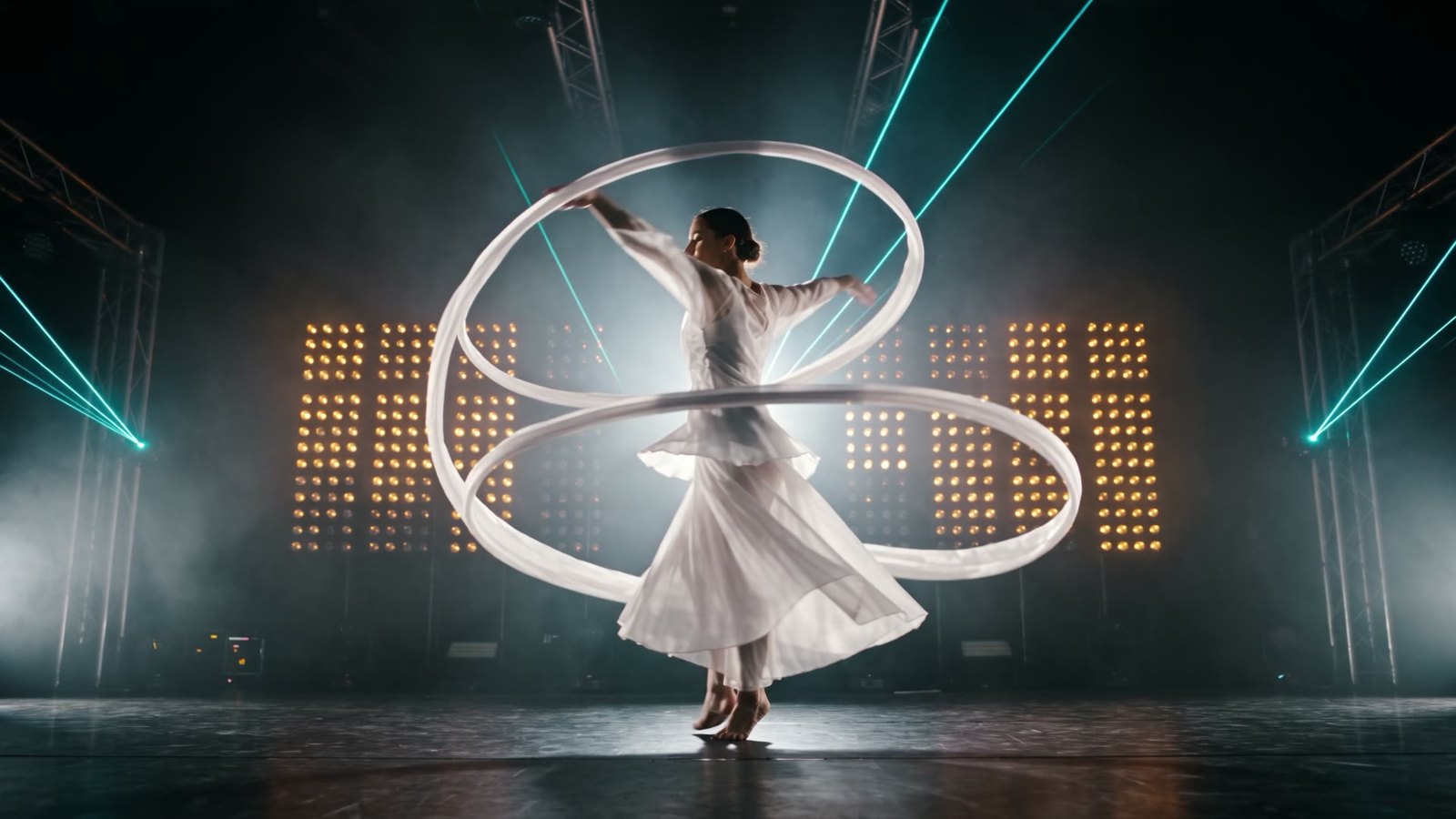 Original
 Original
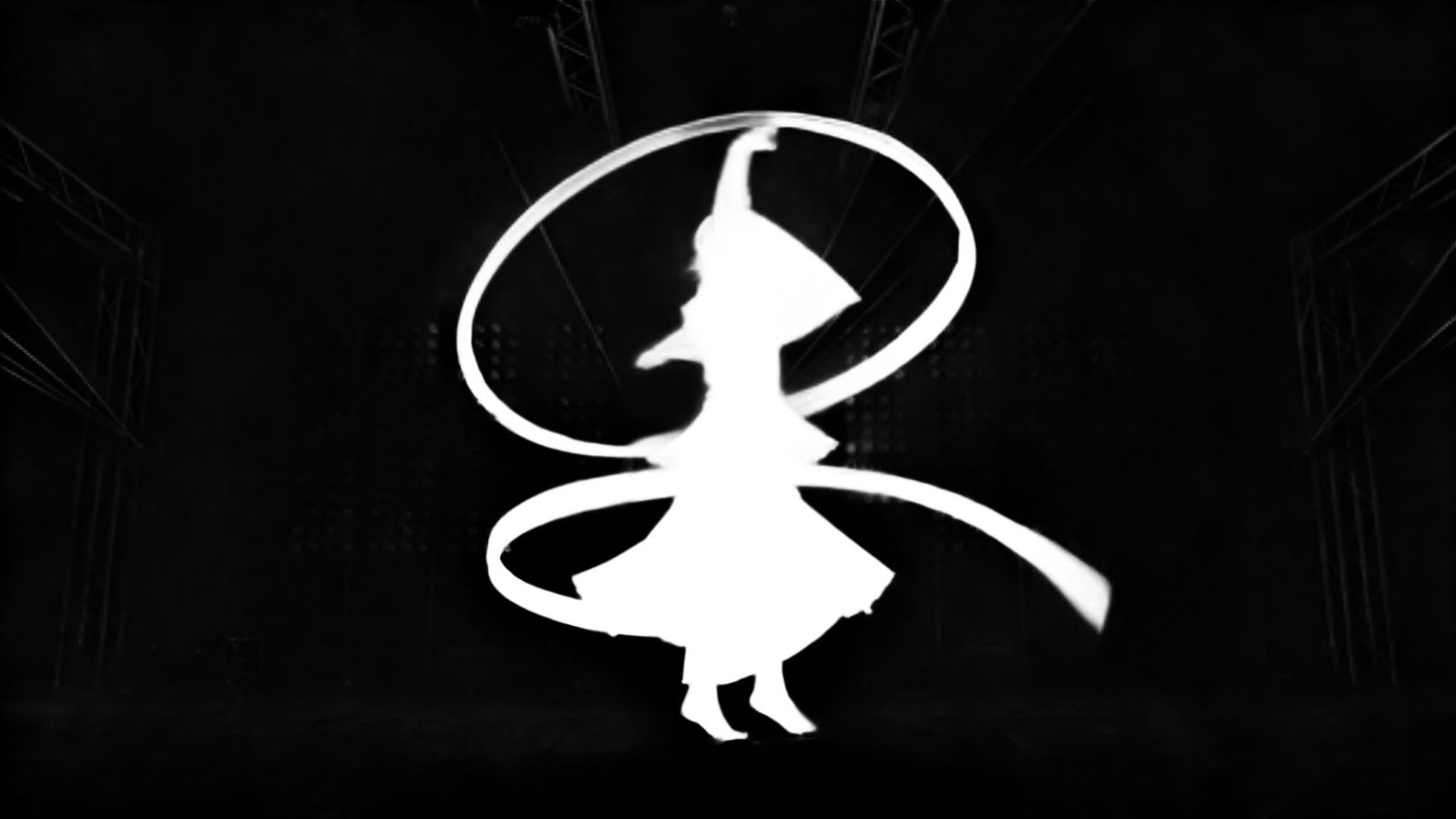 AI matte
 Finished example
We generated a dancer in sheer white silk on a hazy stage with lasers, finished the take at 1080p, then asked Bria V-RMBG 3.0 for ProRes 4444 with alpha (a 243 MB file for 5 seconds) and laid the cutout over an aurora plate. VEED ran on the same clip: its matte is soft, where Bria’s is hard.
Voiceover script
“Remove the background from this clip with Bria V-RMBG 3.0 as ProRes 4444, and run VEED on it too.”
| Step | Tool | Credits |
|---|---|---|
| Cutout with alpha | Bria V-RMBG 3.0, ProRes 4444 | 51 |
| Soft see-through matte | VEED Background Removal | 19 |
| Total for the finished example | 70 ($0.70) | |
The comp was assembled from the cutout and plate; nothing was painted by hand.

The workflow
Install Creative Claw from ChatGPT’s plugin directory and sign in. New accounts get 100 free credits, no card. Attach or link the clip.
Bria with ProRes 4444 for solid subjects; VEED for sheer or glowing ones; the green-screen versions for footage shot on green.
Priced from the clip’s length and size; send several clips at once.
Lay the cutout over a bright and a dark background and scrub the edges before you comp.
Pricing
Creative Claw is pay as you go: $10 buys 1,000 credits, new accounts get 100 free credits, and there is no subscription. Typical costs for this workflow:
| What you generate | Credits | Cost |
|---|---|---|
| 10 s at 1080p, Bria V-RMBG 3.0 (ProRes included) | 100 | $1.00 |
| 10 s at 1080p, VEED | 36 | $0.36 |
| Image cutout to transparent PNG (BiRefNet) | 2 | $0.02 |
Prices charged or quoted by Creative Claw on October 29, 2026. See all model prices, and ask for an estimate in ChatGPT before you generate.
Alternatives
The tools below are the ones AI assistants most often recommend for this job. We checked each vendor’s own pages on October 29, 2026. “None found” means we could not find an official app in the ChatGPT directory or on the vendor’s site. Creative Claw publishes this page.
| Tool | What it does | In ChatGPT | Price |
|---|---|---|---|
| Creative Claw | Bria V-RMBG 3.0 to ProRes 4444 with alpha, VEED for sheer parts, green-screen versions | App in ChatGPT’s directory | No plan; about 100 credits per 10 s at 1080p (Bria), 36 (VEED) |
| After Effects | Object Matte (the Roto Brush successor), manual control | Adobe for ChatGPT lists video cuts and resizing, not cutouts | About $22.99/mo (yearly plan) |
| DaVinci Resolve Studio | Magic Mask object isolation and tracking | n/a | $295 one time |
| Runway | SAM3 video segmentation to transparent WebM; BiRefNet v2 in Runway MCP | Runway MCP, listed on Pro and Max | Pro $35/mo ($28 billed yearly) |
Sources: After Effects Object Matte (Adobe help) · After Effects pricing (Photutorial) · Adobe for ChatGPT · DaVinci Resolve Studio · Runway changelog (SAM3 segmentation, MCP tools) · Bria V-RMBG 3.0 video background removal on fal · VEED video background removal on fal. Prices are in USD before tax and change often.
Use cases
| Subject | Model | Output | Note |
|---|---|---|---|
| People and solid objects | Bria V-RMBG 3.0 (default) | ProRes 4444, WebM or MP4 | Steadiest edges; see-through parts come out solid |
| Sheer cloth, smoke, glow, glass | VEED | WebM with alpha | Keeps partial transparency; may include nearby text |
| Shot on green | Bria V-RMBG 3.0 Green Screen | ProRes 4444, WebM or MP4 | Spill suppression 0–1 |
| Shot on green, budget | VEED Green Screen | WebM with alpha | Adjustable spill suppression |
| Soft detail, simple shots | BiRefNet Matting | WebM or MP4 | Can miss the subject in busy shots |
Before you render
Lay every cutout over a bright and a dark background before delivery: haze, glow and hair show their flaws there first.
ProRes 4444 is large and does not preview in browsers; download it straight into your project.
Upscale, retime or cut out footage you shot, generated or licensed. Restoring someone else’s film does not make it yours.
Say which shots are generated or AI-finished. TikTok and Meta ask creators to label realistic AI video when it is posted.
Check current pricing, read short answers in the help center, inspect the tool reference, or browse published media examples. Examples illustrate creative approaches; they are not proof that this exact starter prompt was run.
Practical answers
Add Creative Claw, attach the clip and ask for the background removed as ProRes 4444 (or WebM) with alpha. Bria V-RMBG 3.0 is the default; ask for VEED by name for sheer or glowing subjects.
Yes. ProRes 4444 .mov from the Bria models carries alpha for After Effects, Premiere and Resolve; WebM with alpha works in browsers, ffmpeg and many real-time tools. MP4 has no alpha and puts the subject on black.
Bria uses the previous frame to cut the next, so edges stay steady on solid subjects; sheer cloth, glass, smoke and glow come out solid. VEED keeps those parts partly transparent, can include nearby elements such as text, and outputs WebM only.
Use the green-screen versions: Bria green screen removes the green and pulls spill off the edges (spill suppression 0 to 1, ProRes available), and VEED green screen has adjustable spill suppression.
Yes. Ask Seedance 2.5 or another model for the subject on a flat green background, then run the green-screen remover; or skip the green and run Bria on the finished shot.
It is automatic matting, the job roto does for a whole subject. You do not pick layers or paint masks; for a single element in a busy shot, check the result and fall back to manual roto where it misses.
Big: our earlier tests produced 108 MB for 5 seconds at 1292 × 1606. Most browsers cannot preview ProRes, so the card shows a download link.
Yes. Tell VEED the subject is not a person for objects, animals and effects; Bria works on any solid subject.
Priced from the clip’s length and size: about 100 credits per 10 seconds at 1080p with Bria (ProRes included) and about 36 with VEED.
You do, under Creative Claw’s terms, for media you generate or process with your own inputs. Check each provider’s terms for limits on outputs, and only process footage you have rights to.
Many contracts now ask; say which shots are generated or AI-finished. TikTok and Meta ask creators to label realistic AI video when it is posted.
No. The FTC rule in force since October 21, 2024 bans fake reviews and testimonials, including AI-generated ones. Quote real clients with their permission.
Not for delivery. Upscaling or retiming someone else’s film does not change who owns it; license it or shoot your own.
Open chatgpt.com/plugins/creativeclaw and select Install plugin, or search for Creative Claw in ChatGPT’s plugin directory, then sign in. New accounts get 100 free credits, no card.
No. Creative Claw is pay as you go: $10 buys 1,000 credits that never expire, and new accounts get 100 free credits. Each upscale, retime or cutout is quoted from your clip’s length and size before it runs.
Yes. Attach a file in ChatGPT, or paste a link to it; the tools work on any video you have rights to, not only clips made in Creative Claw.
No. Every job runs in the cloud: Topaz, ByteDance, Bria and VEED run on hosted GPUs, and the files come back as links you download. Your machine stays free for the comp.
Start creating
Connect once, get 100 free credits with no card required, and use the starter prompt above for your first project.
