Scrub the fast moments
Interpolation fails first on fast crossings, thin objects and particles. Step through those frames before delivery.
For pro video creators · Frame rate · ChatGPT
New in-between frames for LED walls and show playback, without a local GPU.
In ChatGPT, add the Creative Claw plugin, attach the finished clip and ask for 30 fps, or 60, or up to 120. Topaz Apollo, the default, generates the in-between frames and keeps the length, framing and resolution: our 5-second 1080p clip went from 24 to 30 fps in about 90 seconds for 25 credits. Use Topaz Aion for particles, cloth and whip pans (about half an hour for 5 seconds), and Chronos for real camera footage.
Start with 100 free credits. No card required.
 By Itay Dressler, founder of Creative Claw · LinkedIn · Updated
Bring
A finished clip, usually 24 fps
Create
The same clip at 30, 60 or up to 120 fps, or slow motion
Before and after
Left: a frame of the 24 fps source. Right: the clip Topaz Apollo returned at 30 fps, same length and framing.
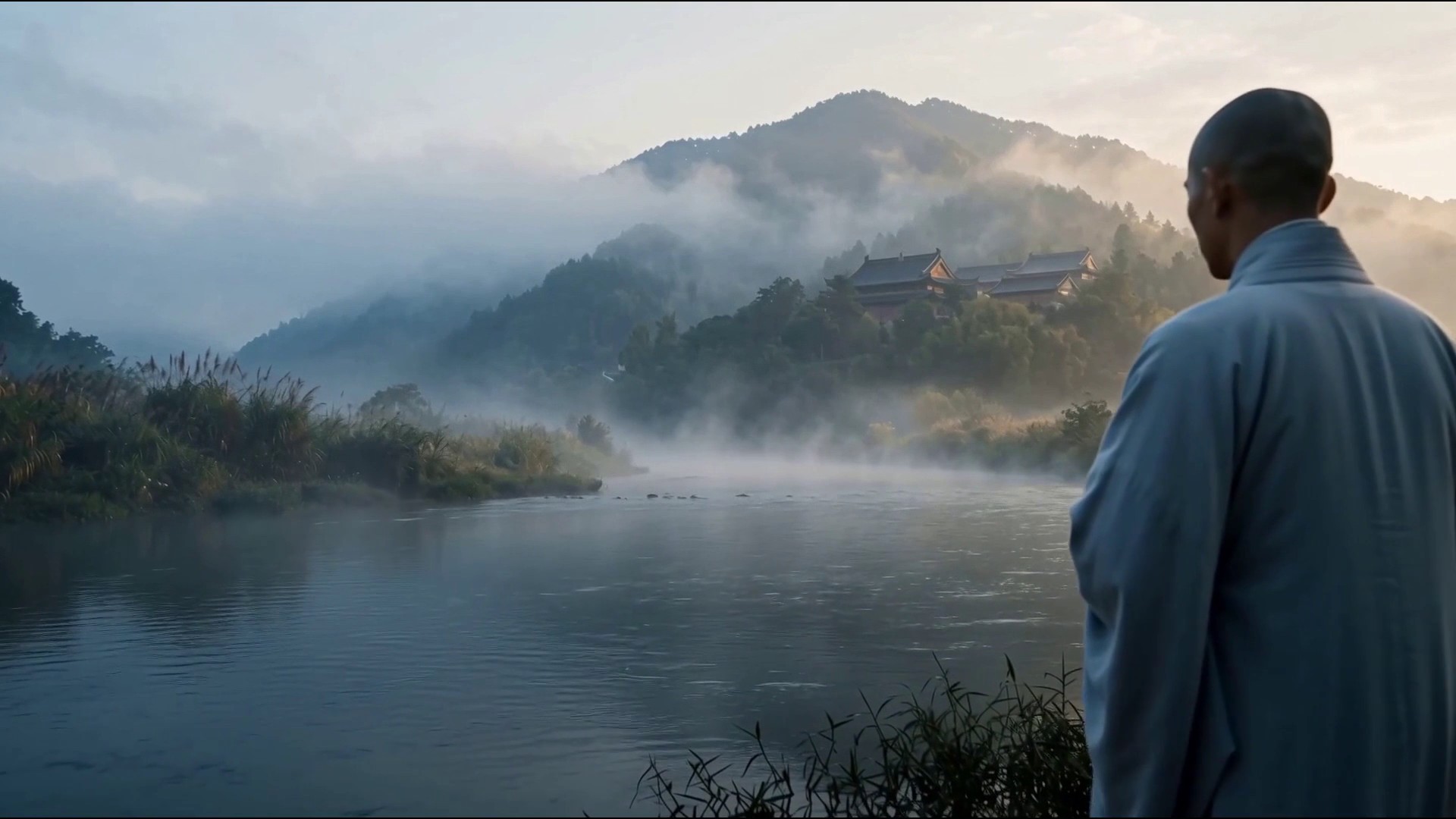 Original
Finished example
We asked for the 5-second 1080p test clip at 30 fps. Topaz Apollo added the in-between frames: 120 frames became 150, the length and framing stayed the same, and the job took about 90 seconds.
Voiceover script
“Convert this clip from 24 to 30 fps with Topaz Apollo.”
| Step | Tool | Credits |
|---|---|---|
| 5 s 24 → 30 fps at 1080p | Topaz Apollo | 25 |
| Total for the finished example | 25 ($0.25) | |
Aion was quoted at 41 credits for the same clip; we did not need it for slow river motion.
The workflow
Install Creative Claw from ChatGPT’s plugin directory and sign in. New accounts get 100 free credits, no card. Attach the finished, upscaled clip.
Say 30 fps for LED walls and show playback or 60 for web; name Aion for extreme motion.
The price is quoted from the frames to be generated; send several clips together to run them at once.
Scrub the fast moments frame by frame, then re-add audio in your editor if it was dropped.
Pricing
Creative Claw is pay as you go: $10 buys 1,000 credits, new accounts get 100 free credits, and there is no subscription. Typical costs for this workflow:
| What you generate | Credits | Cost |
|---|---|---|
| 5 s 24 → 30 fps at 1080p, Topaz Apollo | 25 | $0.25 |
| 5 s 24 → 30 fps at 1080p, Topaz Aion (quote) | 41 | $0.41 |
| 1 s 24 → 30 fps at 1080p, Apollo or Chronos | 5 | $0.05 |
Prices charged or quoted by Creative Claw on October 29, 2026. See all model prices, and ask for an estimate in ChatGPT before you generate.
Alternatives
The tools below are the ones AI assistants most often recommend for this job. We checked each vendor’s own pages on October 29, 2026. “None found” means we could not find an official app in the ChatGPT directory or on the vendor’s site. Creative Claw publishes this page.
| Tool | What it does | In ChatGPT | Price |
|---|---|---|---|
| Creative Claw | Topaz Apollo, Chronos and Aion in the cloud, up to 120 fps or 8x slow motion | App in ChatGPT’s directory | No plan; 5 s 1080p 24 → 30: 25 credits (Apollo), 41 (Aion quote) |
| Topaz Video (desktop) | Apollo, Chronos and Aion on your GPU | Topaz’s MCP server handles images only | $299/yr or $59/mo |
| Topaz for Web | Apollo frame interpolation and slow motion in the browser | Topaz’s MCP server handles images only | From $199/yr |
| Runway Enhance Frame Rate | 25 to 120 fps, up to 4K and 5 minutes | Runway MCP, listed on Pro and Max | Max plan ($95/mo); 1 credit per 2 seconds |
| DaVinci Resolve Studio | Speed Warp retiming on your GPU | n/a | $295 one time |
Sources: Topaz Video frame interpolation models · Topaz Video plans and models · Topaz for Web video workflows · Runway Enhance Frame Rate · DaVinci Resolve Studio · Topaz frame interpolation on fal. Prices are in USD before tax and change often.
Use cases
| Footage | Model | Speed (5 s, ~1080p) | Price at 1080p |
|---|---|---|---|
| Most AI and CG shots | Topaz Apollo (default) | About 1 minute | About 5 credits per second for 24 → 30 |
| Real camera footage | Topaz Chronos | About 1 minute | Same as Apollo |
| Particles, cloth, curtain drops, whip pans | Topaz Aion | About 30 minutes | About 8 credits per second for 24 → 30 |
| Slow motion | Any, with a 2–8x slowdown | Longer | Every output frame billed |
Before you render
Interpolation fails first on fast crossings, thin objects and particles. Step through those frames before delivery.
Archive the source and every intermediate. Upscalers and interpolators invent detail and frames; check faces, text and logos frame by frame before delivery.
Upscale, retime or cut out footage you shot, generated or licensed. Restoring someone else’s film does not make it yours.
Say which shots are generated or AI-finished. TikTok and Meta ask creators to label realistic AI video when it is posted.
Check current pricing, read short answers in the help center, inspect the tool reference, or browse published media examples. Examples illustrate creative approaches; they are not proof that this exact starter prompt was run.
Practical answers
Add Creative Claw, attach the finished clip and ask for 30 fps, or 60, or up to 120. Topaz Apollo, the default, generates the in-between frames and keeps the length, framing and resolution. Our 5-second 1080p clip took about 90 seconds and 25 credits.
Apollo for most shots; Chronos is tuned for real camera footage; Aion is for extreme motion such as particles, cloth, curtain drops and whip pans. On a 5-second clip just over 1080p, Apollo and Chronos took under a minute, Aion about 32 minutes.
Many show and concert playback systems run at 30 or 60 fps, while most AI video models render at 24. Converting with interpolation avoids the judder of repeated frames.
Yes: a slowdown of 2 to 8x makes the clip that many times longer at the target frame rate. Every slow-motion output frame is billed.
Up to 120 fps. The target must be above the source rate unless you ask for slow motion.
Retime the final, upscaled cut, not the draft. Or do both in one Topaz Starlight job by giving it a target frame rate.
Not always. Re-add the sound to the retimed clip with Creative Claw’s merge tool or in your editor.
Yes, but the interpolator has no frame after the last one, so the seam can hitch. Pad the loop with its own head and tail, retime, then trim; a loop mode is on our list.
Billed per new frame: 24 to 30 fps at 1080p is about 5 credits per second with Apollo or Chronos and about 8 with Aion. Our 5-second clip was 25 credits with Apollo; Aion quoted 41.
You do, under Creative Claw’s terms, for media you generate or process with your own inputs. Check each provider’s terms for limits on outputs, and only process footage you have rights to.
Many contracts now ask; say which shots are generated or AI-finished. TikTok and Meta ask creators to label realistic AI video when it is posted.
No. The FTC rule in force since October 21, 2024 bans fake reviews and testimonials, including AI-generated ones. Quote real clients with their permission.
Not for delivery. Upscaling or retiming someone else’s film does not change who owns it; license it or shoot your own.
Open chatgpt.com/plugins/creativeclaw and select Install plugin, or search for Creative Claw in ChatGPT’s plugin directory, then sign in. New accounts get 100 free credits, no card.
No. Creative Claw is pay as you go: $10 buys 1,000 credits that never expire, and new accounts get 100 free credits. Each upscale, retime or cutout is quoted from your clip’s length and size before it runs.
Yes. Attach a file in ChatGPT, or paste a link to it; the tools work on any video you have rights to, not only clips made in Creative Claw.
No. Every job runs in the cloud: Topaz, ByteDance, Bria and VEED run on hosted GPUs, and the files come back as links you download. Your machine stays free for the comp.
Start creating
Connect once, get 100 free credits with no card required, and use the starter prompt above for your first project.
