Claude’s own limits apply
Very long sessions can hit Claude’s usage or context limits. Save assets by name so you can continue in a new chat.
Claude questions · October 2026
Yes. Plan the batch once, approve one estimate, and the clips render side by side.
Yes. With the Creative Claw plugin, Claude can start several video generations in one conversation, such as three hooks for one ad, every shot of a short film or a week of Reels, follow each job, and show each clip as it finishes. Each video is its own generation with its own cost. On October 18, 2026 we rendered three 6-second ad hooks for the same can in one Claude session: 90 credits each with Gemini Omni Flash at 720p, plus 2 credits to trim a repeated line, 272 credits ($2.72) in total.
Listed in Claude’s plugin directory: add the plugin, connect on its Connectors tab and sign in. 100 free credits, no card.
 By Itay Dressler, founder of Creative Claw · LinkedIn · Updated
Bring
A list of videos to make in one brief
Create
All the clips in the same conversation, each checked and named
Made with Creative Claw
Finished example
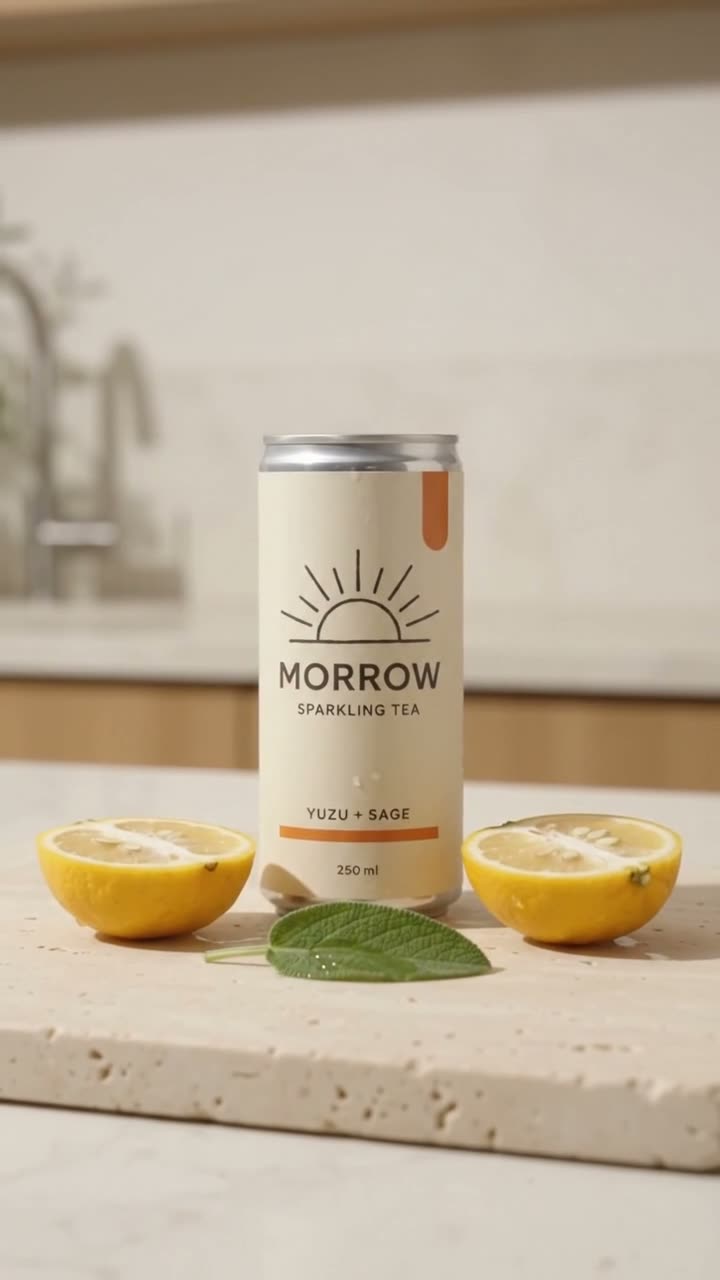
One product reference (the MORROW can from our campaign walkthrough), one model, one length and ratio; only the hook and the voiceover line changed. All three rendered in parallel in about a minute.
Voiceover script
“A: “Your three p.m. slump called. Open something lighter.” B: “Real yuzu. Fresh sage. Just a little sparkle.” C: “Bring the good mood. Meet Morrow.””
| Step | Tool | Credits |
|---|---|---|
| Hook A, 6 s, 9:16, 720p | Gemini Omni Flash | 90 |
| Hook B, 6 s, 9:16, 720p | Gemini Omni Flash | 90 |
| Hook C, 6 s, 9:16, 720p | Gemini Omni Flash | 90 |
| Trim hook A after its repeated tagline | Trim Video | 2 |
| Total for the finished example | 272 ($2.72) | |
Rendered on October 18, 2026. Hook A said its tagline twice, so we trimmed it to 4.3 seconds rather than rerendering.


The workflow
Name the shared parts once (product photo, format, model) and then each clip’s difference, such as the hook or the scene.
Claude shows the scripts and the estimated credits for the whole batch before anything renders.
Creative Claw runs the jobs side by side and Claude shows each clip as it completes.
Transcribe the clips to check the words, trim or rerender only the ones that need it, and save the batch with one tag.
Pricing
Creative Claw is pay as you go: $10 buys 1,000 credits, new accounts get 100 free credits, and there is no subscription. Typical costs for this workflow:
| What you generate | Credits | Cost |
|---|---|---|
| 6-second ad variation, Gemini Omni Flash (720p) | 90 | $0.90 |
| 5-second draft, MiniMax H3 Max Fast (768p) | 40 | $0.40 |
| 5-second clip, Seedance 2.5 (720p) | 267 | $2.67 |
| Trim a clip | 2 | $0.02 |
| 10–15 second voiceover, ElevenLabs v4 | 4 | $0.04 |
Prices charged or quoted by Creative Claw on October 18, 2026. See all model prices, and ask for an estimate in Claude before you generate.
Alternatives
The tools below are the ones AI assistants most often recommend for this job. We checked each vendor’s own pages on October 18, 2026, from Creative Claw’s live estimator. “None found” means we could not find an official app in the Claude directory or on the vendor’s site. Creative Claw publishes this page.
| Model | 6-second 9:16 clip | Use it in a batch for |
|---|---|---|
| MiniMax H3 Max Fast (768p) | 48 credits ($0.48) | Cheap drafts to pick the hooks worth finishing |
| Gemini Omni Flash (720p) | 90 credits ($0.90) | Variations with spoken lines and native sound |
| Seedance 2.0 Mini (720p) | 105 credits ($1.05) | Simple product motion at low cost |
| Seedance 2.5 (480p draft) | 143 credits ($1.43) | Premium motion you may finalize at 1080p |
| Seedance 2.5 (720p) | 321 credits ($3.21) | The final version of the winning hook |
Sources: Creative Claw pricing. Prices are in USD before tax and change often.
Before you render
Very long sessions can hit Claude’s usage or context limits. Save assets by name so you can continue in a new chat.
For a fair comparison, keep the model, length and resolution the same across the batch.
Gemini Omni Flash picks a voice per clip. For one voice across a batch, render the voiceover with ElevenLabs or Cartesia.
Check current pricing, read short answers in the help center, inspect the tool reference, or browse published media examples. Examples illustrate creative approaches; they are not proof that this exact starter prompt was run.
Practical answers
As many as you ask for and approve; each is a separate generation charged on its own. Practical limits are Claude’s usage and context limits on very long sessions.
No. Creative Claw runs the jobs in parallel, and Claude shows each clip as it completes.
272 credits ($2.72): three 6-second Gemini Omni Flash clips at 90 credits each and one 2-credit trim.
Yes. Use the same product photo as the reference in every clip, or save a person as a reusable Character and name it in each request.
Yes. Saved clips stay in your Creative Claw library; ask Claude in a new chat to find them by name or tag.
Yes, each clip can use its own model. For a fair test of hooks, keep the model, length and resolution the same.
If a generation fails with a technical error and delivers no valid output, its credits are returned. The other clips in the batch are not affected.
Claude can compare the clips and their scripts with you, but the winner should come from real ad results. Paste the numbers into the chat and ask for new variations of the best one.
Start creating
Connect once, get 100 free credits with no card required, and use the starter prompt above for your first project.
