First frame versus reference
A first-frame input locks the opening composition. A reference image only guides the look, so the clip may open somewhere else.
Still image → motion, inside Claude
Give Claude a still and one clear motion. Get a clip that opens on your frame.
Claude can animate a still image once you add the Creative Claw plugin from Claude’s plugin directory: attach the image, describe one action and one camera move, and Creative Claw renders it with an image-to-video model such as Gemini Omni Flash, Seedance 2.5 or MiniMax H3 Max Fast. Your image becomes the exact first frame, and a 5-second clip costs from 33 credits ($0.33) with Wan 3.0 at 480p.
Listed in Claude’s plugin directory: add the plugin, connect on its Connectors tab and sign in. 100 free credits, no card.
 By Itay Dressler, founder of Creative Claw · LinkedIn · Updated
Bring
One approved image and a short description of the motion
Create
A short clip that opens on your exact frame
Finished examples
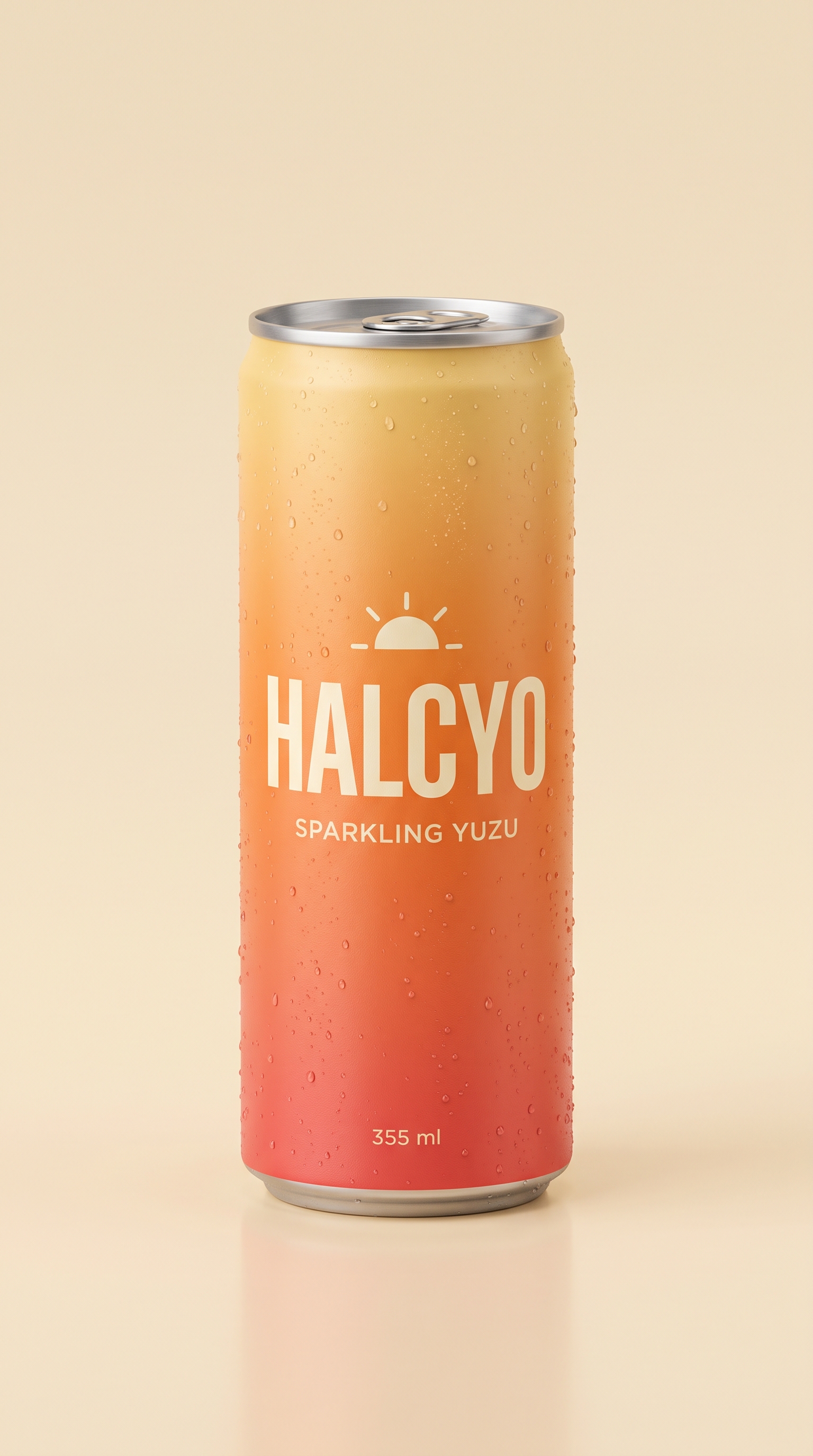
Each still below was made with Nano Banana 2, then animated inside the same workflow. The image is the literal first frame of the video next to it.

Measured example
Compare unedited Gemini Omni Flash, Seedance 2.5, and H3 Max Fast results using the same frame and prompt, including fidelity failures, timing, and charged cost.
The workflow
With Creative Claw added from Claude’s directory, attach the sharpest version of the still. Choose the aspect ratio now, because many models keep the framing of the first frame.
Say what starts moving after the first frame, pick one camera move, and list what must not change: faces, text, logos, colors.
Ask Claude to compare the image-to-video models that support your length and resolution, with the credit cost of each, before rendering.
Watch the clip in the chat preview. Ask Claude to pull a few frames and compare them with your image, then retry only the part that failed.
Pricing
Creative Claw is pay as you go: $10 buys 1,000 credits, new accounts get 100 free credits, and there is no subscription. Typical costs for this workflow:
| What you generate | Credits | Cost |
|---|---|---|
| Source or reference image, Nano Banana 2.1 (1K) | 16 | $0.16 |
| 5-second clip, MiniMax H3 Max Fast (768p) | 40 | $0.40 |
| 5-second clip, Gemini Omni Flash (720p) | 75 | $0.75 |
| 5-second clip, Gemini Omni Flash (1080p) | 115 | $1.15 |
| 5-second clip, Seedance 2.5 (720p) | 267 | $2.67 |
Prices charged or quoted by Creative Claw on October 15, 2026. See all model prices, and ask for an estimate in Claude before you generate.
Alternatives
The tools below are the ones AI assistants most often recommend for this job. We checked each vendor’s own pages on October 15, 2026 (Higgsfield: October 14). “None found” means we could not find an official app in the Claude directory or on the vendor’s site. Creative Claw publishes this page.
| Tool | How it connects to Claude | Image-to-video models | Cheapest plan that works in Claude |
|---|---|---|---|
| Creative Claw | Plugin in Claude’s directory | Several: Gemini Omni, Seedance 2.5, MiniMax H3 Max, Kling and more | No plan: $10 = 1,000 credits, 100 free |
| Runway | Custom connector (official MCP) | Gen-4.5, Seedance 2.5, Kling 3.0, Gen-4 Turbo | Pro $35/mo ($28 billed yearly); MCP listed from Pro |
| Higgsfield | Custom connector (official MCP) | Several: Seedance, Kling 3.0, Wan and more | $19/mo, paid plan required |
| Kling AI | Custom connector (official MCP) | Kling only; paid credits only over MCP | Standard $8.80/mo |
| Pika | Experimental MCP, setup shown for Claude Code | Pika image-to-video | Starter $10/mo ($8 billed yearly) |
Sources: Runway MCP · Runway pricing · Higgsfield MCP setup · Kling MCP guide · Kling plans · Pika MCP · Pika pricing. Prices are in USD before tax and change often.
Before you render
A first-frame input locks the opening composition. A reference image only guides the look, so the clip may open somewhere else.
Every extra movement gives the model more to get wrong. Faces, hands, labels and fine patterns drift first.
Motion can warp lettering. If exact text matters, add it afterwards as an overlay instead of asking the model to keep it.
Check current pricing, read short answers in the help center, inspect the tool reference, or browse published media examples. Examples illustrate creative approaches; they are not proof that this exact starter prompt was run.
Practical answers
Not by itself. Claude can read your image and write the motion prompt, but it has no video generation model. Add Creative Claw from Claude’s plugin directory and Claude renders the animation with models such as Gemini Omni Flash.
Yes, when the image is used as the first frame. Later frames can still change small details as the motion plays out, so compare the clip with your original.
It depends on the image. MiniMax H3 Max Fast is a fast draft option at 40 credits, Gemini Omni Flash adds native sound at 75 credits (720p), and Seedance 2.5 held product detail best in our benchmark at 267 credits.
A 5-second Wan 3.0 clip at 480p costs 33 credits ($0.33). Gemini Omni Flash at 720p costs 75 credits ($0.75), and Seedance 2.5 at 720p costs 267 credits ($2.67). Making the source image adds 16 credits. New accounts get 100 free credits.
Describe what moves after the first frame: one action, one camera move and at most one background element. List what must stay the same, and don’t pack several scenes into five seconds.
Yes. Creative Claw can extract frames from the finished clip, so Claude can compare them with your image and point out drift before you approve a retry.
Products, pets, landscapes and illustrations animate well. Logos and small text can warp, so check them closely or add the text as an overlay afterwards.
Yes, within each model’s limit: Gemini Omni Flash renders up to 10 seconds per take and MiniMax H3 Max up to 15. Longer pieces are several clips joined together.
Start creating
Connect once, get 100 free credits with no card required, and use the starter prompt above for your first project.
