Small print can change
Image models can alter fine text and logos. Zoom in on each shot before you publish it.
Product photography in Claude
One packshot in, a matching photo set and a product video out.
Claude doesn’t generate photos on its own, so add the Creative Claw plugin from Claude’s plugin directory. From one product photo it makes studio, lifestyle, in-hand and flat-lay shots with Nano Banana, keeping the same product in each, then animates the best shot into a product video with Gemini Omni Flash. Our VESPERA perfume set, a packshot, four scenes and an 8-second video, cost 264 credits ($2.64).
Listed in Claude’s plugin directory: add the plugin, connect on its Connectors tab and sign in. 100 free credits, no card.
 By Itay Dressler, founder of Creative Claw · LinkedIn · Updated
Bring
One clean photo of your product
Create
A matching photo set and a vertical product video
Finished example
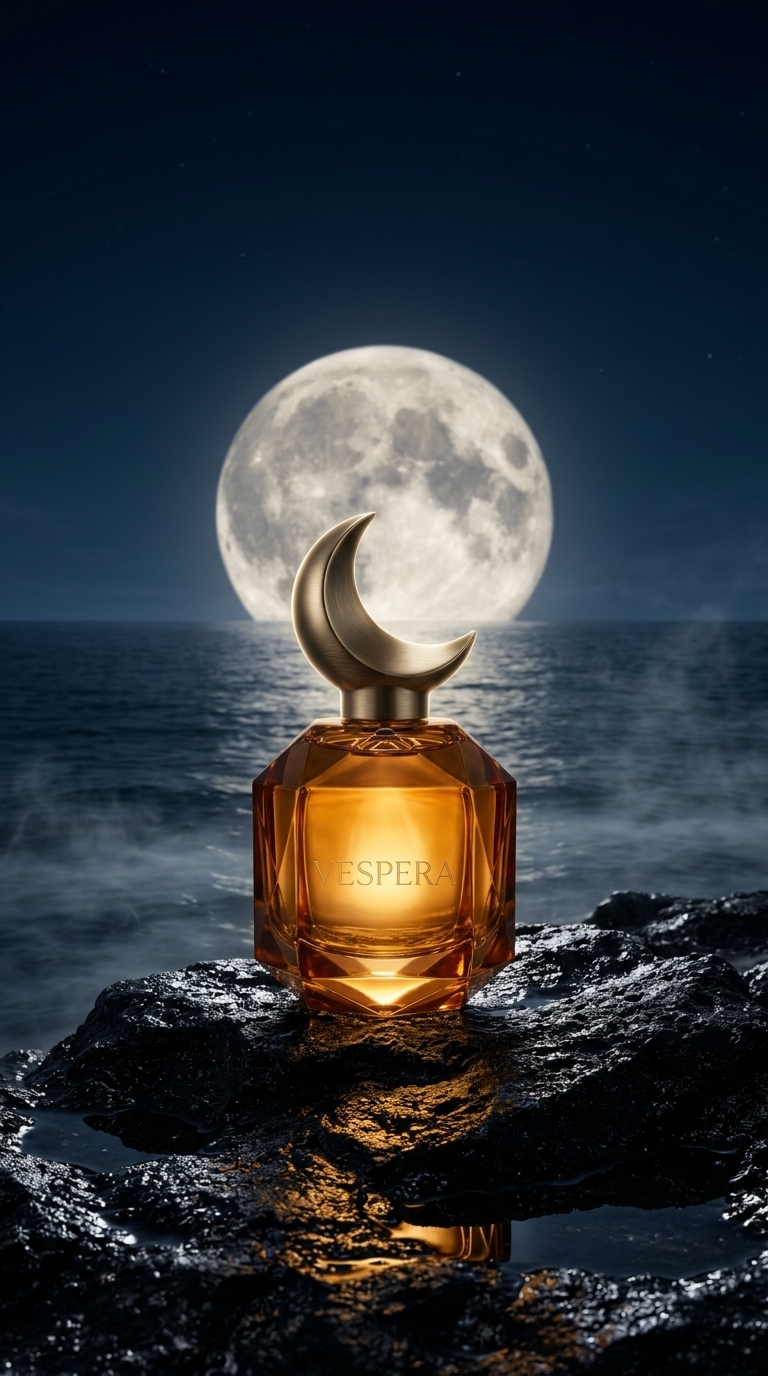
VESPERA is a fictional fragrance created for this test. We generated one packshot, used it as the reference for four scenes, then animated the moonlit scene into an 8-second vertical video with Gemini Omni Flash. The amber bottle, gold crescent cap and etched name hold across every frame. The run was made in ChatGPT; the Claude plugin has the same tools and prices.
Voiceover script
“No voiceover: ambient waves and a warm synth swell generated with the video.”
| Step | Tool | Credits |
|---|---|---|
| Packshot | Nano Banana 2 | 16 |
| Four scenes from the packshot | Nano Banana 2, packshot as reference | 64 |
| 8-second vertical video from the night scene | Gemini Omni Flash, 1080p, native audio | 184 |
| Total for the finished example | 264 ($2.64) | |
Generated on September 29, 2026. VESPERA is fictional. Costs are the credits charged for each generation.
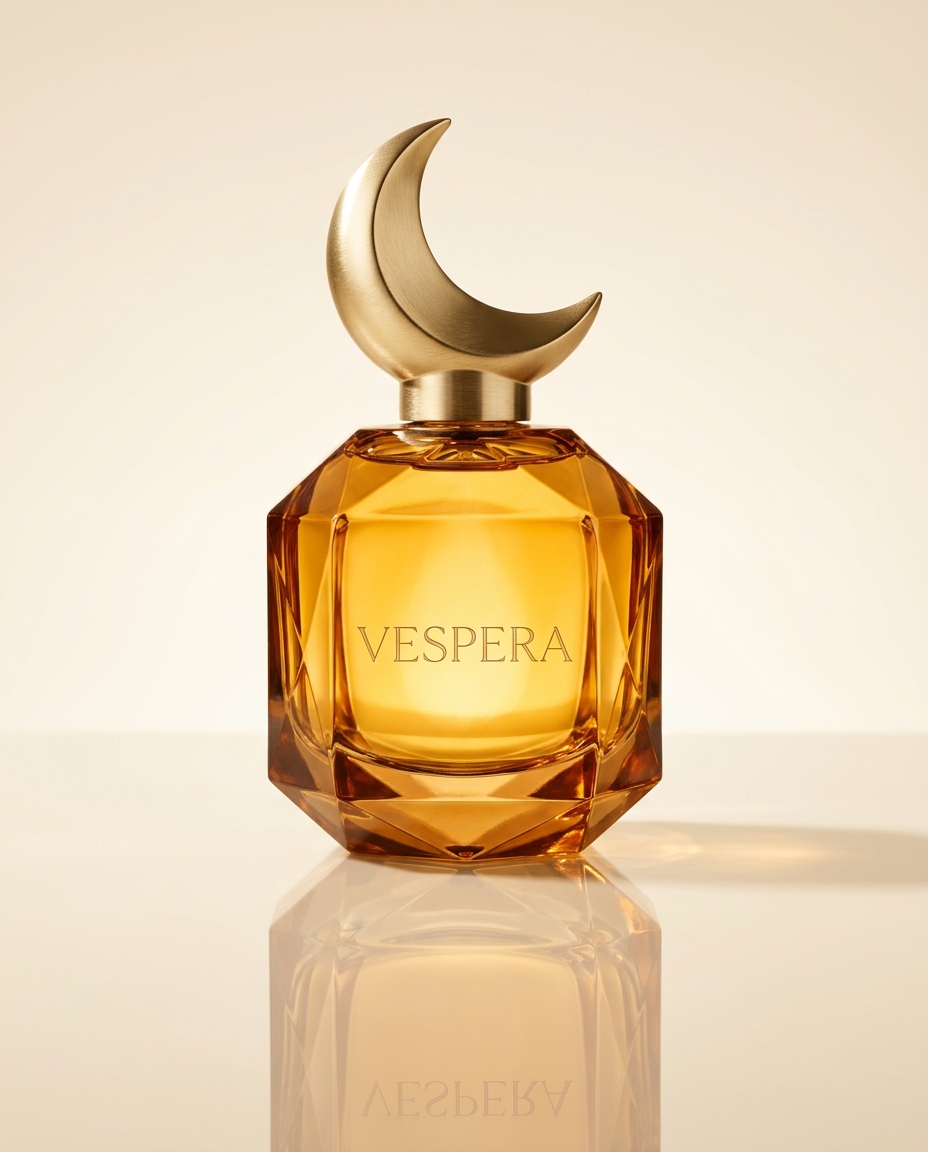
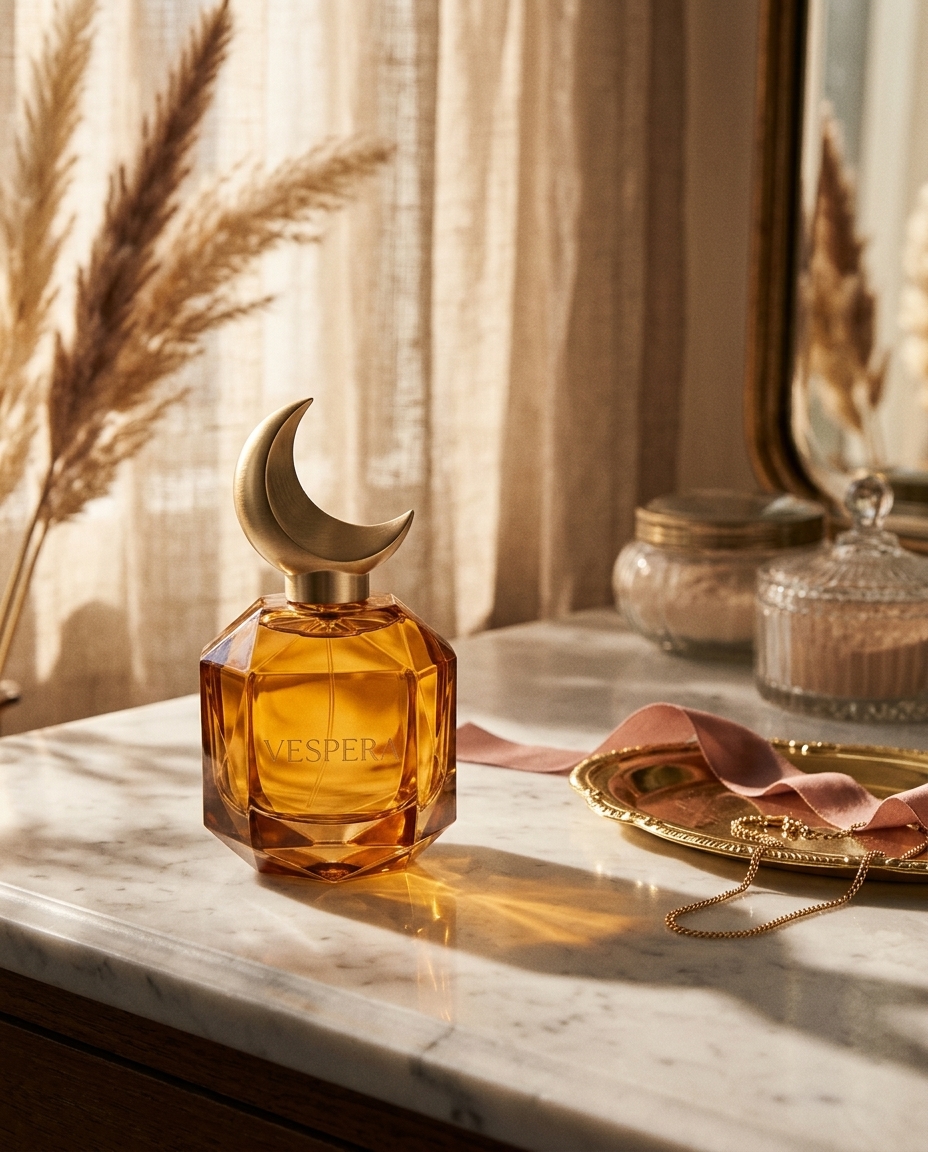
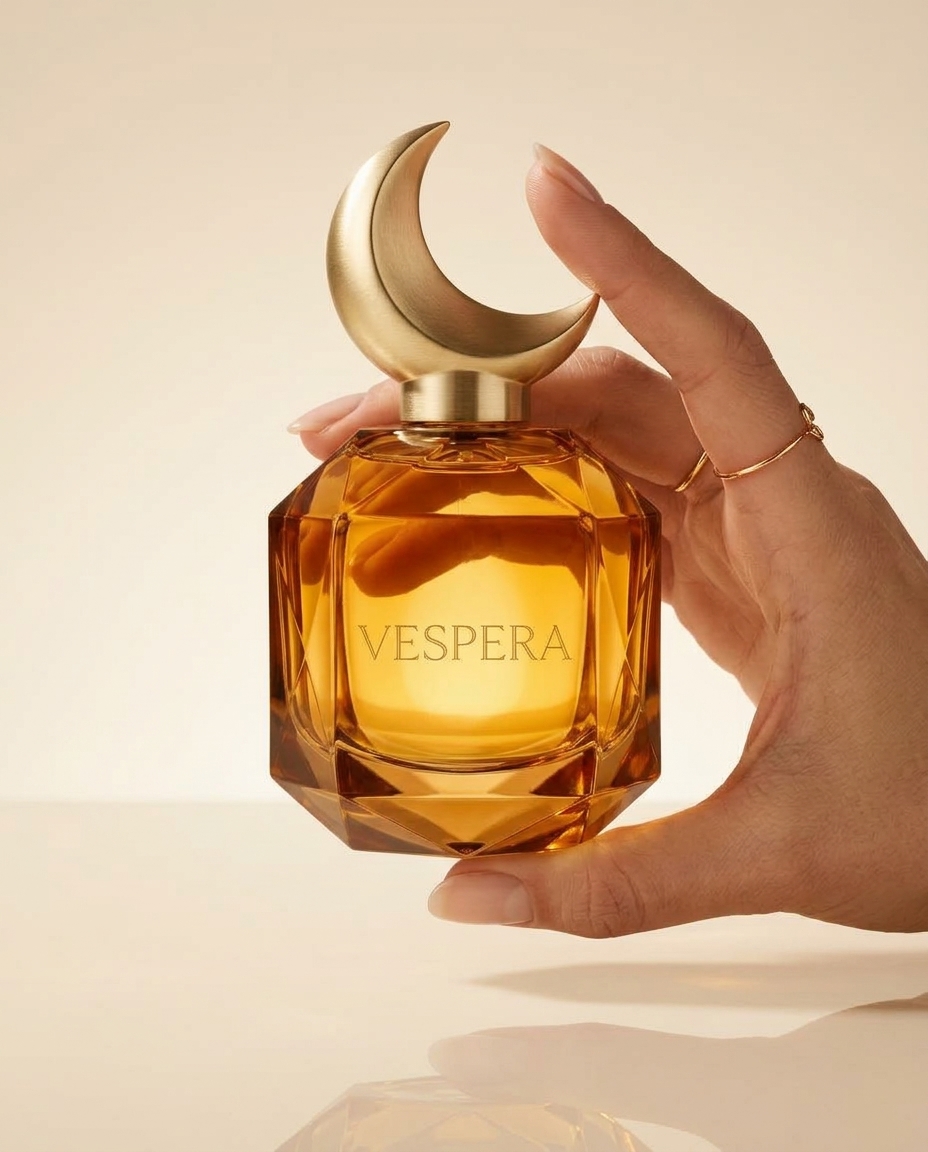
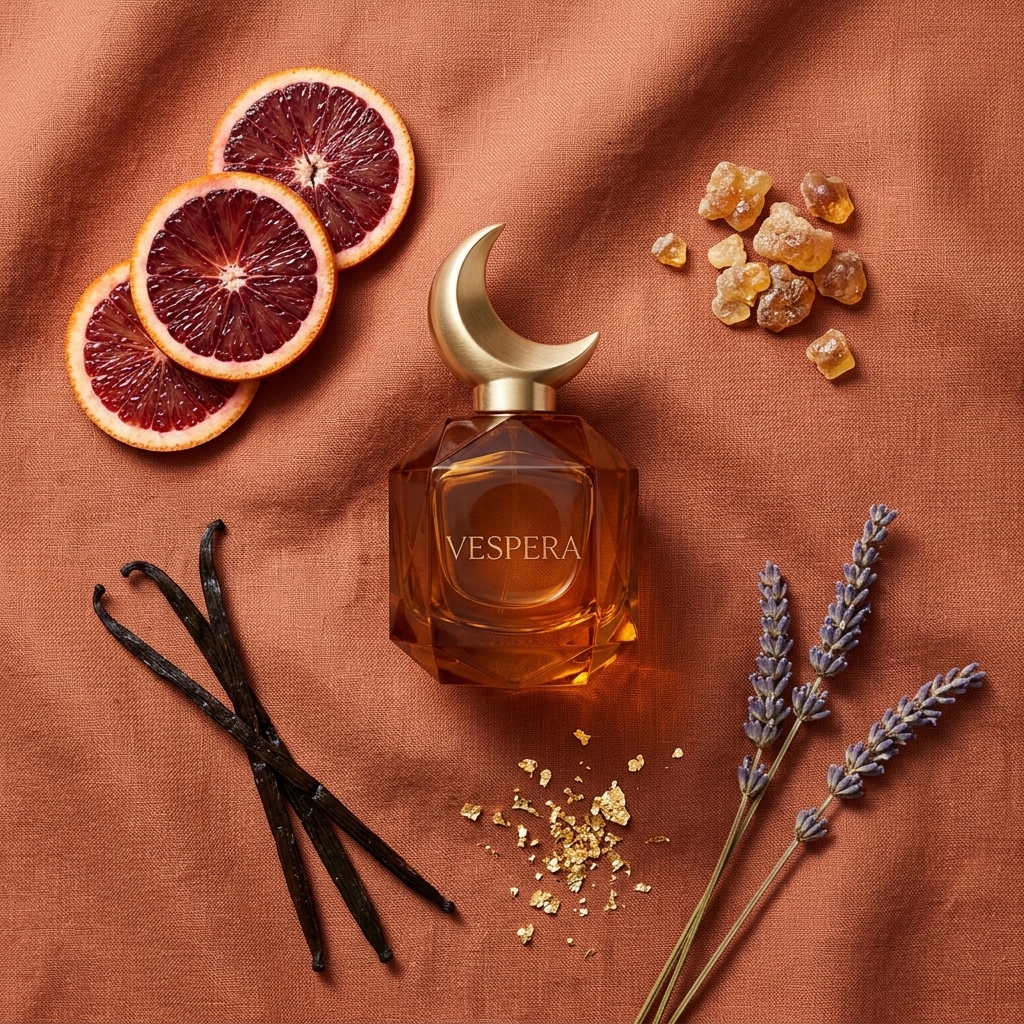
The workflow
Add Creative Claw from Claude’s directory and attach a sharp packshot on a plain background. If the photo is cluttered, ask Claude to remove the background first.
Name the shots you need, such as studio, lifestyle, in-hand and flat lay, plus the aspect ratio for each channel. Approve the list and the credit total.
Compare cap, color, proportions and label text with your original. Re-render only the shots where the product changed.
Pick one image as the first frame and ask for a short video with slow camera motion and ambient sound.
Pricing
Creative Claw is pay as you go: $10 buys 1,000 credits, new accounts get 100 free credits, and there is no subscription. Typical costs for this workflow:
| What you generate | Credits | Cost |
|---|---|---|
| Product image, Nano Banana 2.1 (each shot, 1K) | 16 | $0.16 |
| Background removal (per image) | 2 | $0.02 |
| 5-second product video, MiniMax H3 Max Fast (768p) | 40 | $0.40 |
| 5-second product video, Gemini Omni Flash (720p) | 75 | $0.75 |
| 8-second product video, Gemini Omni Flash (1080p) | 184 | $1.84 |
| Full VESPERA set and video (example above) | 264 | $2.64 |
Prices charged or quoted by Creative Claw on October 15, 2026. See all model prices, and ask for an estimate in Claude before you generate.
Alternatives
The tools below are the ones AI assistants most often recommend for this job. We checked each vendor’s own pages on October 15, 2026. “None found” means we could not find an official app in the Claude directory or on the vendor’s site. Creative Claw publishes this page.
| Tool | How it connects to Claude | Product photos | Product video | Cheapest paid plan |
|---|---|---|---|---|
| Creative Claw | Plugin in Claude’s directory | Yes, from your packshot (Nano Banana and more) | Yes, from the same image (Gemini Omni, Seedance 2.5, MiniMax H3 Max) | No plan: $10 = 1,000 credits, 100 free |
| Claude on its own | Built in | No: diagrams and charts only | No video generation model | Included in Claude plans |
| Photoroom | Custom connector (official MCP) | Yes: cut-outs and edits | Not over MCP; in-app video from Max ($34.99/mo) | Pro $12.99/mo ($7.50 billed yearly) |
| Claid.ai | No Claude connector found | Yes, in Claid’s own app | Yes, in Claid’s own app | Essentials $15/mo ($9 billed yearly) |
Sources: Can Claude produce images? · Photoroom for Claude · Photoroom pricing · Claid.ai pricing. Prices are in USD before tax and change often.
Before you render
Image models can alter fine text and logos. Zoom in on each shot before you publish it.
Amazon and many other marketplaces want the main image to be a real photo on white. Use generated scenes for the other slots.
Gentle pushes, light changes and movement around the product hold its shape better than fast spins.
Check current pricing, read short answers in the help center, inspect the tool reference, or browse published media examples. Examples illustrate creative approaches; they are not proof that this exact starter prompt was run.
Practical answers
Not as photos. Anthropic says Claude doesn’t generate photos or illustrations; it draws diagrams and charts as code. Add Creative Claw and Claude generates product photos with Nano Banana and other image models, using your own photo as the reference.
Creative Claw makes both from the same packshot: a consistent photo set with Nano Banana and a product video with Gemini Omni Flash, Seedance 2.5 or MiniMax H3 Max, on pay-as-you-go credits with no subscription.
Each Nano Banana 2.1 image costs 16 credits ($0.16) at 1K, and an 8-second 1080p Gemini Omni Flash video costs 184 credits ($1.84). Our example, a packshot, four scenes and one video, cost 264 credits ($2.64).
Close to it, because every shot uses your packshot as the reference. Fine text can still shift, so check each image and re-render any shot that drifted.
Yes. Creative Claw removes a background for 2 credits per image, which gives you a clean packshot to build the scenes from.
For lifestyle and secondary images, yes. Amazon requires the main image to be the real product on pure white, so keep a true photo for that slot.
Partly. Photoroom has its own MCP server that you add to Claude as a custom connector, from Pro at $12.99 a month, and it is strong at cut-outs and batch edits; its MCP page lists no video. Creative Claw installs from Claude’s plugin directory, makes scenes and a product video from the same packshot, and has no subscription.
Yes. Animate one shot as shown here, or ask Claude for a 15-second ad with several shots, a voiceover and captions, as in our Claude product video ad guide.
Start creating
Connect once, get 100 free credits with no card required, and use the starter prompt above for your first project.
