Shared Credits and Cost per Client: Running AI Video as a Team in Claude and ChatGPT
Studios rarely make a job alone. One artist drafts the shots, another finishes them, a third does the cutouts and the score, and someone has to tell the client what it cost. In most AI tools that means separate accounts, separate bills and a spreadsheet at the end of the month.
In Creative Claw the team works from one credit balance, and every client job keeps its own cost, per person, inside Claude or ChatGPT. Membership covers the whole workspace, not each seat, and budget projects are free on every account. Here is how to set it up, with the real screens.
1. Make it a team
Open your Creative Claw account, go to the Team tab and invite teammates by email. Everyone in the workspace:
- draws on one shared credit balance;
- works from the same generation and media library, so one person can upscale or cut out a shot another person made;
- connects Creative Claw in their own Claude or ChatGPT, and their work lands in the shared workspace.
Team workspaces come with Membership, which belongs to the workspace rather than each seat: Pro is $50 a month with 5,500 credits, Pro Plus $100 a month with 11,000. See pricing. Workspace admins invite, change roles and remove people; when someone leaves, everything they made stays in the workspace.
2. Start a budget project per client or job
In the chat, ask:
Create a budget project called Tidelight tour visuals.
A budget project is a label for spend. It costs nothing to create or use, and it is separate from film projects. Make one per client or per job.
3. Generate as usual, naming the project
Add the project to any request, for example “upscale the river clip to 8K for the Tidelight project”. Every paid generation counts toward it: stills, video, voice, music, upscales, frame-rate conversions and cutouts. A few details that matter on real jobs:
- A render waiting in Review mode keeps its project, and counts once you press Generate.
- A Seedance 2.5 draft finished at 1080p counts toward the draft’s project.
- Work made before the project existed, plus character swaps, character videos and video-agent renders, can be moved in afterwards: “move my last three renders into Tidelight”.
4. Open the project view
Ask “Show me the Tidelight budget” and the project opens full screen. The examples below are the real view, filled with a sample workspace: the generations, outputs and costs are the real renders from our motion designer guides, and the three teammates’ names are illustrative.
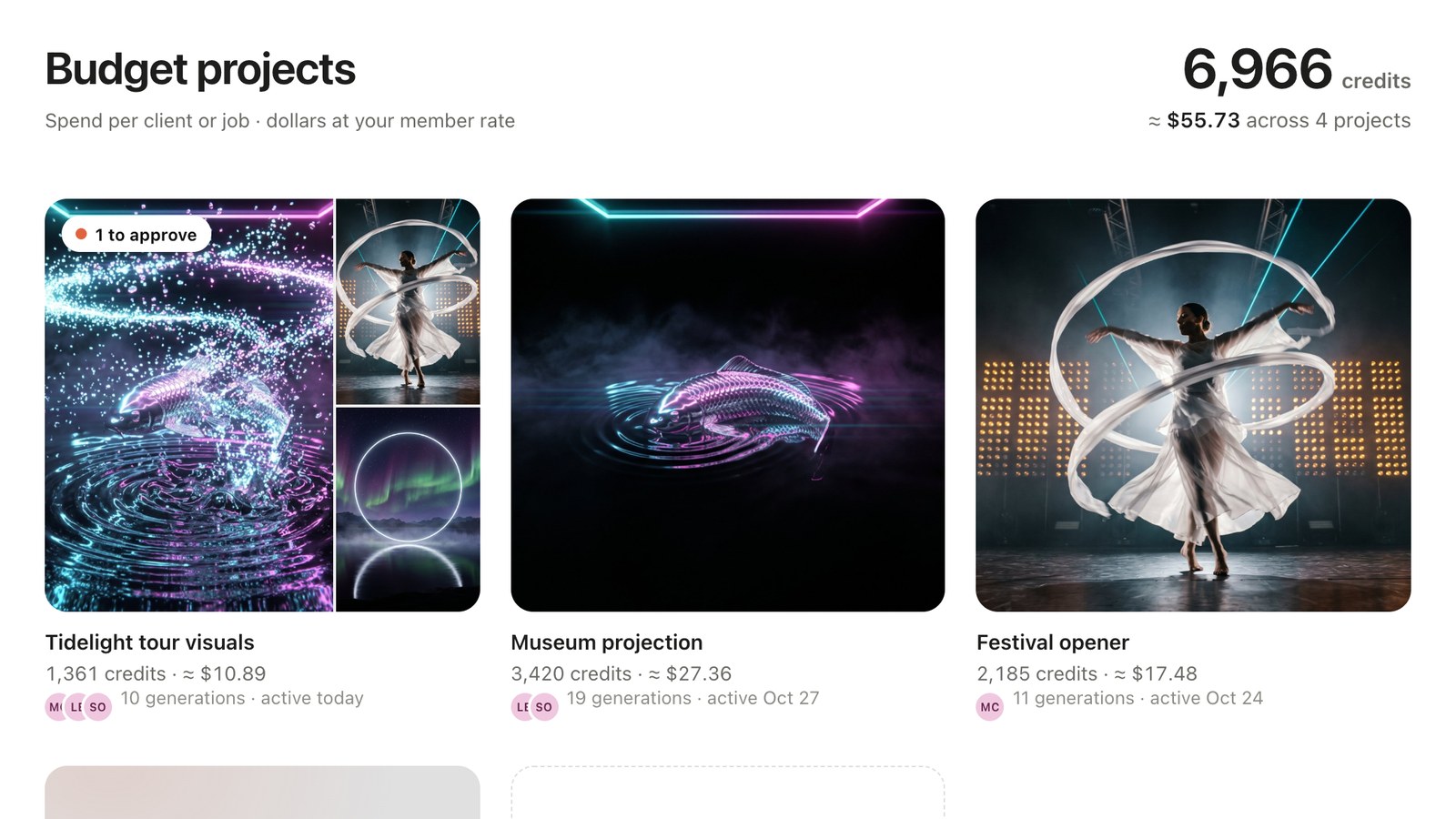 All projects: each client job with its total in credits and dollars, and who worked on it.
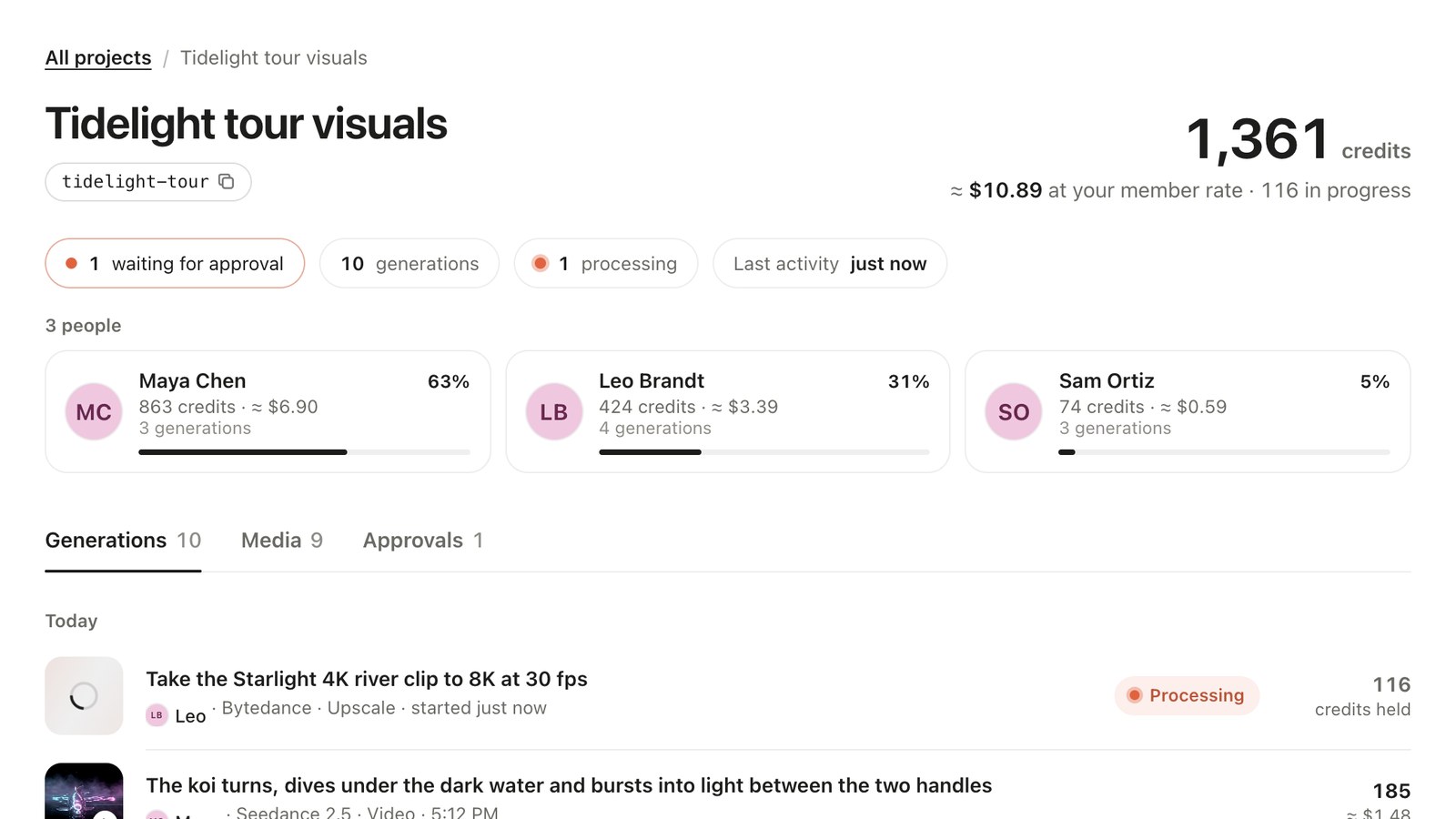 One job: the total, what is processing or waiting for approval, and each teammate’s credits, dollars and share.
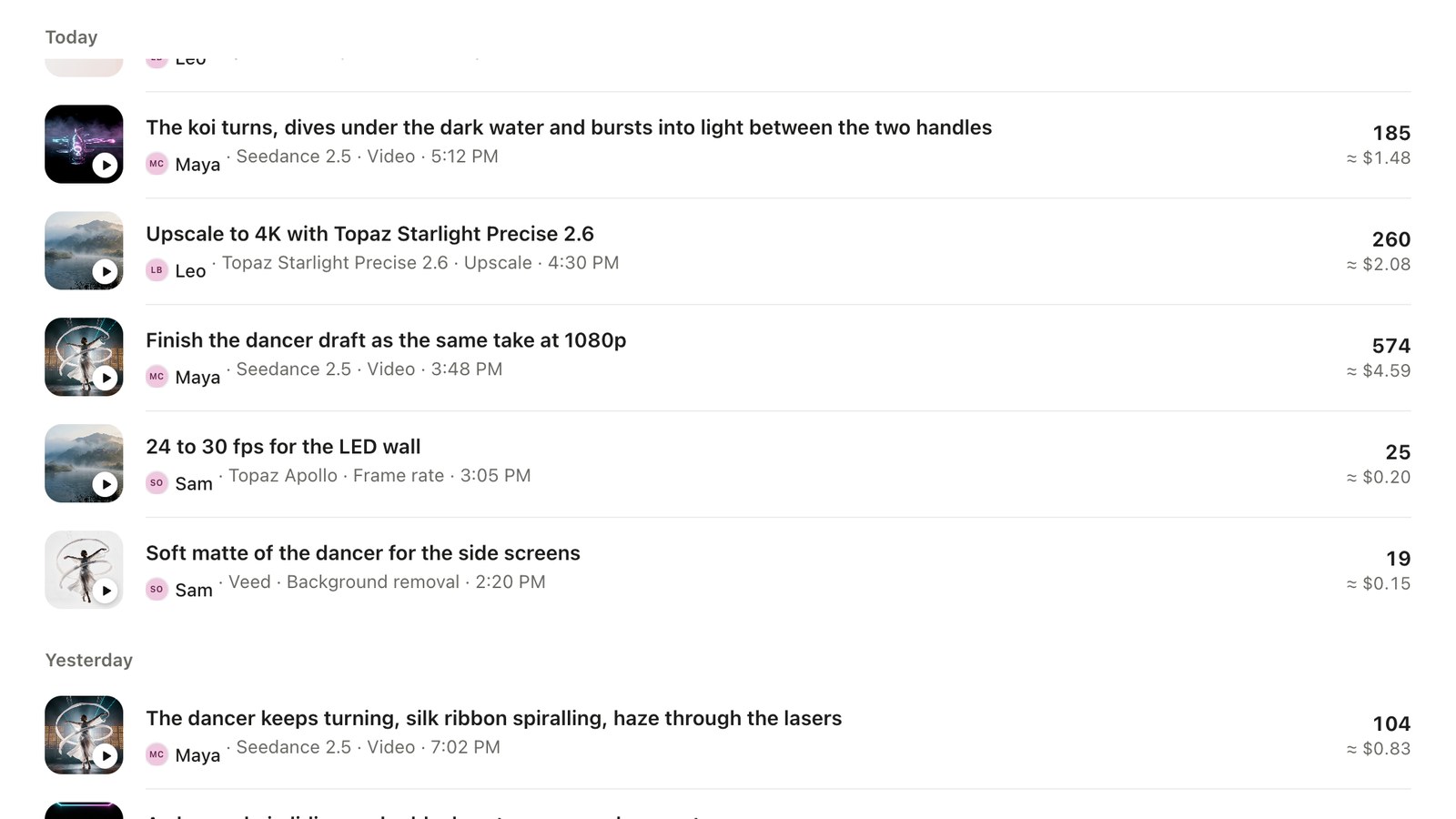 Every generation: who made it, the model, the time and the cost. Processing work updates live; failed generations show no cost.
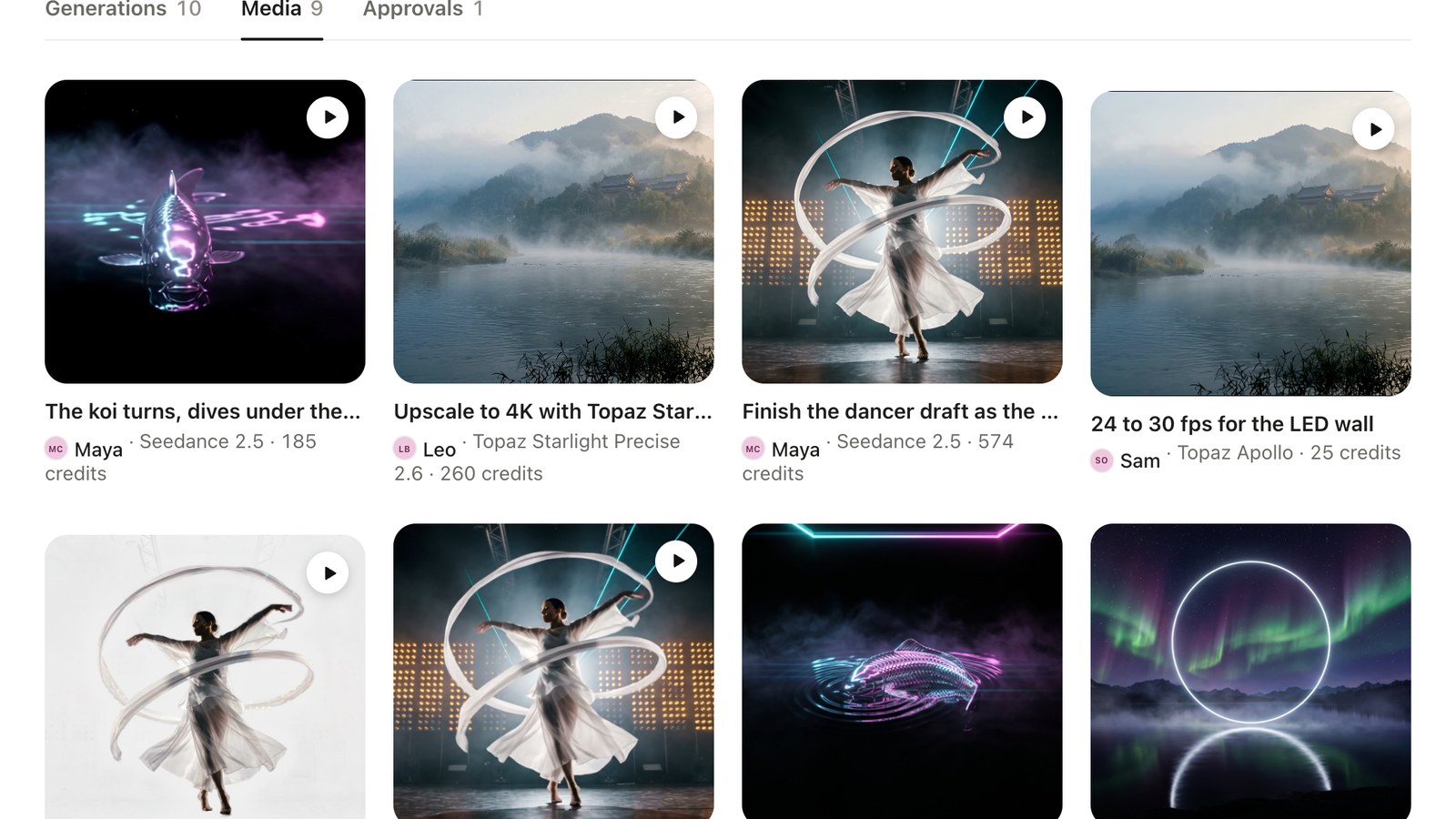 The job’s media in one place, with who made each output and what it cost.
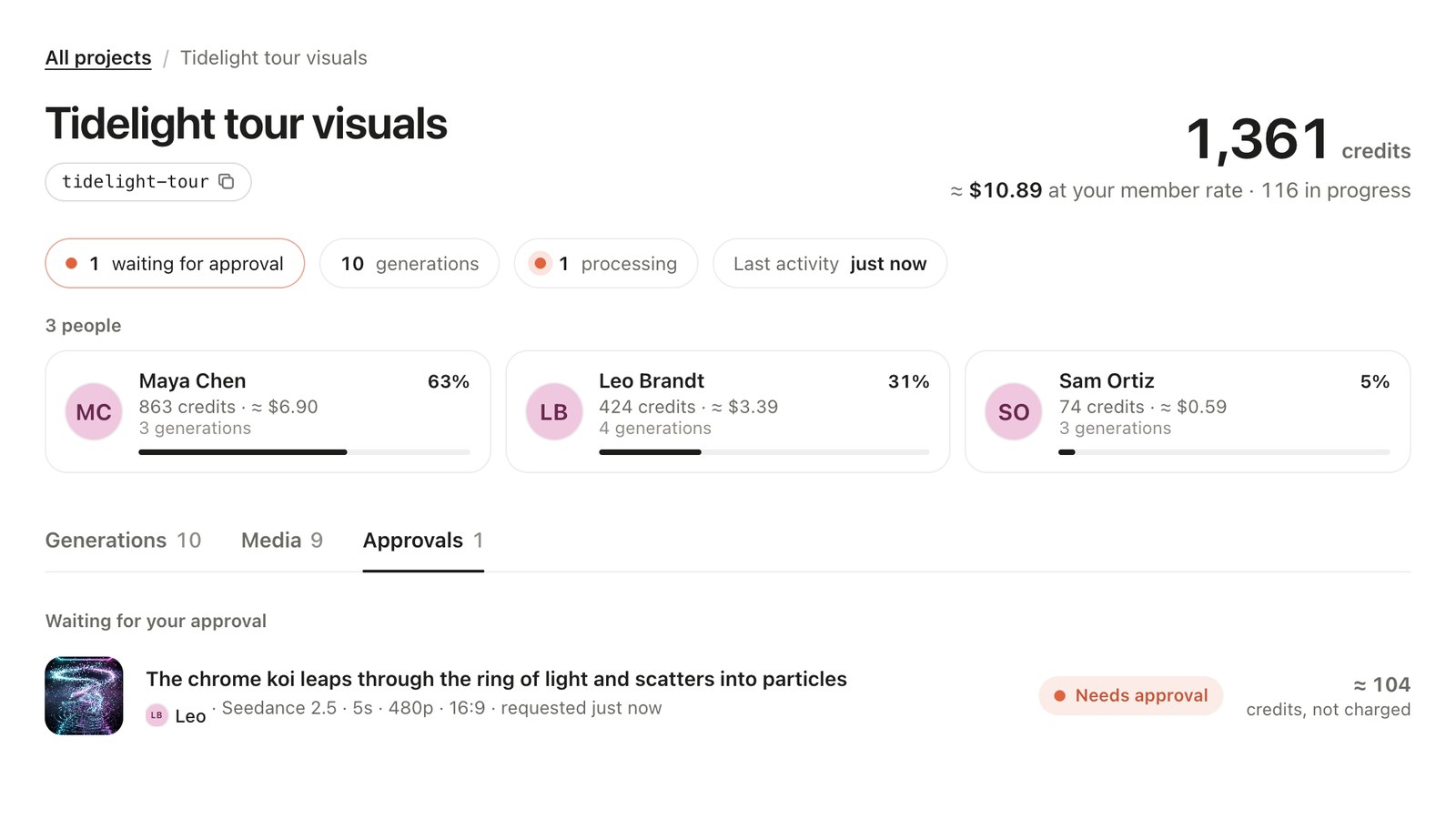 Approvals: your renders waiting in Review mode, with the estimate. Nothing is charged until you press Generate.
Costs are shown in credits and in dollars at 1 cent a credit, 20% less for an active member. You can also just ask “who spent what on Tidelight this week?” and get the breakdown in the chat.
5. Archive the job when it is billed
Ask to archive the project. It leaves your list of active jobs and keeps its history and totals. If someone still names it, the work counts and the reply says the project is archived; restore it if the client comes back.
How this compares
Per-project cost tracking is usually an enterprise feature in AI media tools. As of October 28, 2026, Runway breaks credits down by workspace, project and session in its Enterprise analytics; Higgsfield shows usage by member and offers sub-workspaces, with exports on Enterprise; fal attributes cost per request through request tags. In Creative Claw, budget projects are free on every account and work from the chat itself.
Budget projects count Creative Claw credits only; your Claude or ChatGPT plan is billed separately. The step-by-step guides are here: teams and budgets in ChatGPT and in Claude.
Ready to try it?
Connect CreativeClaw to Claude in under a minute.
Get StartedContinue the workflow