4K, 30 fps and ProRes Alpha for AI Video, Inside Claude and ChatGPT
AI video models are good at the shot and bad at the delivery spec. Most render 24 fps, top out at 1080p and bake the background in. A conference wall, a concert screen or a client’s comp wants 4K, 30 fps and alpha. Until now, getting there meant a desktop app, a local GPU busy for hours, or a browser tab per tool.
Professional video creators already use Creative Claw for paid work, from concert and show visuals to series and client commercials. It now does those finishing steps from the chat, in Claude and ChatGPT, on any clip you have rights to. Here is what is new, what it did on real footage and what it cost.
What is new
| Job | Tool in the chat | Models | Output |
|---|---|---|---|
| Upscale | upscale_video | Topaz Starlight Precise 2.6, HQ, Mini, Fast 2; ByteDance | Up to 4K (Topaz) or 8K at 24–120 fps (ByteDance) |
| Frame rate | increase_frame_rate | Topaz Apollo (default), Chronos, Aion | 30, 60 or up to 120 fps; 2–8x slow motion |
| Cutouts | remove_background | Bria V-RMBG 3.0 (default), VEED, green-screen versions | ProRes 4444 or WebM with alpha |
| New shots | generate_video | Seedance 2.5 | Bridge shots, 480p drafts finished at 1080p, extends |
You do not need the tool names. Ask in plain words, “upscale these to 4K with Starlight Precise”, and the assistant picks the tool, quotes the job from your clip’s length, size and frame rate, and runs it.
4K: three upscalers on the same frame
We took a 5-second 1920 × 1080 clip at 24 fps and asked for 4K three ways. These are 1:1 crops of the same frame.
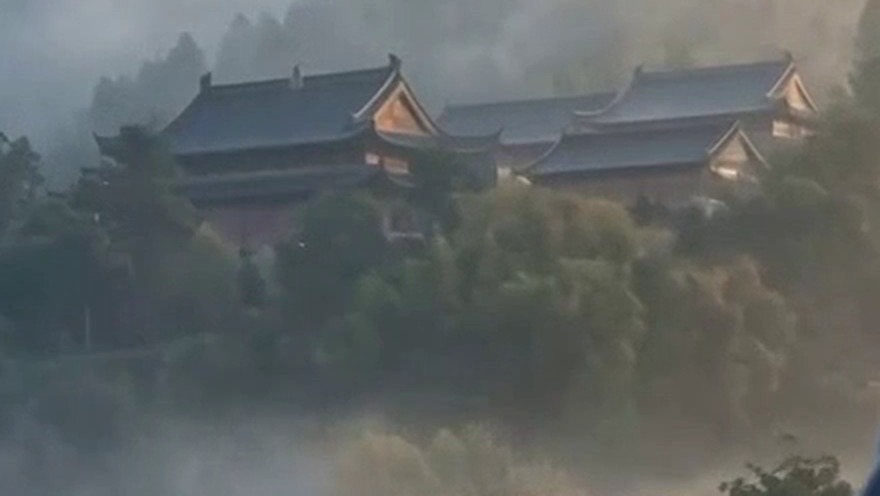 The 1080p source, enlarged 2x.
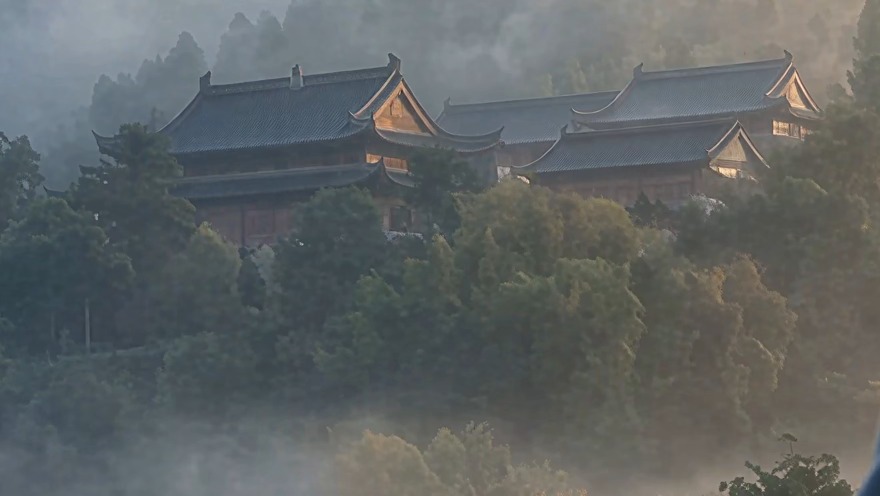 Topaz Starlight Precise 2.6: separate leaves and roof tiles. About 21 minutes, 260 credits.
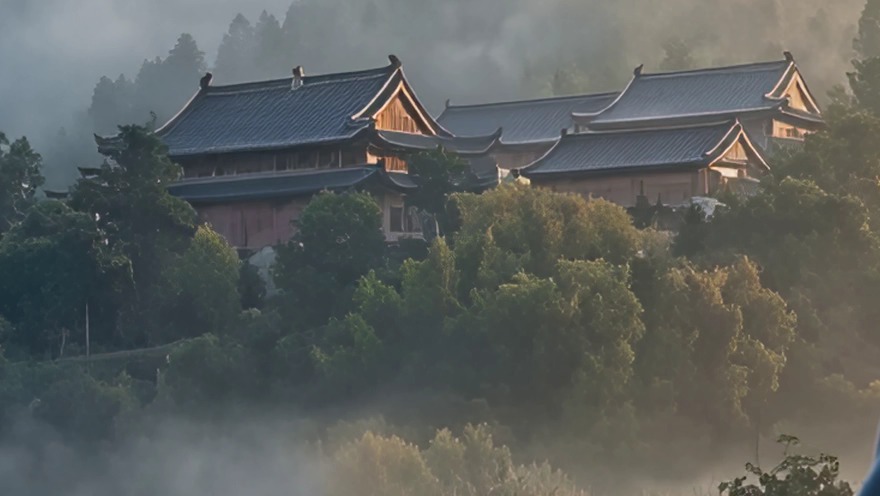 Topaz Starlight Fast 2: similar detail, a little more contrast. About 7 minutes, 140 credits.
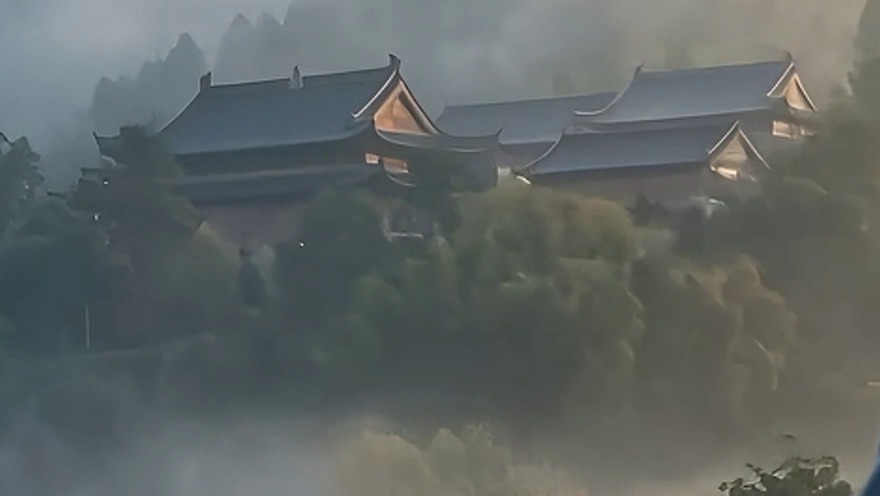 ByteDance upscaler at 4K, 30 fps: cleaner than the resize but still soft. 30 credits.
Past 4K, the ByteDance upscaler goes to 6K and 8K. Topaz Starlight stops at 4K, so for the most detail we chained them: the Starlight 4K clip went to 7680 × 4320 with ByteDance for 116 credits. ByteDance kept the Starlight detail at twice the pixels and added little of its own.
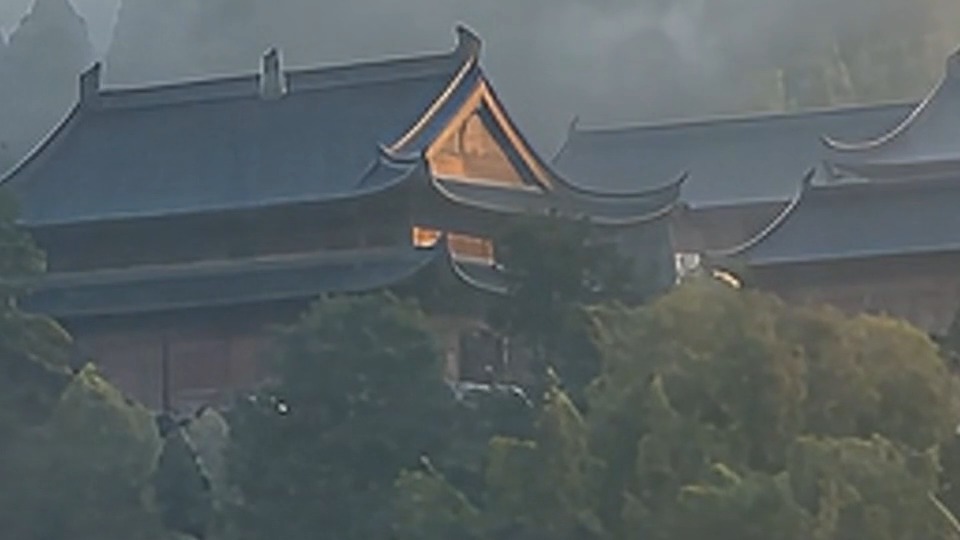 Starlight 4K taken to 8K with ByteDance: a 1:1 crop of the 7680 × 4320 frame.
Our take: Precise 2.6 for hero shots, Fast 2 for long batches, ByteDance when you need 6K or 8K, 30 to 120 fps or 10-bit on a budget. Whatever you pick, the extra detail is invented, so check faces, text and logos frame by frame.
24 to 30 fps without a local GPU
Show playback systems and LED walls often run at 30 or 60 fps; AI video arrives at 24. Topaz Apollo took the same clip from 24 to 30 fps (120 frames became 150, same length and framing) in about 90 seconds for 25 credits.
Need more than 30? The same tool goes to 60 or up to 120 fps, or 2–8x slow motion. The ByteDance upscaler can also change resolution and frame rate in one pass, from 24 up to 120 fps and up to 8K.
Apollo is the default. Chronos is tuned for real camera footage. Aion is for extreme motion such as particles, cloth, curtain drops and whip pans, but it is slow: about half an hour for 5 seconds near 1080p. Retime the final, upscaled cut, not the draft.
Alpha for the comp
The dancer cut out with Bria V-RMBG 3.0 (ProRes 4444, 51 credits for 5 seconds at 1080p) and laid over a new plate.
 Bria’s matte of one frame: every pixel fully solid or fully clear.
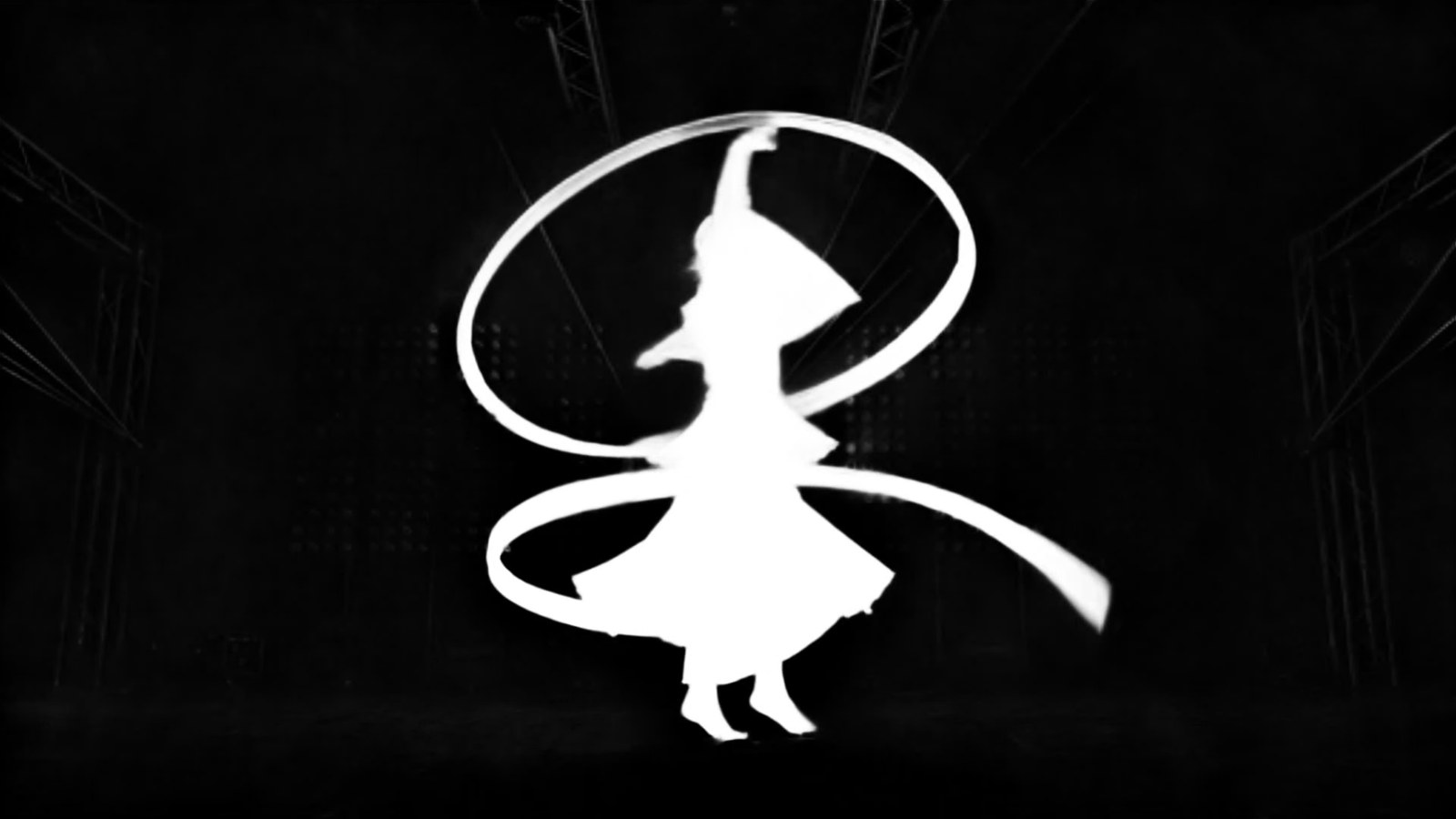 VEED’s matte of the same frame (19 credits): 64% of the subject’s pixels are partly transparent, including faint traces of the trusses and lasers.
Bria V-RMBG 3.0 cuts each frame using the previous one, so edges stay steady on people and solid objects, and it returns ProRes 4444 with alpha. Its matte is hard, so sheer silk, smoke and glow come out solid. VEED’s matte is soft and keeps those parts partly transparent (WebM with alpha), but it can also keep faint traces of the background. Footage shot on green has its own Bria and VEED versions that pull the green spill off the edges.
Video background removal is priced from the clip: about 100 credits per 10 seconds at 1080p with Bria, about 36 with VEED. ProRes files are large and do not preview in browsers, so the result comes as a download link.
Seedance 2.5: bridge shots, drafts and extends
Clip A, the Seedance 2.5 bridge made from both clips (185 credits at 480p), then clip B. The bridge ended a moment later in the action than clip B begins, so clip B joins 2.4 seconds in.
A bridge shot joins two clips. Give Seedance 2.5 the clip before and the clip after as video references (up to 10, 30 seconds in total) and ask for the moment in between. Ours, 5 seconds at 480p with two 5-second handles, cost 185 credits.
Every 480p Seedance 2.5 request is a draft: you check the motion for about 104 credits per 5 seconds, then finish the same take at 1080p within 7 days. Finishing ours cost 574 credits, about what a direct 1080p render costs, so drafts save on the takes you throw away. Extend continues a take by 4 to 30 seconds from its last frame; 5 more seconds at 480p cost 123 credits.
Formats past 21:9
Show screens are rarely 16:9: think 4:1 stage wraps, 8:1 ribbons or a 1:8 column. Video models stop at 21:9, but creators already make these formats by generating the plates with Creative Claw and joining them into one wide or tall canvas. Keep the motion inside each plate so the joins stay invisible.
Many clips, one message
Each step works on a batch. Attach or link ten clips and ask for all of them at 4K and 30 fps: each becomes its own cloud job with its own card, and nothing runs in a browser tab on your machine. A typical order:
- Draft and bridge the shots in Seedance 2.5 at 480p; finish the keepers at 1080p.
- Cut out what you will comp, at the size you deliver.
- Upscale the finals to 4K.
- Retime them to 30 fps last.
Work as a team, bill per client
Studios can share one credit balance: invite teammates on the Team tab of your Creative Claw account (included with Membership). Start a budget project per client or job, name it in your requests, and the project view shows what the job cost and who made what.
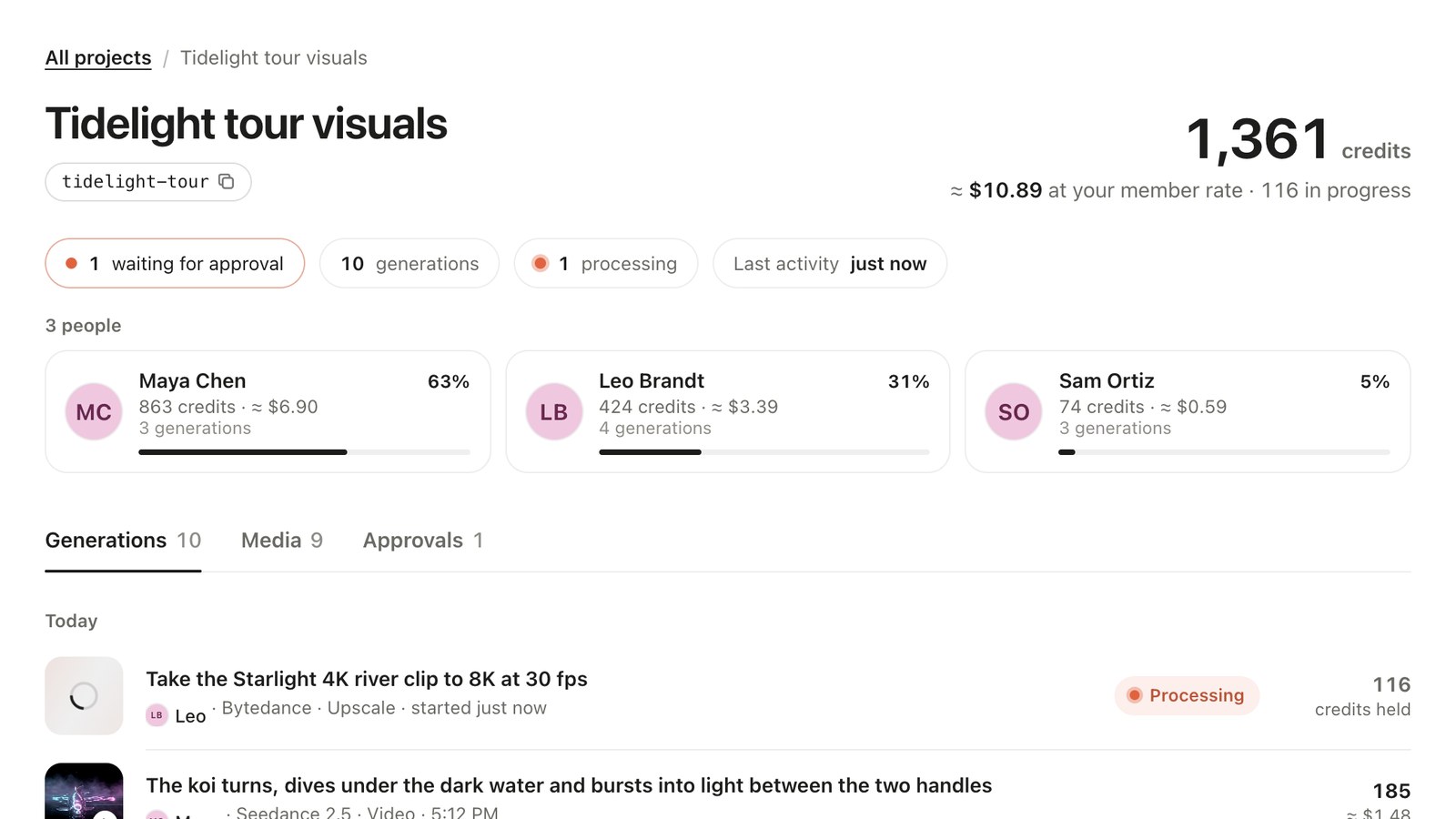 A sample job in the project view: the total in credits and dollars, and each teammate’s share. How to set it up.
What it costs
| Step (5 seconds of 1080p) | Model | Credits |
|---|---|---|
| 1080p → 4K | Topaz Starlight Precise 2.6 | 260 |
| 1080p → 4K | Topaz Starlight Fast 2 | 140 |
| 1080p → 4K at 30 fps | ByteDance upscaler | 30 |
| 4K → 8K at 30 fps | ByteDance upscaler | 116 |
| 24 → 30 fps | Topaz Apollo | 25 |
| 24 → 30 fps (quote) | Topaz Aion | 41 |
| Draft, 480p | Seedance 2.5 | 104 |
| Finish the draft at 1080p | Seedance 2.5 | 574 |
| Bridge shot, 480p, two 5 s handles | Seedance 2.5 | 185 |
| Extend by 5 s, 480p | Seedance 2.5 | 123 |
| Cutout with alpha, 1080p | Bria V-RMBG 3.0, ProRes 4444 | 51 |
| Soft matte, 1080p | VEED | 19 |
$10 buys 1,000 credits that never expire, and new accounts get 100 free. The full walkthroughs, with prompts and FAQs, are in the motion designers hub for ChatGPT and for Claude.
Ready to try it?
Connect CreativeClaw to Claude in under a minute.
Get StartedContinue the workflow